EasyManua.ls Logo

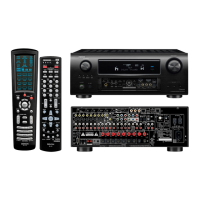
Denon AVR-4520CI - User Manual

Denon AVR-4520CI
227 pages
Print Icon
To Next Page IconTo Next Page
Loading...
AVR-4520CI
INTEGRATED NETWORK AV RECEIVER
Owners Manual
Basic version
Advanced version
Informations
DVD

Table of Contents

Other manuals for Denon AVR-4520CI

Questions and Answers

  • A
    ajohnsonSep 9, 2025
    How to fix no picture on Denon AVR-4520CI?
    • U
      ujohnsonSep 9, 2025
      If you're not getting a picture on your Denon Receiver: * Check the connection between the video output terminal of the unit and the input terminal of your TV. * Match the input settings to the input terminal of the TV connected to the unit.
  • K
    Karen SheppardAug 23, 2025
    How to fix no sound from subwoofer on Denon AVR-4520CI Receiver?
    • C
      christopher86Aug 23, 2025
      If there's no sound coming from the subwoofer connected to your Denon Receiver, check the following: * Verify the subwoofer connections. * Make sure the subwoofer is powered on. * In the menu, set “Speaker Config.” – “Subwoofer” to either “2spkrs” or “1spkr”. * Note that if "Front" and "Center" for “Speaker Config.” are set to “Large”, and “Subwoofer Mode” is set to “LFE”, no sound may be output from the subwoofers, depending on the input signal or selected sound mode.
  • B
    Barbara BowenAug 25, 2025
    How to fix no sound from surround back speaker on Denon AVR-4520CI?
    • B
      Brad VelasquezAug 25, 2025
      If you're not getting any sound from your surround back speakers on your Denon Receiver: * Verify that “Assign Mode” is correctly configured to output audio from the surround back speakers. * Ensure that “Speaker Config.” – “Surr. Back” in the menu is set to something other than “None”. * Confirm that the sound mode is set to something other than “STEREO” or “VIRTUAL”.
  • M
    Maria Lutz MDAug 26, 2025
    Why is the volume not increasing on my Denon AVR-4520CI?
    • K
      Kelly DavisAug 27, 2025
      If the volume isn't increasing on your Denon Receiver: * The maximum volume may be set too low. Adjust the maximum volume using the “Limit” setting in the menu. * External devices connected to the unit's output connectors may not be powered on. Check the power status of these devices.
  • T
    Travis RamirezAug 27, 2025
    How to fix no audio output on Denon AVR-4520CI?
    • M
      Melissa HamiltonAug 27, 2025
      If you're not getting any audio output from your Denon Receiver: * Check the connections for all devices. * Verify the speaker connections and configurations. * Ensure the audio device is powered on. * Adjust the master volume. * Cancel mute mode. * Check the connection with the playback device and select the correct input source. * Match the input mode to the terminal assigned as the digital input terminal. * Disconnect any headphones, as sound will not output from the speakers when headphones are connected.
  • J
    Jenna WhiteAug 29, 2025
    What to do if my Denon AVR-4520CI Receiver remote control is not working?
    • N
      Nicole ReedAug 29, 2025
      If the remote control isn't operating your Denon Receiver: * Replace the batteries with new ones. * Make sure you're within 23 ft/7 m of the unit and within a 30° angle. * Remove any obstructions between the remote and the unit. * Ensure the batteries are inserted correctly, matching the polarity marks. * Strong light (like direct sunlight or fluorescent lights) may interfere with the remote sensor. Move the unit to a location with less light. * Verify that the zone setting on the remote matches the zone you are trying to control by pressing ZONE SELECT.
  • A
    Alison WoodardSep 18, 2025
    What to do if no video or audio is output to TV in ZONE4 when the HDMI ZONE4 function is used on Denon AVR-4520CI?
    • J
      Juan StoneSep 18, 2025
      When using the HDMI ZONE4 function and there is no video or audio output to the TV in ZONE4 on your Denon Receiver: * Ensure that the power is on for ZONE4. * Check the input source for ZONE4. * Verify the output settings (resolution/audio format) for the input device. * Note that the HDMI 7 / MHL connector on the front panel does not support the HDMI ZONE4 function. * For ZONE4, playback is only possible when the input signals are HDMI signals.
  • K
    Kenneth FieldsSep 18, 2025
    What to do if the TV used for MAIN ZONE is turned on when playing back the input device just to use the HDMI ZONE4 function on Denon AVR-4520CI?
    • D
      david12Sep 18, 2025
      If the TV used for the MAIN ZONE turns on when you're only trying to use the HDMI ZONE4 function on your Denon Receiver, it's likely that “HDMI Control” in the menu is set to “On”. When using the HDMI ZONE4 function, set “HDMI Control” in the menu to “Off”.
  • C
    Craig SmithSep 7, 2025
    Why can't I select “Restorer” on my Denon AVR-4520CI?
    • D
      david91Sep 8, 2025
      If you're unable to select “Restorer” on your Denon Receiver: * Make sure that an analog or PCM signal (Sample Rate=44.1/48 kHz) is being input. “Restorer” cannot be used for multichannel signals like Dolby Digital or DTS surround. * Switch the sound mode to something other than “DIRECT” or “PURE DIRECT.”
  • C
    Corey GouldSep 4, 2025
    What does it mean when the power indicator is blinking red rapidly on my Denon AVR-4520CI?
    • C
      caseykennethSep 4, 2025
      If the power indicator on your Denon Receiver is blinking red rapidly (approximately every 0.5 seconds): * Ensure you are using speakers with the correct impedance. * The protection circuit may have been activated because the speaker cable wires are touching, a wire has come loose, or a wire is touching the rear panel. Unplug the power cord, correct the wiring issue, and then reconnect the power.

Denon AVR-4520CI Specifications

General IconGeneral
BrandDenon
ModelAVR-4520CI
CategoryReceiver
LanguageEnglish

Related product manuals