1
s
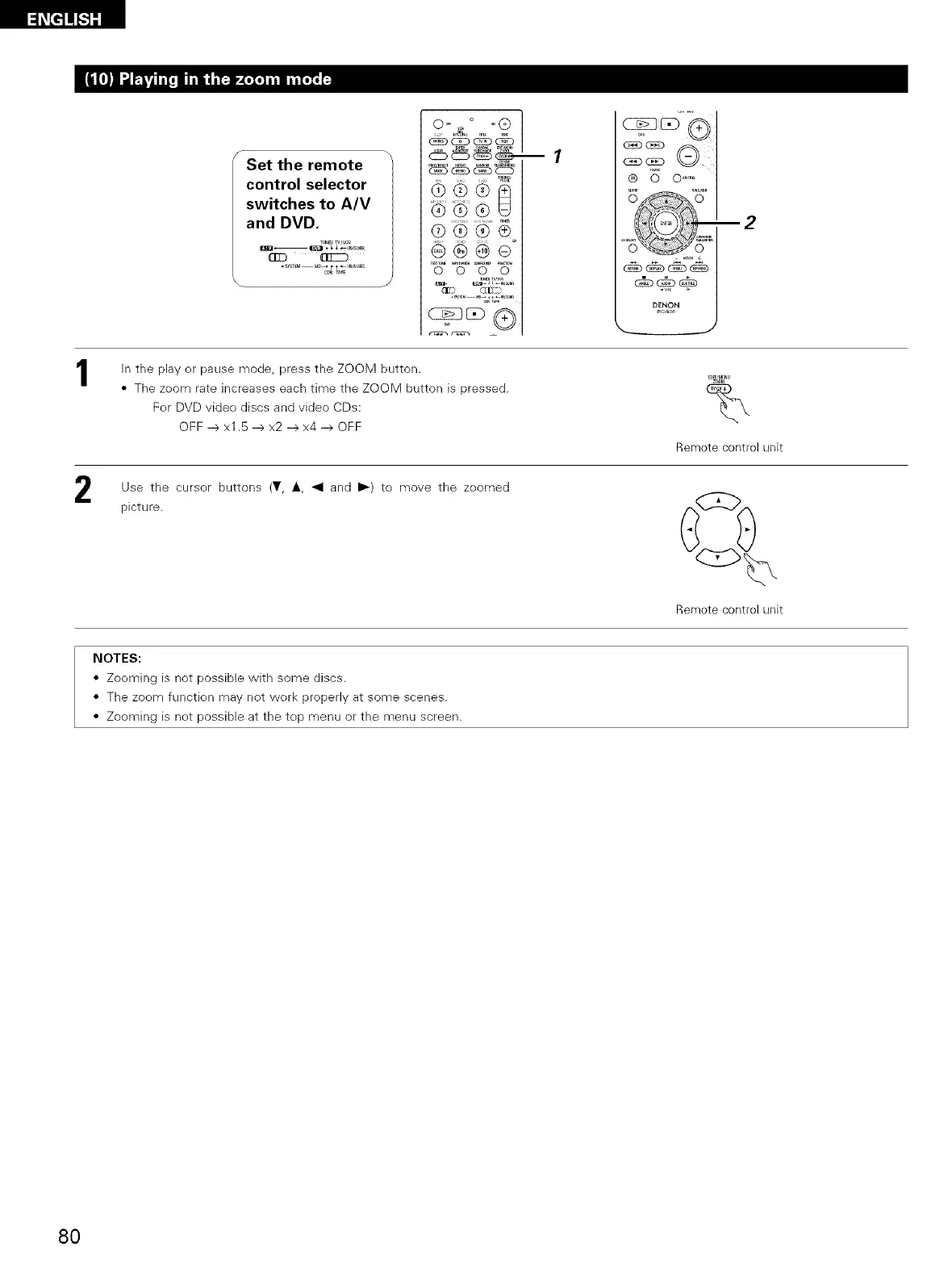
Set the remote
control selector
switches to A/V
and DVD.
c_ _ _%%%__i_ +
®@®
@®®®
@@@®
0 0 0 0
• (£1]Z}
--1
O
® 0 0 .....
_,o, +
DENON
Rc g3_
--2
In the plaver pause mode, press the ZOOM button.
• The zeom rate increases each time the ZOOM button is pressed.
Fer DVD videe discs and video CDs:
OFF -->x1.5 --> x2 --> x4 --> OFF
z +_1
%
Remote control unit
Use the curser buttons (¥, i, _1 and ll,-) te move the zeomed
picture.
Remote control unit
NOTES:
• Zoeming is not possible with some discs.
• The zoem functien may not werk properIv at some scenes.
• Zooming is net possible at the tep menu or the menu screen.
80


 To Next Page
 Loading...