EasyManua.ls Logo

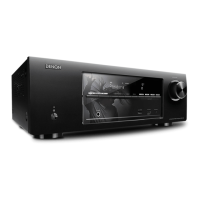
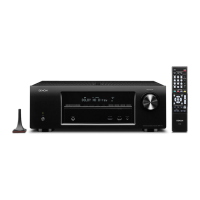
Denon AVR-1610 - User Manual

Denon AVR-1610
67 pages
Print Icon
To Next Page IconTo Next Page
Loading...
AV SURROUND RECEIVER
AVR-1610
Owners Manual
Manuel de l’Utilisateur
bThe illustrations used for explaining operations in this manual show the buttons of
the remote control unit.
The same operations can be performed using the buttons with the same names on
the main unit panel.
b Les illustrations des boutons présentes dans ce manuel servent à expliquer le
fonctionnement de la télécommande.
Vous pouvez contrôler l’appareil à l’aide du bouton portant le même nom sur la
façade de l’appareil.

Table of Contents

Other manuals for Denon AVR-1610

Questions and Answers

  • S
    schmidtmorganSep 23, 2025
    Why is my Denon Stereo Receiver not responding to the remote control?
    • J
      Jennifer ReynoldsSep 23, 2025
      If your Denon Stereo Receiver isn't responding to the remote control, several things could be the cause. First, try replacing the batteries with new ones. Make sure you are operating the remote within the specified range and that there are no obstacles between the remote and the main unit. Check that the batteries are inserted correctly, following the polarity marks in the battery compartment. Ensure that the set’s remote control sensor is not exposed to strong light. Also, verify that the device selection switch is set to the proper position and set the device mode for the device to be operated before using the remote control.
  • S
    Seth WeissAug 25, 2025
    How do I fix no sound from the center speaker on my Denon Stereo Receiver?
    • M
      mariamillerAug 25, 2025
      If you are playing a monaural source in “STANDARD” mode, change the mode to something other than “STANDARD” (Dolby/DTS Surround).
  • S
    Shari MckinneyAug 25, 2025
    How to fix no sound from surround speakers on Denon Stereo Receiver?
    • T
      Traci WilliamsAug 26, 2025
      If the surround mode is set to “STEREO” or “DIRECT”, change it to a surround playback mode.
  • J
    jaredwilsonAug 26, 2025
    Why is there no sound from the subwoofer on my Denon Stereo Receiver?
    • E
      Eric AllenAug 27, 2025
      First, ensure the subwoofer is powered on. Check that the “Subwoofer” setting at “Speaker Config.” is set to “Yes.” Verify the connections to the subwoofer are correct. Finally, adjust the subwoofer’s volume to an appropriate level, ensuring it’s not turned off.
  • D
    David FaulknerAug 27, 2025
    Why is there no sound from surround back speaker on my Denon Stereo Receiver?
    • D
      Dawn Baker MDAug 27, 2025
      Ensure the pre-out assignment for the surround back speakers is correctly set. Verify that the “S.Back” setting is not set to “None.” Check that the “Parameter” – “Surround Parameter” – “SB CH Out” settings are not “OFF.” Finally, select a surround playback mode that supports 6.1- or 7.1-channel playback.
  • M
    Matthew WileySep 15, 2025
    Why can't I play my iPod on my Denon Stereo Receiver?
    • J
      jamesgonzalezSep 15, 2025
      Ensure that the input source assigned to “iPod Dock” is selected. Check that the cable is properly connected. Verify that the control dock for iPod’s AC adapter is plugged into a power outlet.
  • B
    Bryan BakerSep 12, 2025
    Why is the display off on my Denon Stereo Receiver?
    • T
      toddcainSep 12, 2025
      If the “Display” setting is set to “OFF”, change it to something other than “OFF.”
  • L
    Laura AshleySep 14, 2025
    Why can't I see the menu screen and status indicators on my Denon Stereo Receiver?
    • M
      Melissa CummingsSep 14, 2025
      If the display status is set to “OFF”, press the MENU button on the main unit or remote control. If the main volume display is “OFF”, set “Manual Setup” – “Option Setup” – “On-Screen Display” – “Text” to “ON.” For tuner operation, set “Manual Setup” – “Option Setup” – “On-Screen Display” – “Master Volume” to “Top” or “Bottom.” For iPod operation, ensure “Manual Setup” – “On-Screen Display” – “Tuner Information” and “Manual Setup” – “On-Screen Display” – “ iPod Information” are not set to “OFF.”
  • L
    Lindsey BowmanSep 5, 2025
    Why is there no picture appearing on my Denon AVR-590 Stereo Receiver?
    • H
      Hannah RamirezSep 5, 2025
      Check the connections between the AVR-590 and the monitor to ensure they are secure. Verify that the monitor's input setting is correct. If using component input connectors with video output connectors, set the player to interlace (480i/576i) signals, as high-definition signals are not down-converted.
  • J
    John HortonSep 2, 2025
    Why doesn't my Denon Stereo Receiver remote control work properly?
    • J
      jenningselizabethSep 2, 2025
      Several reasons may cause the remote control to malfunction. First, replace the batteries with new ones. Ensure you are operating within the specified range and that there are no obstacles between the remote and the main unit. Check that the batteries are inserted correctly, following the polarity marks. Move the set away from strong light sources that might interfere with the remote control sensor. Also, make sure the device selection switch and device mode are properly set for the device you are trying to operate.

Denon AVR-1610 Specifications

General IconGeneral
Channels5.1
Power Output75 W per channel (8 ohms, 20Hz-20kHz, 0.08% THD)
HDMI Inputs4
HDMI Outputs1
Signal-To-Noise Ratio98 dB
THD0.08%
Input Impedance47 kOhm
Input Sensitivity200 mV
Surround System Class5.1 channel
HDMI SwitchingYes
3D TechnologyYes
Input Sensitivity/Impedance200 mV / 47 kOhm
HDMI Version1.3a
Dolby FormatsDolby Digital, Dolby Digital Plus
DTS FormatsDTS, DTS Neo:6, DTS 96/24
AudysseyMultEQ
Amplifier Output Details75 W per channel at 8 ohms, 20 Hz to 20 kHz, 0.08% THD
Response Bandwidth10Hz - 100kHz
Audio D/A Converter192 kHz/24-bit
Frequency Response10 Hz to 100 kHz
Video Inputs/OutputsComposite, Component
Audio Inputs/OutputsDigital Optical

Related product manuals