EasyManua.ls Logo

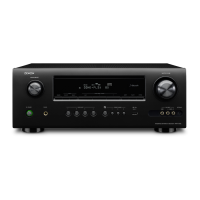
Denon AVR-1910 - User Manual

Denon AVR-1910
76 pages
Print Icon
To Next Page IconTo Next Page
Loading...
AV SURROUND RECEIVER
AVR-1910
Owner’s Manual
Bedienungsanleitung
Manuel de l’Utilisateur
Manuale delle istruzioni
Manual del usuario
Gebruiksaanwijzing
Bruksanvisning
Button illustrations used in this manual for operation explanation are for the Remote Control Unit.
You can operate the unit using the button of the same name on the front panel of the unit.
Die in diesem Handbuch verwendeten Tasten-Illustrationen für die Betriebserklärung beziehen sich auf die Fernbedienung.
Sie können das Gerät mit der gleichnamigen Taste an der Frontkonsole des Gerätes bedienen.
Les illustrations des boutons présentes dans ce manuel servent à expliquer le fonctionnement de la télécommande.
Vous pouvez contrôler l’appareil à l’aide du bouton portant le même nom sur la façade de l’appareil.
Le illustrazioni dei pulsanti mostrate in questo manuale di spiegazione si riferiscono al telecomando.
E’ possibile adoperare l’unità utilizzando i pulsanti del nome corrispondente presenti sul pannello frontale dell'unità.
Las ilustraciones de los botones utilizadas en este manual con propósitos de explicación son para la unidad del mando a distancia.
Puede operar la unidad utilizando el botón del mismo nombre en el panel delantero de la unidad.
De gebruikte toetsillustraties in deze handleiding voor uitleg van de bediening zijn voor de afstandsbediening.
U kunt het toestel bedienen door de toets met dezelfde naam op het voorpaneel van het toestel te gebruiken.
Bilder på knappar i denna bruksanvisning för att förklara användningen gäller fjärrkontrollen.
Du kan också använda knapparna med samma namn på frontpanelen på enheten.
b
b
b
b
b
b
b

Table of Contents

Other manuals for Denon AVR-1910

Questions and Answers

  • D
    Donald WilliamsSep 12, 2025
    What to do if my Denon Stereo Receiver power switches off suddenly and flashes red?
    • J
      jordan91Sep 12, 2025
      If your Denon Stereo Receiver AVR-1910 switches off suddenly and the power indicator flashes red at 0.5-second intervals, this could be due to using speakers with lower impedance than specified or speaker cable core wires touching each other, or core wires becoming disconnected from their terminals, or core wires coming into contact with the unit's rear panel. To resolve this, use speakers with the correct impedance. If wires are touching, unplug the power cord, twist the core wires together tightly, apply termination treatments, and reconnect.
  • J
    Jenna ThomasAug 25, 2025
    Why is there no sound coming from the subwoofer connected to my Denon AVR-1910 Receiver?
    • J
      jenniferwhiteAug 25, 2025
      If your subwoofer isn't producing sound with your Denon Receiver, check these items: First, make sure the subwoofer is powered on. Then, verify that the “Subwoofer” setting in “Speaker Config.” is set to “Yes”. Ensure the subwoofer is properly connected to the receiver. Finally, check the subwoofer's volume level and adjust it to an appropriate setting.
  • W
    William RichardsonAug 25, 2025
    How do I get HDMI audio to output from speakers on my Denon Receiver?
    • M
      Mr. Scott WalkerAug 26, 2025
      If HDMI audio signals are not being output from the speakers connected to your Denon Receiver, check the “Manual Setup” – “HDMI Setup” – “HDMI Audio Out” setting. If it is set to “TV”, change it to “AMP”.
  • C
    Chelsea GoodmanSep 23, 2025
    What does it mean when the power display flashes red on my Denon Stereo Receiver?
    • J
      James QuinnSep 23, 2025
      If even applying power, the power display of your Denon Stereo Receiver AVR-1910 flashes red at intervals of approximately 0.5 seconds, the amplifier circuit has failed. Switch off the power and please contact the DENON service adviser.
  • M
    Matthew WongSep 12, 2025
    What does “NO SIGNAL” mean on my Denon Receiver?
    • J
      Joshua GilbertSep 12, 2025
      If your Denon Receiver displays “NO SIGNAL”, it means the signal cannot be received. Reposition the antenna.
  • J
    Jodi HallSep 18, 2025
    Why is there no picture on my Denon Stereo Receiver?
    • A
      Andrew WolfeSep 18, 2025
      If there is no picture appearing on your Denon Stereo Receiver, check the connections between the unit and the monitor. Ensure the monitor’s input setting is correct and that the PURE DIRECT mode is not enabled. If using component input connectors for the player and video (yellow) output connectors for the monitor, set the player to interlace (480i/576i) signals, as high definition (1080i/720p) and progressive (480p/576p) video signals are not down-converted.
  • P
    pweissSep 5, 2025
    Why can't I record a picture using my Denon AVR-1910 Receiver?
    • Z
      Zachary BrownSep 6, 2025
      If you cannot record a picture, it may be because the input source does not match the recorder’s video connection connector (video). The video conversion function does not work for the REC OUT connectors, so match the input source and recorder connections.
  • D
    Dennis Rasmussen Jr.Sep 6, 2025
    Why doesn't the “DOLBY DIGITAL” indicator appear on the display of my Denon Receiver?
    • C
      Christina KnightSep 6, 2025
      If the “DOLBY DIGITAL” indicator isn't showing on your Denon Receiver's display, the Blu-ray Disc player / DVD player’s digital audio output setting might not be correct. Check the Blu-ray Disc player / DVD player’s audio output setting. Refer to the Blu-ray Disc player / DVD player’s operating instructions for details.
  • B
    Bradley TranSep 18, 2025
    How to get sound from HDMI monitor on my Denon Stereo Receiver?
    • R
      Rachel RobinsonSep 22, 2025
      If no sound is output from the monitor connected with HDMI connections to your Denon Stereo Receiver, ensure that the “Manual Setup” – “HDMI Setup” – “HDMI Audio Out” setting is set to “TV”.
  • J
    Justin Gomez DVMAug 30, 2025
    How to fix no sound from my Denon Stereo Receiver speakers?
    • J
      James WongAug 30, 2025
      If no sound is coming from the speakers of your Denon Stereo Receiver, check the following: * Ensure the connections to the input devices and speaker cables are correct. * Verify that the selected input source matches the device you are trying to play. * Increase the master volume to an audible level. * Deactivate mute mode. * Disconnect any connected headphones. * Confirm digital signals are being input, and the input mode is correctly set.

Summary

Safety Precautions

Electric Shock Warning

Warning against opening the unit to reduce electric shock risk.

Fire and Moisture Hazard Warning

Warning against exposing the appliance to rain or moisture.

Handling and Installation Cautions

Part Names and Functions

Front Panel Overview

Identification of buttons, indicators, and terminals on the front panel.

Rear Panel Connections

Audio, Video, and HDMI Terminals

Details of audio, video, and HDMI input/output connectors.

Remote Control Functions

Remote Control Layout and Operation

Identification of buttons and controls, and basic operation.

Connecting Devices

Connection Overview and Notes

General guidelines and important information for making connections.

Speaker Setup

Speaker Layout Examples

Diagrams for optimal speaker placement in different surround configurations.

Speaker Configuration and Connections

Amplifier Assignment Modes

Settings for assigning amplifier outputs to speaker configurations.

Connecting Speaker Cables

Visual guide for connecting speaker cables to the unit's terminals.

Speaker Cable and HDMI Connections

Speaker Cable Connection Guide

Detailed instructions for securely connecting speaker cables.

HDMI Connection Details

Information on HDMI interface, features, and HDCP.

Settings Menu Overview

Main Setting Categories

Overview of Parameter, Information, Auto Setup, Manual Setup, and Input Setup.

Audyssey Auto Setup

Audyssey Auto Setup Process

Step-by-step guide for automatic speaker calibration.

Audyssey Setup: Microphone and Preparations

Microphone Connection and Setup

Connecting the setup microphone and preparing for auto setup.

Front Speaker Selection

Choosing which front speakers to use for measurement.

Audyssey Setup: Amplifier Assignment and Measurement

Amplifier Assignment Configuration

Setting the amplifier output for surround back channels.

Performing Auto Setup Measurements

Executing the measurement process for speaker detection and calibration.

Audyssey Setup: Storing Results and Finalizing

Storing Measurement Results

Saving the configured settings after the auto setup process.

Audyssey Auto Setup Troubleshooting

Handling Audyssey Error Messages

Explains common error messages and their solutions.

Reviewing Measurement Results

Checking speaker configuration, distance, and levels after setup.

Manual Setup Options

Detailed Speaker and Tone Settings

Advanced Audio Settings

HDMI Setup

ZONE2 and Option Settings

Advanced ZONE2 and Option Settings

Input Setup Configuration

Input Source Assignment

Video and Input Mode Settings

Playback Operations

Playing Disc and iPod Content

Procedures for playing Blu-ray/DVDs and iPods.

Playback Operations

Surround Mode Selection

DENON Original and Direct Playback Modes

Sound Field Effect Parameters

Advanced Surround and Tone Adjustments

Audyssey Settings

MultEQ Optimization

Adjusting frequency response using Audyssey MultEQ.

Dynamic EQ and Volume

Configuring Dynamic EQ and Dynamic Volume for optimized sound.

Zone 2 Multizone Playback

Remote Control Device Operation

Operating Registered Devices

Surround Sound Technologies

Dolby Surround Formats

Explains Dolby Digital, Plus, TrueHD, and Pro Logic formats.

DTS Surround Formats

Explains DTS Digital, HD High Resolution, Master Audio, and NEO:6.

Advanced Audio Format Details

DTS 96;24 and Audyssey Features

Details on DTS 96/24 and Audyssey's Dynamic Volume, MultEQ, EQ.

Audyssey Functionality Explained

In-depth explanation of Audyssey's room equalization and sound balancing capabilities.

Surround Mode Parameters

Mode Adjustability Overview

Table showing signal compatibility and parameter adjustability for various surround modes.

Sound Field Parameter Adjustments

Surround Mode Compatibility

Input Signal vs. Surround Mode Mapping

Chart showing which surround modes work with different input signals.

Troubleshooting Guide

General Troubleshooting Steps

Initial checks for connection, operation, and component issues.

Audio and Display Symptom Resolution

Solutions for common audio output and display problems.

Troubleshooting Audio and Video Issues

Audio Output Problems

Resolving issues with sound from center, surround, subwoofer, and DTS.

Video and Display Problems

Troubleshooting no picture, recording, copying, and display issues.

Resetting and iPod Troubleshooting

Resetting the Microprocessor

Restoring all settings to factory defaults.

Denon AVR-1910 Specifications

General IconGeneral
Speakers connectivity type-
Receiver typeSurround
Frequency range10 - 100000 Hz
Audio output channels7.1 channels
Signal-to-Noise Ratio (SNR)100 dB
Total Harmonic Distortion (THD)0.08 %
Power output per channel (1KHz@6 Ohm)125 W
Power output per channel (20-20KHz@8 Ohm)90 W
EqualizerYes
Product colorBlack
Audio decodersDTS-HD Master Audio, Dolby Pro Logic IIz, Dolby TrueHD
Apple docking compatibilityiPod
Optical drive includedNo
AM band range520 - 1710 kHz
FM band range87.5 - 107.9 MHz
Supported radio bandsAM, FM
AC input voltage120 V
AC input frequency60 Hz
Power consumption (standby)0.3 W
HDMI in4
S-Video inputs quantity1
Component video (YPbPr/YCbCr) in2
Weight and Dimensions IconWeight and Dimensions
Depth171 mm
Width434 mm
Height377 mm
Weight10700 g

Related product manuals