EasyManua.ls Logo

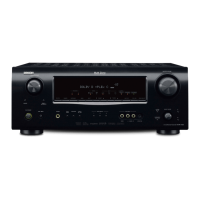
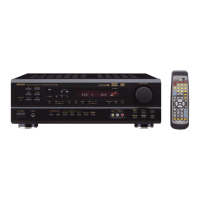
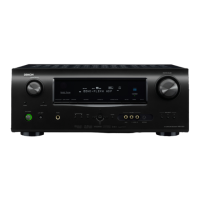
Denon AVR-1705 - Service Manual

Denon AVR-1705
75 pages
Print Icon
To Next Page IconTo Next Page
Loading...
SERVICE MANUAL
MODEL
AVR-1705/685
AV SURROUND RECEIVER/AMPLIFIER
For U.S.A., Canada, Europe,
China & Taiwan R.O.C. model
16-11, YUSHIMA 3-CHOME, BUNKYO-KU, TOKYO 113-0034 JAPAN
X0202 V.01 DE/CDM 0406
Some illustrations using in this service manual are
slightly different from the actual set.
Please use this service manual with referring to the
operating instructions without fail.
For purposes of improvement, specifications and
design are subject to change without notice.
本文中に使用しているイラストは、説明の都合上現物
と多少異なる場合があります。
修理の際は、必ず取扱説明書を参照の上、作業を行っ
てください。
サービスをおこなう前に、このサービスマニュアルを
必ずお読みください。本機は、火災、感電、けがなど
に対する安全性を確保するために、さまざまな配慮を
おこなっており、また法的には「電気用品安全法」に
もとづき、所定の許可を得て製造されております。
従ってサービスをおこなう際は、これらの安全性が維
持されるよう、このサービスマニュアルに記載されて
いる注意事項を必ずお守りください。
本機の仕様は性能改良のため、予告なく変更すること
があります。
補修用性能部品の保有期間は、製造打切後8年です。
注 意
Ver. 1

Other manuals for Denon AVR-1705

Questions and Answers

  • B
    bowersveronicaJul 26, 2025
    Why doesn't my Denon AVR-1705 Receiver remote control work properly?
    • C
      Christian WalterJul 26, 2025
      Several reasons could explain this. First, check the batteries and replace them if they're dead. Ensure you're not too far from the unit; move closer. Check for any obstructions between the remote and the receiver and remove them. Make sure you're pressing the correct button. Finally, verify that the batteries are inserted correctly, with the < and > ends properly aligned.
  • D
    David LaraJul 31, 2025
    Why is there no sound from my Denon AVR-1705 Receiver even though the display is lit?
    • C
      christyandrewsJul 31, 2025
      Several factors might be at play. First, ensure the speaker cords are securely connected. Next, check the INPUT SELECTOR knob to ensure it’s in the correct position. Also, verify that the volume control isn't set to the minimum. It's also possible that MUTING is enabled, so switch it off. Finally, if you've selected a digital input, make sure digital signals are being input or that you've selected the correct input jacks.
  • N
    Nina MurrayAug 5, 2025
    What to do if my Denon Receiver DISPLAY is not lit and no sound is produced?
    • L
      Lori ThorntonAug 5, 2025
      First, check that the power supply cord is securely plugged in. If it is, try turning the power off with the remote control after turning the POWER switch on.
  • D
    Dana SchmidtAug 9, 2025
    How to fix reversed instrument positions during stereo playback on my Denon Receiver?
    • J
      josephzamoraAug 9, 2025
      This issue is likely due to reversed connections. Check the left and right connections of both the speakers and the input/output cords to ensure they are correctly connected.
  • N
    Nicole AdkinsAug 15, 2025
    Why is the DISPLAY on my Denon AVR-1705 Receiver not displayed and the power indicator flashes rapidly?
    • K
      Katrina NormanAug 15, 2025
      This issue may arise due to a short-circuit in the speaker terminals. To resolve this, switch off the power, properly connect the speakers, and then switch the power back on. Another potential cause is blocked ventilation holes. If this is the case, turn off the power, ensure adequate ventilation to cool down the unit, and then turn it back on. This issue can also happen if the unit is operating at continuous high power conditions with inadequate ventilation. Turn off the set’s power, then ventilate it well to cool it down. Once the set is cooled down, turn the power back on.
  • J
    judithhendersonAug 20, 2025
    What to do if sound is only coming from one channel on my Denon AVR-1705?
    • J
      Jared HardyAug 20, 2025
      This could be due to incomplete connections. Make sure the speaker cords and input/output cords are securely connected.

Summary

Service Manual

Safety Precautions

General safety guidelines, leakage current check, and precautions during service.

Dimensions

Physical dimensions and measurements of the unit.

Servicing Cautions

Warnings and special procedures for servicing, including initialization.

Adjustment Procedures

Step-by-step guide for adjusting audio and video sections.

System Diagrams

Block and level diagrams illustrating system architecture and signal flow.

Semiconductor and IC Details

Lists and pin functions for major semiconductors and ICs.

Printed Wiring Board Layouts

Visual layouts of the various printed wiring boards (PWBs) within the unit.

Parts List Notes

General notes and warnings regarding parts ordering and usage.

PWB Component Lists

Detailed lists of components for various PWBs.

Exploded View

Visual guide for component assembly and identification.

Packing and Accessory List

List of included packing materials and accessories.

Wiring Diagram

Overall system wiring connections between different boards.

Schematic Diagrams

Detailed circuit diagrams for all functional units of the receiver.

Denon AVR-1705 Specifications

General IconGeneral
Speakers connectivity type-
Receiver typeSurround
Frequency range10 - 100000 Hz
Audio output channels6.1 channels
Signal-to-Noise Ratio (SNR)98 dB
Power output per channel (1KHz@6 Ohm)110 W
Power output per channel (20-20KHz@8 Ohm)75 W
Product colorBlack
Audio decodersDTS, DTS 96/24, DTS Neo:6, DTS-ES (Discrete 6.1), DTS-ES (Matrix 6.1), Dolby Digital, Dolby Digital EX
Digital Signal Processing (DSP)Yes
AM band range520 - 1710 kHz
FM band range87.5 - 107.9 MHz
Supported radio bandsAM, FM
Preset stations quantity56
AC input voltage230 V
AC input frequency50 Hz
Power consumption (typical)230 W
Optical drive includedNo
HDMI in0
Composite video in4
S-Video inputs quantity3
Digital audio optical in1
S-Video outputs quantity2
Weight and Dimensions IconWeight and Dimensions
Depth417 mm
Width434 mm
Height147 mm
Weight10900 g

Related product manuals