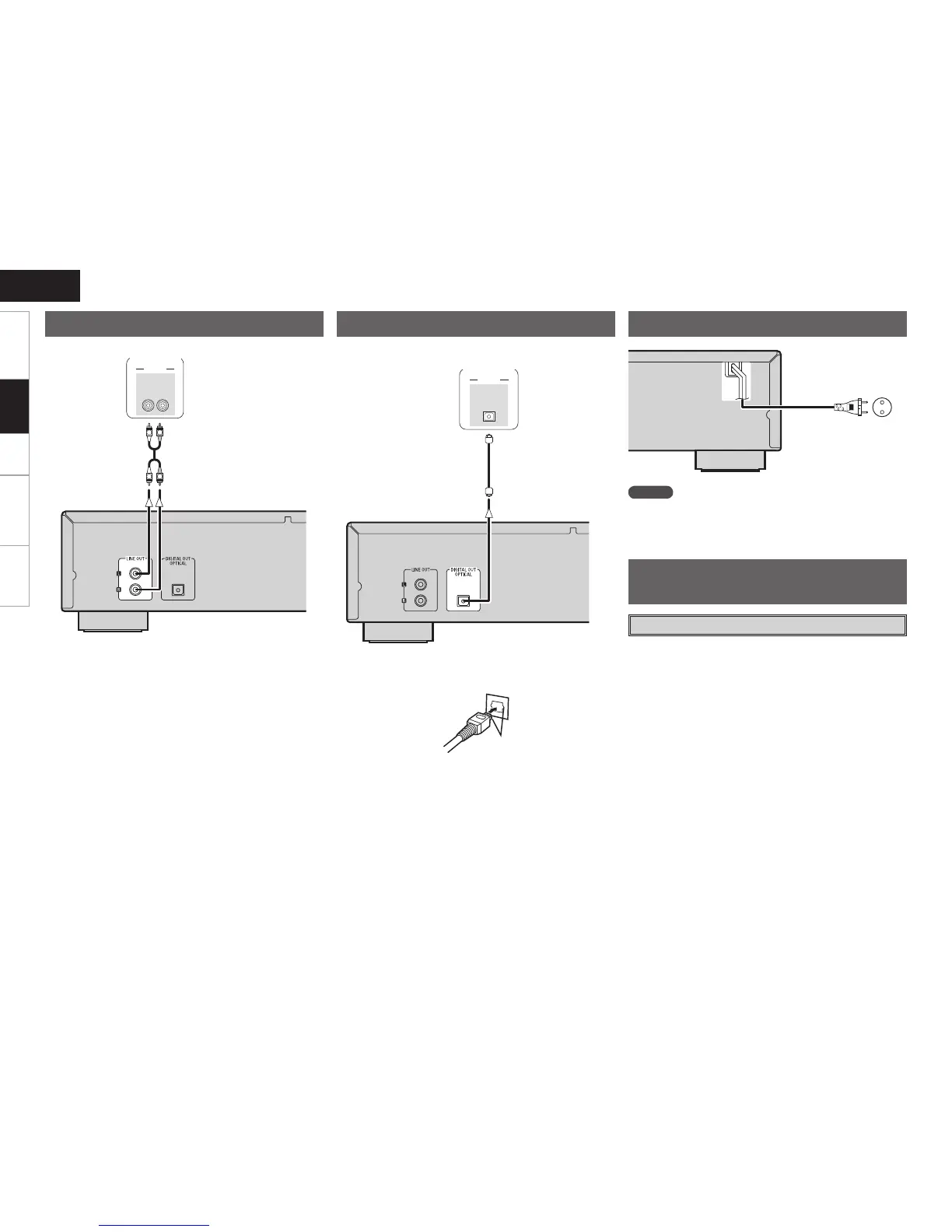
Digital Connections
CD recorder /
MD recorder
Amplier
n When connecting the optical digital output connector
with an optical transmission cable (sold separately)
Match the shapes
Match the shapes then insert rmly all the way in.
To household power outlet
(AC 230 V, 50 Hz)
Connecting the Power Cord
NOTE
• Insert the plugs securely. Incomplete connections will result in the
generation of noise.
• Do not unplug the power cord while the set is operating.
Turning the Power On
(vpage 7)
Once Connections are
Completed
Connections



 To Next Page