2
ENGliShDEutSchFrANçAiSitAliANoESpAñolNEDErlANDSSVENSKA
Setup Steps
There are five steps to the setup process.
1
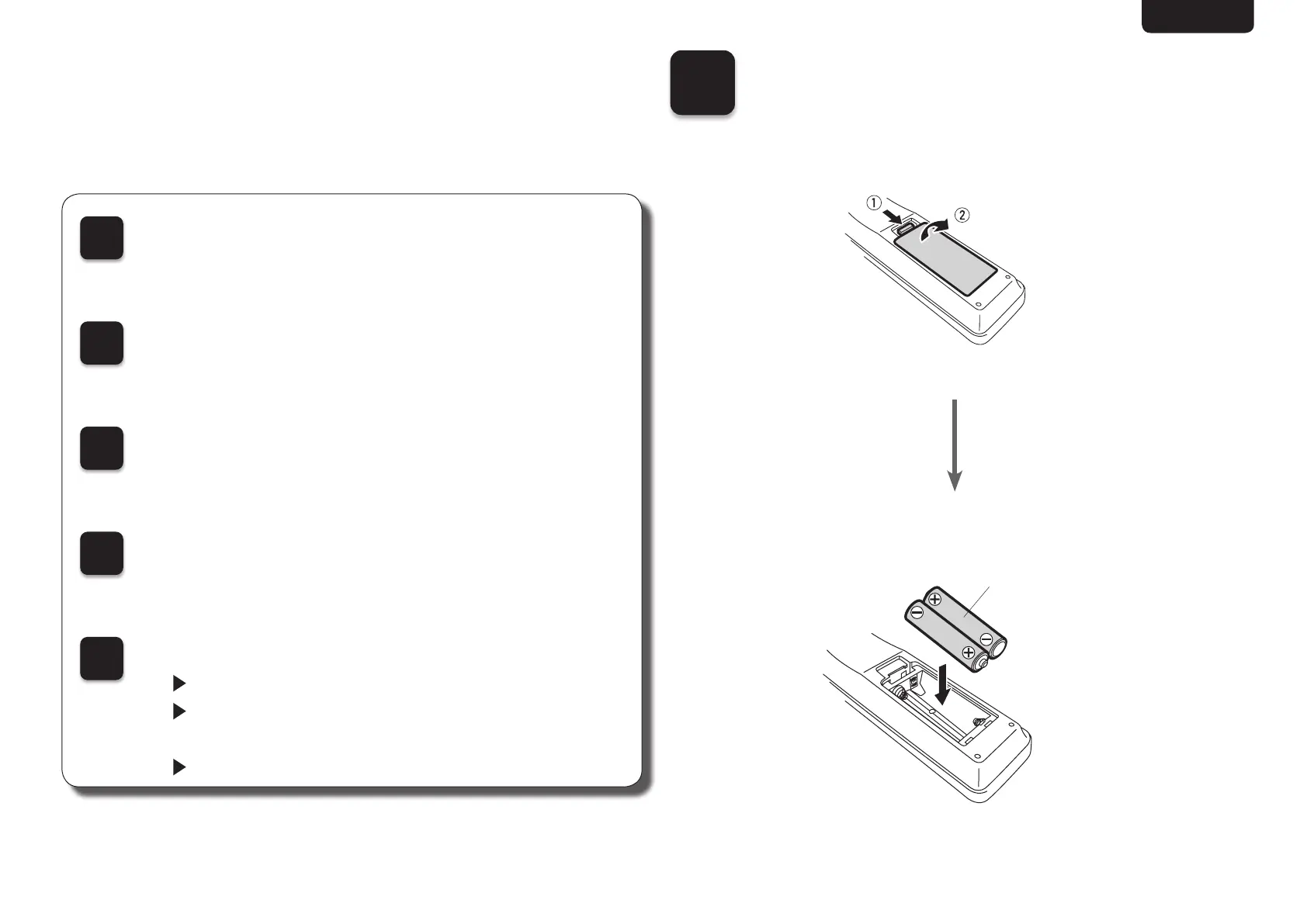
Install batteries in the remote control unit
2
Connect the CD player to the amplifier
3
Plug the power cord into a power outlet
4
Turn the CD player’s power on
5
Begin music playback
Play a CD
Play from a USB memory device
(DCD-720AE only)
Play an iPod (DCD-720AE only)
1
Install batteries in the
remote control unit
R03/AAA
batteries



 To Next Page