ENGLISH
33
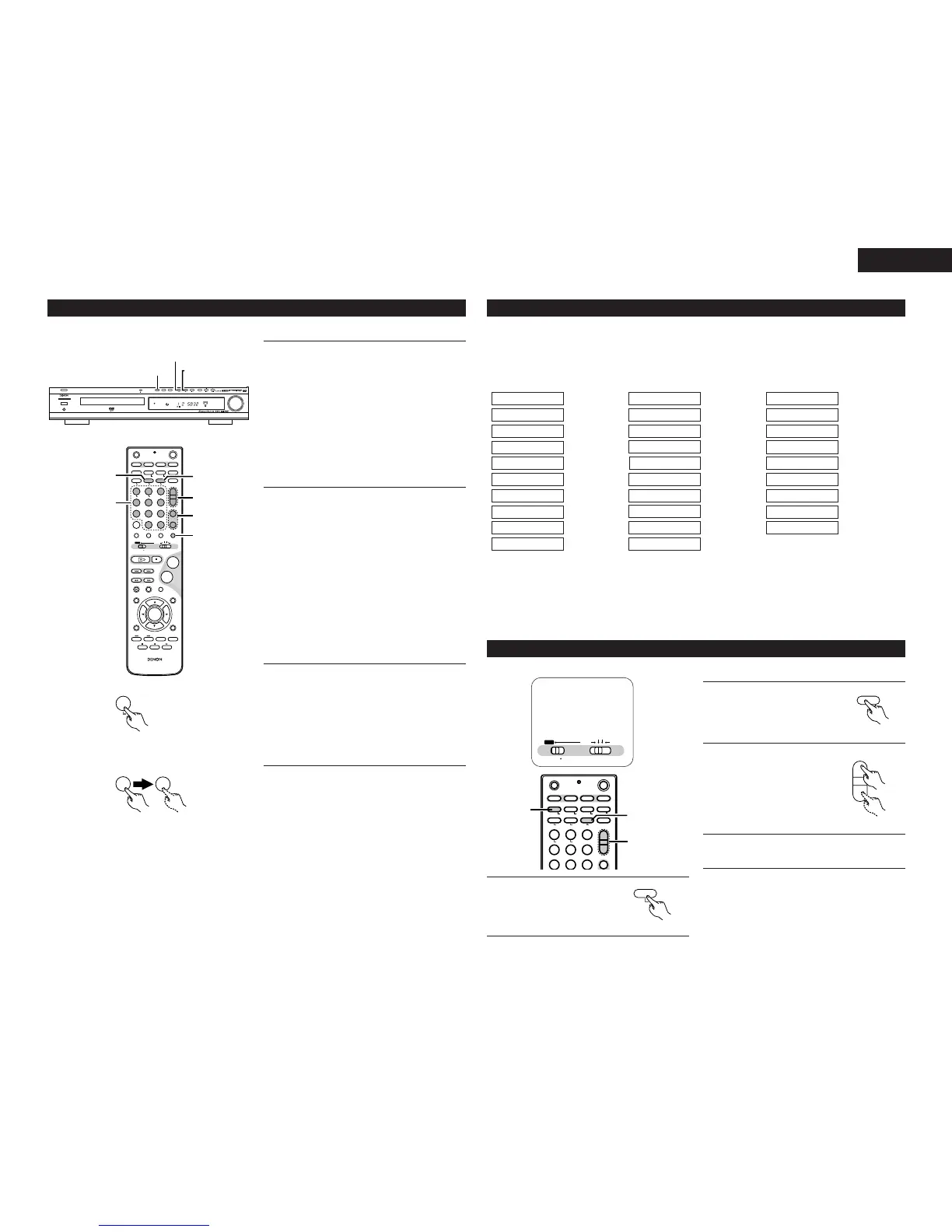
(2) Preset Tuning
1
Automatic Memory Presetting
(ONLY FM STATIONS)
2
You can store Preset stations from Channel 1 to 30 respectively.
q Select Tuner FUNCTION by press
FUNCTION button .
w Select FM/AM by press the BAND button.
e Press the MEMORY button for more than 2
second.
Up to 30 of the best received stations in your
area will be stored automatically. Then you can
select each stations easily.
r You can select each stations by pressing
CH +, – button.
Manual Memory Presetting
q Select Tuner FUNCTION by press the
FUNCTION button repeatedly (or press the
Tuner button of the remote control unit).
w Select the station what you want to listen
by pressing the TUNING “–”, “+” buttons.
e Press the MEMORY button briefly.
r While the "PROG" indicator is appears,
select a preset channel (ex. 01, 02 ... 30) to
store the station using the CH +, – buttons
or Numeric buttons.
t Press MEMORY button.
To store more stations, repeat steps w to t.
3
How to select preset stations
q Press a preset number.
To select a station stored in preset 2 for
example, press 2. If you want to select a
station stored in preset “15” for example,
press “+10” and then “5”.
w Preset stations can also be selected by the
CH +, – button.
Ex : 2
Ex : 15
(3) RDS (Radio Data System)
RDS (works only on the FM band) is a broadcasting service which allows station to send additional information
along with the regular radio program signal.
The following three types of RDS information can be received on this unit:
2 Program Type (PTY)
PTY identifies the type of RDS program.
The program types and their displays are as follows:
2 Traffic Program (TP)
TP identifies programs that carry traffic announcements.
This allows you to easily find out the latest traffic conditions in your area before you leaving home.
2 Radio Text (RT)
RT allows the RDS station to send text messages that appear on the display.
NOTE: The operations described below using the RDS, PTY and RT buttons will not function in areas in which
there are no RDS broadcasts.
(4) RDS search
Use this function to automatically tune to FM stations that provide RDS service.
4
When a broadcast station is found, that
station’s name appears on the display.
• If no RDS station is found when all the frequencies
are searched, “NO PROG” is displayed.



 To Next Page