EasyManua.ls Logo

Denon DHT-M330DV - User Manual

Denon DHT-M330DV
60 pages
Print Icon
To Next Page IconTo Next Page
Loading...
HOME THEATER SYSTEM
DHT-M330DV
OPERATING INSTRUCTIONS
BEDIENUNGSANLEITUNG
MODE D’EMPLOI
ISTRUZIONI PER L’USO
INSTRUCCIONES DE OPERACION
GEBRUIKSAANWIJZING
BRUKSANVISNING
DVD-M330(DVD PLAYER): Please refer to the operating Instructions of the DVD-M330.
•DVD-M330 (DVD-PLAYER): Bitte beziehen Sie sich auf die Bedienungsanleitung des DVD-M330.
DVD-M330 (LECTEUR DVD): Veuillez vous référer au mode d’emploi du DVD-M330.
DVD-M330 (LETTORE DVD): Fare riferimento al manuale delle istruzioni del modello DVD-M330.
DVD-M330 (REPRODUCTOR DVD): Consulte las instrucciones de funcionamiento del DVD-M330.
DVD-M330 (DVD-SPELER): Zie de gebruiksaanwijzing van de DVD-M330.
DVD-M330 (DVD-SPELARE): Läs bruksanvisningen till DVD-M330.
FOR ENGLISH READERS PAGE 004 ~ PAGE 057
FÜR DEUTSCHE LESER SEITE 058 ~ SEITE 111
POUR LES LECTEURS FRANCAIS PAGE 112 ~ PAGE 165
PER IL LETTORE ITALIANO PAGINA 166 ~ PAGINA 219
PARA LECTORES DE ESPAÑOL PAGINA 220 ~ PAGINA 273
VOOR NEDERLANDSTALIGE LEZERS PAGINA 274 ~ PAGINA 327
FOR SVENSKA LÄSARE SIDA 328 ~ SIDA 381
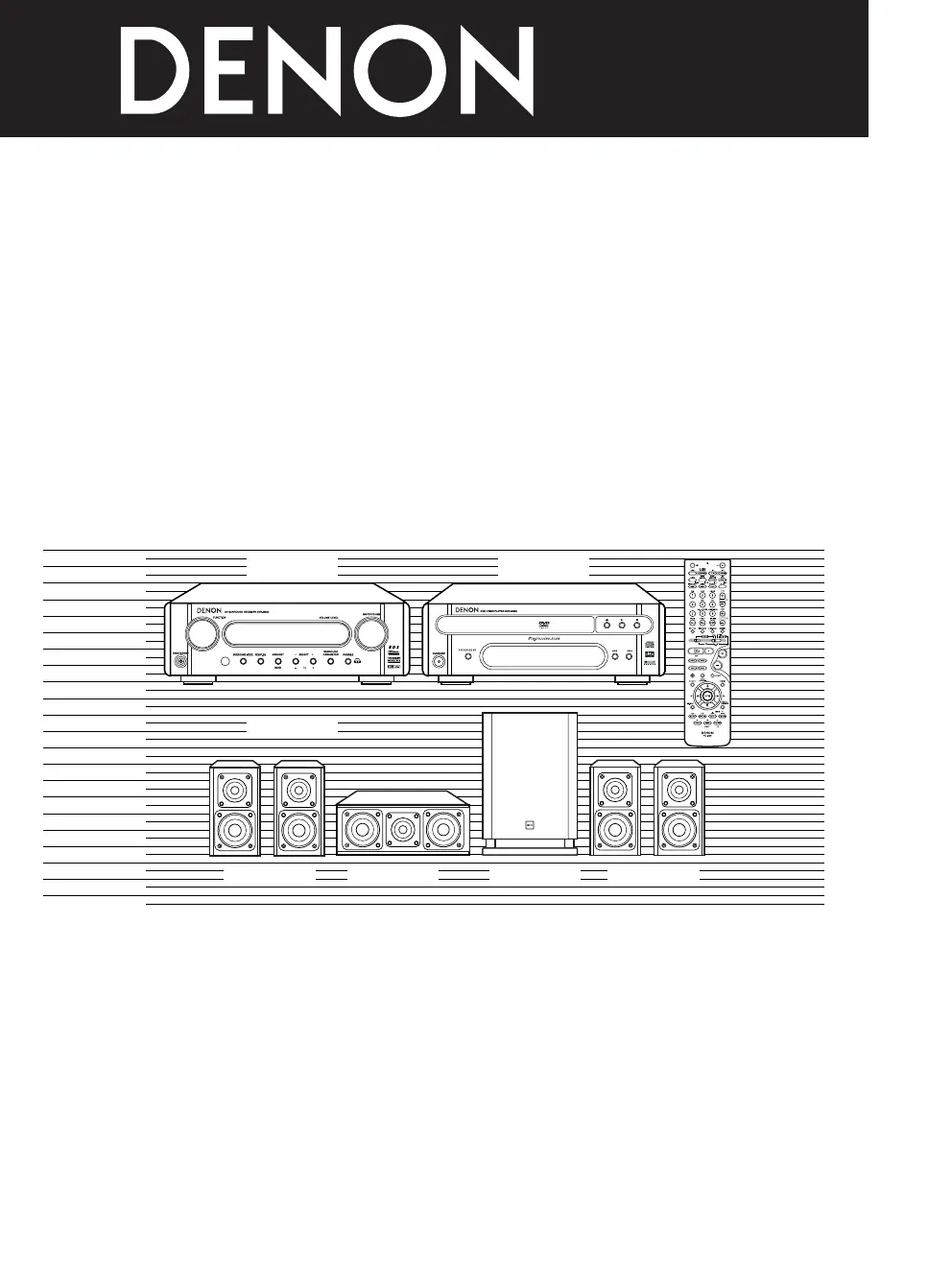
AVR-M330 DVD-M330
SYS-M330
(SC-AM330) (SC-CM330) DSW-M330) (SC-AM330)

Questions and Answers

  • L
    lsmithAug 19, 2025
    Why is there no sound from my Denon DHT-M330DV but the display is on?
    • L
      lmillerAug 19, 2025
      If the display is lit but no sound is coming from your Denon Home Theater System, check the following: Ensure the speaker cords are securely connected. Verify that the audio function button is set correctly. Make sure the volume isn't set to the minimum. Check if muting is on and switch it off. If you're using digital signals, ensure they are being input correctly or select the appropriate input jacks. Finally, if the unit overheated, unplug the power cord, let it cool down, improve ventilation, and then try turning it back on.
  • C
    Cathy SampsonAug 21, 2025
    Why is there no display and sound on my Denon DHT-M330DV Home Theater System when turned on?
    • J
      Joseph MillerAug 21, 2025
      If the display is not lit and there is no sound when you turn on your Denon Home Theater System, check that the power cord is securely plugged in.
  • L
    Larry BanksAug 23, 2025
    How to fix continuous noise when receiving FM programs on Denon Home Theater System?
    • G
      greenjacquelineAug 23, 2025
      If you are experiencing continuous noise when receiving FM programs on your Denon Home Theater System, ensure the antenna cable is properly connected. If the issue persists, try connecting an outdoor antenna.
  • R
    rfarrellAug 26, 2025
    Why is there hissing noise when receiving AM programs on Denon DHT-M330DV?
    • A
      amandaalexanderAug 26, 2025
      If you hear hissing or continuous noise when receiving AM programs on your Denon Home Theater System, it might be due to interference from a TV or radio station. Try turning off the TV. If that doesn't help, change the position and direction of the AM loop antenna.
  • L
    lisa12Aug 28, 2025
    Why is my Denon DHT-M330DV Home Theater System subwoofer not producing sound?
    • C
      Corey WatersAug 28, 2025
      If your Denon Home Theater System subwoofer isn't producing sound, check the connections to ensure they are complete and correct.
  • B
    Brent RogersAug 30, 2025
    How to stop humming noise when receiving AM programs on Denon DHT-M330DV Home Theater System?
    • R
      Ryan SmithAug 30, 2025
      If you're hearing a humming noise when receiving AM programs on your Denon Home Theater System, it's likely due to radio waves being transmitted over the power cord. To resolve this, unplug the power cord, flip the plug in the opposite direction, and then plug it back in.
  • P
    philip22Sep 1, 2025
    Why am I hearing continuous noise when receiving FM programs on my Denon DHT-M330DV Home Theater System?
    • J
      Jacqueline ThomasSep 1, 2025
      If you're experiencing continuous noise while listening to FM programs on your Denon Home Theater System, the issue might be: * The antenna cable is not properly connected; ensure it is securely connected. * Consider connecting an outdoor antenna.
  • F
    Felicia MartinSep 3, 2025
    What causes hissing or continuous noise when receiving AM programs on a Denon Home Theater System?
    • J
      John CarsonSep 3, 2025
      Hissing or continuous noise during AM program reception on your Denon Home Theater System can be caused by: * Noise from a nearby TV; try turning off the TV. * Interference from a radio station; try changing the position and direction of the AM loop antenna.
  • K
    krushSep 5, 2025
    Why is there a humming noise when receiving AM programs on my Denon Home Theater System?
    • M
      Michael GarciaSep 5, 2025
      If you hear a humming noise when receiving AM programs, it could be due to radio waves being transmitted over the power cord. Unplug the power cord, flip the plug in the opposite direction, and plug it back in.
  • R
    robinsonthomasSep 7, 2025
    What to do if Denon DHT-M330DV remote control is not working?
    • B
      Brooke SpencerSep 7, 2025
      If your Denon Home Theater System remote control isn't working, first, try replacing the batteries with new ones. If that doesn't work, make sure you're close enough to the unit and that there are no obstacles blocking the signal. Ensure you're pressing the correct button and that the batteries are inserted properly. Lastly, confirm that the remote control mode is correctly selected; for this unit, use the DVD mode.

Summary

1 BEFORE USING

2 CAUTIONS ON INSTALLATION

3 CAUTIONS ON HANDLING

5 CONNECTIONS

SPEAKER SYSTEM CONNECTIONS

Guide to connecting speakers using provided cables and terminals.

CONNECTING DVD PLAYER AND TV

USING ACTIVE SUBWOOFER

USING SURROUND BACK PRE OUT

CONNECTING AUDIO COMPONENTS (DVD-M330)

6 PART NAMES AND FUNCTIONS

REMOTE CONTROL UNIT

7 REMOTE CONTROL UNIT

8 SETTING UP THE SYSTEM

QUICK SETUP PROCEDURE

Step-by-step guide to configure basic system settings quickly.

9 OPERATING THE SURROUND FUNCTIONS

PLAYING DVDS IN SURROUND MODE

Guide to playing DVDs and selecting appropriate surround sound modes.

INPUT MODE SETTING

10 SURROUND PLAYBACK

BEFORE PLAYING WITH THE SURROUND FUNCTION

Using test tones to calibrate speaker levels and delay times.

PLAYING IN THE AUTO DECODE MODE

2-CHANNEL MODE SETTINGS

PLAYING IN THE DOLBY VIRTUAL SPEAKER MODE

PLAYBACK USING THE DOLBY HEADPHONE MODE

SETTING THE SPEAKER DISTANCE

11 LISTENING TO THE RADIO

12 EXPANDING TO A 6.1- OR 7.1-CHANNEL SYSTEM

CONNECTIONS FOR A 6.1- OR 7.1-CHANNEL SYSTEM

Connecting amplifiers and speakers for extended channel configurations.

6.1- OR 7.1-CHANNEL SURROUND PLAYBACK

13 DOLBY;DTS SURROUND

DTS DIGITAL SURROUND

DTS-ES EXTENDED SURROUND

DTS NEO:6 SURROUND

DOLBY VIRTUAL SPEAKER

DOLBY HEADPHONE

15 SYSTEM FUNCTIONS

18 TROUBLESHOOTING

19 SPECIFICATIONS

Denon DHT-M330DV Specifications

General IconGeneral
TypeHome Theater System
Power Output100W
Number of Channels5.1
HDMI Inputs3
HDMI Outputs1
Audio Formats SupportedDolby Digital, DTS
Speaker Configuration5.1
Subwoofer TypeActive
DVD PlayerYes
Total Power Output100W
USB PortYes
BluetoothNo

Related product manuals