EasyManua.ls Logo

Denon DHT-M330DV - User Manual

Denon DHT-M330DV
60 pages
Print Icon
To Next Page IconTo Next Page
Loading...
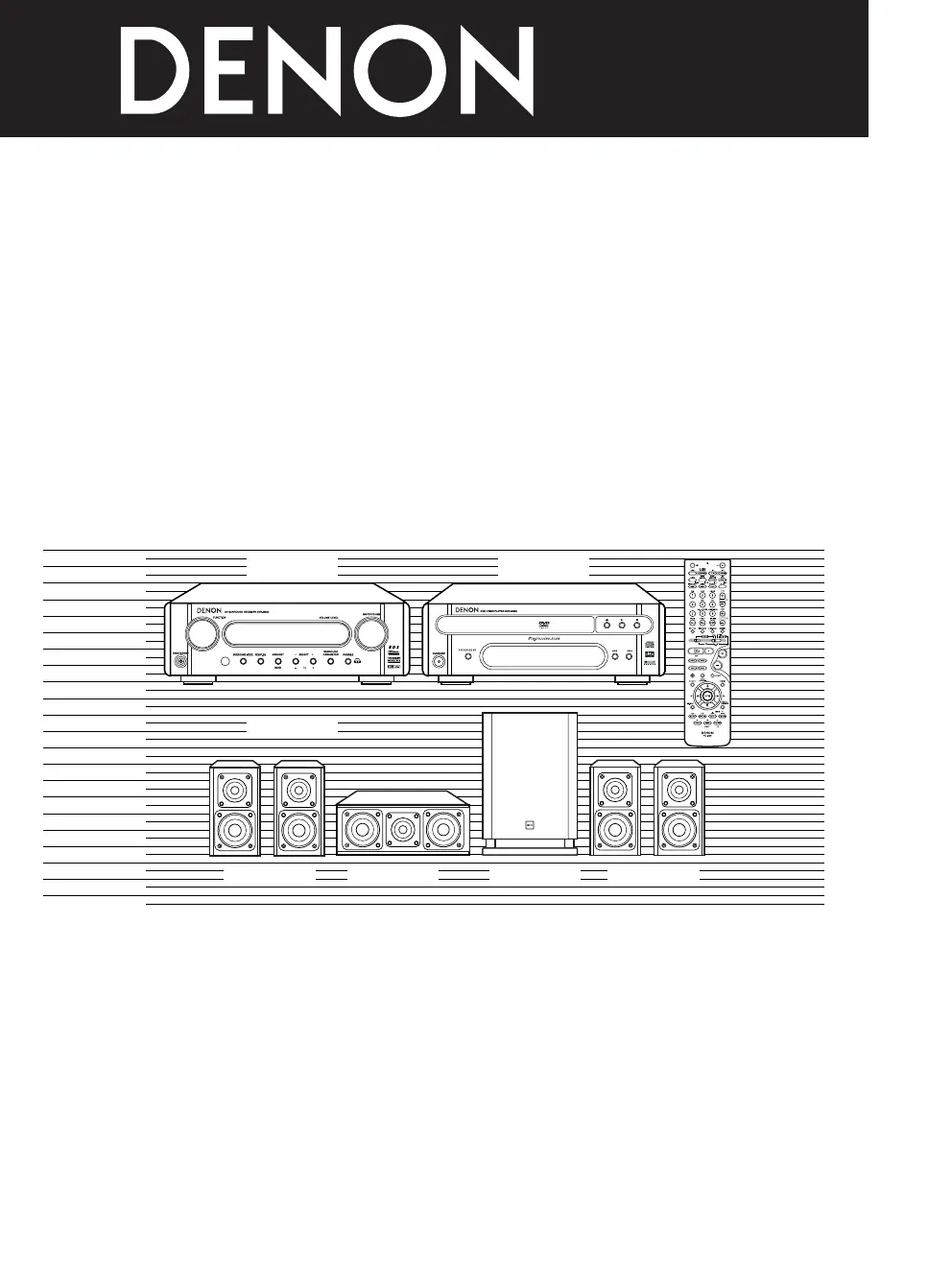
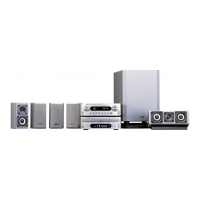
HOME THEATER SYSTEM
DHT-M330DV
OPERATING INSTRUCTIONS
BEDIENUNGSANLEITUNG
MODE D’EMPLOI
ISTRUZIONI PER L’USO
INSTRUCCIONES DE OPERACION
GEBRUIKSAANWIJZING
BRUKSANVISNING
DVD-M330(DVD PLAYER): Please refer to the operating Instructions of the DVD-M330.
•DVD-M330 (DVD-PLAYER): Bitte beziehen Sie sich auf die Bedienungsanleitung des DVD-M330.
DVD-M330 (LECTEUR DVD): Veuillez vous référer au mode d’emploi du DVD-M330.
DVD-M330 (LETTORE DVD): Fare riferimento al manuale delle istruzioni del modello DVD-M330.
DVD-M330 (REPRODUCTOR DVD): Consulte las instrucciones de funcionamiento del DVD-M330.
DVD-M330 (DVD-SPELER): Zie de gebruiksaanwijzing van de DVD-M330.
DVD-M330 (DVD-SPELARE): Läs bruksanvisningen till DVD-M330.
FOR ENGLISH READERS PAGE 004 ~ PAGE 057
FÜR DEUTSCHE LESER SEITE 058 ~ SEITE 111
POUR LES LECTEURS FRANCAIS PAGE 112 ~ PAGE 165
PER IL LETTORE ITALIANO PAGINA 166 ~ PAGINA 219
PARA LECTORES DE ESPAÑOL PAGINA 220 ~ PAGINA 273
VOOR NEDERLANDSTALIGE LEZERS PAGINA 274 ~ PAGINA 327
FOR SVENSKA LÄSARE SIDA 328 ~ SIDA 381
AVR-M330 DVD-M330
SYS-M330
(SC-AM330) (SC-CM330) DSW-M330) (SC-AM330)

Questions and Answers

  • C
    Cheryl SimonSep 9, 2025
    What to do if my Denon DHT-M330DV monitor doesn’t display an image?
    • M
      Melanie BoothSep 9, 2025
      If your Denon Home Theater System monitor isn't displaying an image, first check the connections between the video output jack of the unit and the input connector of the monitor to ensure they are correct. Also, verify that the input setting on your TV is set to the correct jack where the video input is connected.
  • B
    Brandi BuchananSep 12, 2025
    What to do if my Denon Home Theater System remote control is not working?
    • J
      johntaylorSep 12, 2025
      If your Denon Home Theater System isn't responding to the remote, try these steps: * Replace the batteries with new ones. * Move closer to the unit. * Remove any obstacles between the remote and the unit. * Ensure you're pressing the correct button. * Verify the batteries are inserted correctly. * Make sure the remote control mode is properly selected (DVD mode for this unit).
  • G
    ghallSep 14, 2025
    How to fix a Denon DHT-M330DV Home Theater System when the monitor doesn't display an image?
    • R
      Robert SnyderSep 14, 2025
      If your monitor isn't displaying an image from your Denon Home Theater System, check the following: * Ensure the connections between the video output jack of the unit and the input connector of the monitor are correct. * Verify that the input setting on your TV is set to the correct jack where the video input is connected.
  • A
    Antonio HuffSep 16, 2025
    Why can't I copy a DVD program to my VCR using my Denon Home Theater System?
    • S
      Stephen HenrySep 16, 2025
      You likely cannot copy the program because almost all movie software contains a copy prevention signal, which prevents copying.

Summary

1 BEFORE USING

2 CAUTIONS ON INSTALLATION

3 CAUTIONS ON HANDLING

5 CONNECTIONS

SPEAKER SYSTEM CONNECTIONS

Guide to connecting speakers using provided cables and terminals.

CONNECTING DVD PLAYER AND TV

USING ACTIVE SUBWOOFER

USING SURROUND BACK PRE OUT

CONNECTING AUDIO COMPONENTS (DVD-M330)

6 PART NAMES AND FUNCTIONS

REMOTE CONTROL UNIT

7 REMOTE CONTROL UNIT

8 SETTING UP THE SYSTEM

QUICK SETUP PROCEDURE

Step-by-step guide to configure basic system settings quickly.

9 OPERATING THE SURROUND FUNCTIONS

PLAYING DVDS IN SURROUND MODE

Guide to playing DVDs and selecting appropriate surround sound modes.

INPUT MODE SETTING

10 SURROUND PLAYBACK

BEFORE PLAYING WITH THE SURROUND FUNCTION

Using test tones to calibrate speaker levels and delay times.

PLAYING IN THE AUTO DECODE MODE

2-CHANNEL MODE SETTINGS

PLAYING IN THE DOLBY VIRTUAL SPEAKER MODE

PLAYBACK USING THE DOLBY HEADPHONE MODE

SETTING THE SPEAKER DISTANCE

11 LISTENING TO THE RADIO

12 EXPANDING TO A 6.1- OR 7.1-CHANNEL SYSTEM

CONNECTIONS FOR A 6.1- OR 7.1-CHANNEL SYSTEM

Connecting amplifiers and speakers for extended channel configurations.

6.1- OR 7.1-CHANNEL SURROUND PLAYBACK

13 DOLBY;DTS SURROUND

DTS DIGITAL SURROUND

DTS-ES EXTENDED SURROUND

DTS NEO:6 SURROUND

DOLBY VIRTUAL SPEAKER

DOLBY HEADPHONE

15 SYSTEM FUNCTIONS

18 TROUBLESHOOTING

19 SPECIFICATIONS

Denon DHT-M330DV Specifications

General IconGeneral
TypeHome Theater System
Power Output100W
Number of Channels5.1
HDMI Inputs3
HDMI Outputs1
Audio Formats SupportedDolby Digital, DTS
Speaker Configuration5.1
Subwoofer TypeActive
DVD PlayerYes
Total Power Output100W
USB PortYes
BluetoothNo

Related product manuals