(2)
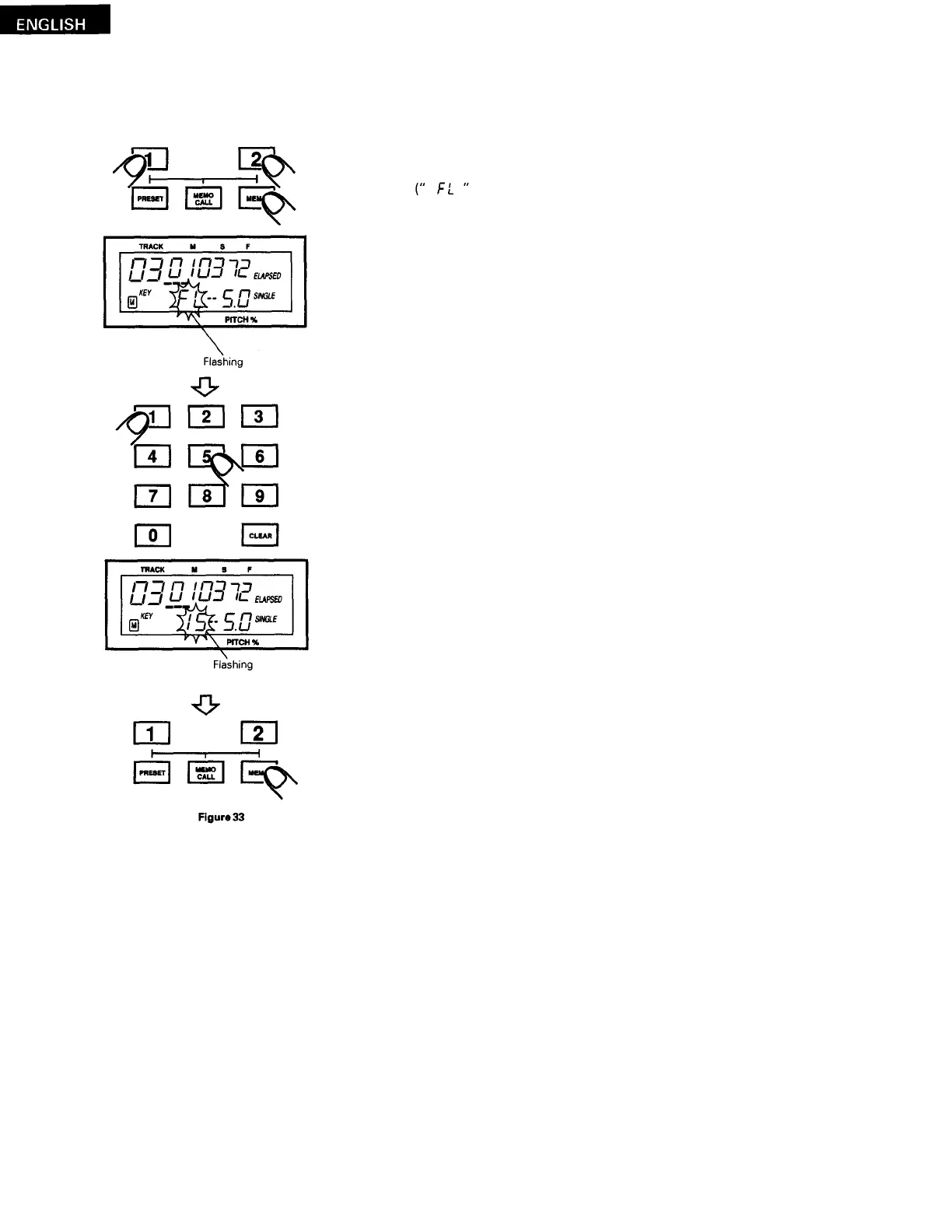
Overwriting previous data
(
This is only possible if 200 sets of data are already stored.)
Press the CD 1 (or CD 2) button while pressing the MEMO button.
flashes in the key section of the display.)
Press the MEMO button.
("
M
"
appears in the memory section of the display.)
The data is now overwritten.
Use the number buttons to input the number of the memory to be over-
written.
(
The memory number flashes in the key section of the display.)
24



 To Next Page