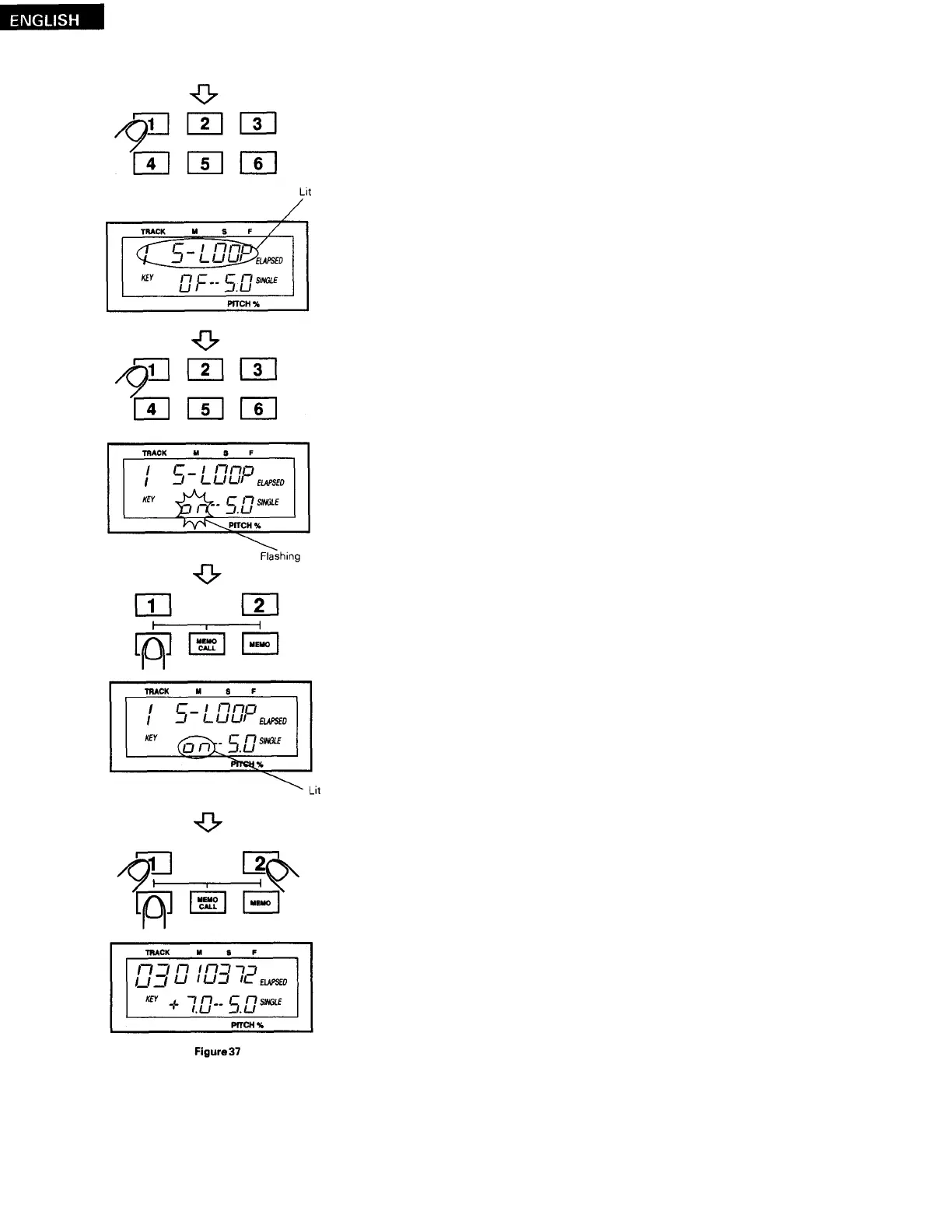
Use the number buttons to input the number of the preset item.
(
The preset item number appears in the track and time sections of the dis-
play, and the preset data appears in the key section.)
To select the preset data, press and hold in the number button correspond-
i
ng to the preset item number.
(
The preset data in the key section of the display changes and flashes.)
9
After selecting the preset data, press the PRESET button to set the new
data.
(
The preset data in the key section of the display stops flashing, remaining
l i
t.)
Repeat the same procedure to change the data of other preset items.
Press the CD 1 (or CD 2) button while pressing the PRESET button or the
CD 1 (or CD 2) to exit the preset mode.
(
The track, time and key sections of the display switch to their normal
displays.)
The preset data is now changed.
Preset data changing can also be exited by pressing the PLAY/PAUSE,
CUE or OPEN/CLOSE button.
2
8



 To Next Page