11
Output
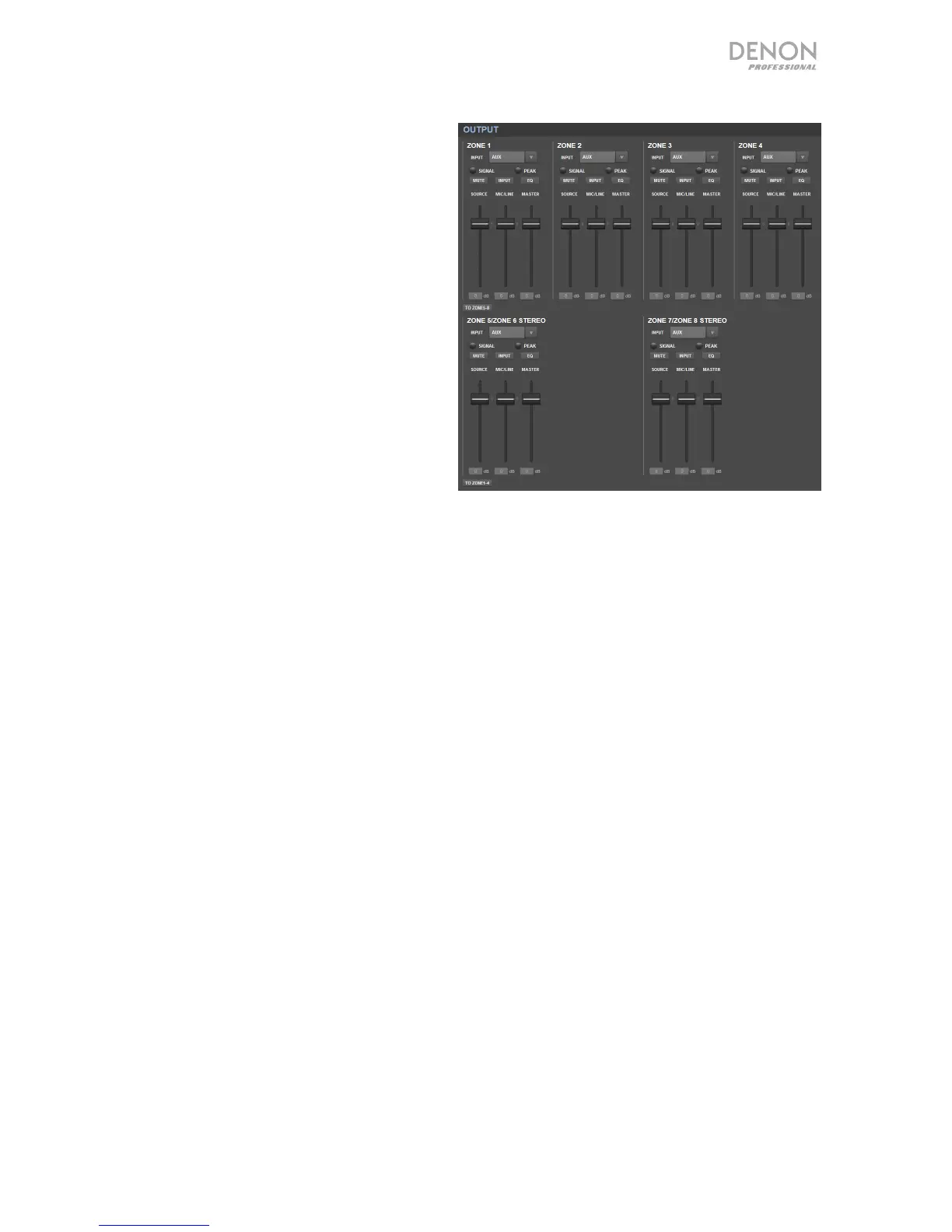
Click the Output button at the top to view
the Output page where you can set the
levels, equalization, inputs, and mute status
of each zone.
If a zone is stereo, it will actually use 2
zones (e.g., Zones 1–2, Zones 3–4), which
will share the same output settings. If a
zone is mono, it will use one zone only.
Input Menu: Click this menu to select
which source is sent to the zone.
Signal: This light indicates that the zone is
sending out an audio signal.
Peak: This light indicates that the zone is
sending out an audio signal that is
“peaking” (exceeding 0 dB). If this
happens, lower the level of the Source or
Mic/Line fader.
Mute: Click this button to mute or unmute the source. The button will be highlighted when
muted.
Input: Click this button to open the Zone Input window. In this window, click and drag each
fader to set the audio signal level that each mic/line input sends specifically to that zone.
(This does not affect the levels that those inputs send to other zones.)
EQ: Click this button to open the Zone EQ window. In this window, click each menu to set the
frequency (Freq), Gain, or bandwidth (Q) of the 5 frequency ranges: Low, Mid-Low, Mid, Mid-
High, and High.
Source: Click and drag this fader to set the input level of the source you selected in the Input
Menu (described above).
Mic/Line: Click and drag this fader to set the overall level of the mic/line inputs. This setting
is applied in addition to the settings in the Zone Input window (described above).
Master: Click and drag this fader to set the zone’s overall output level.
To Zone 5-8 / To Zone1-4: Click either of these buttons to jump to the lower or upper half of
the page, respectively.


 To Next Page