7
Operation
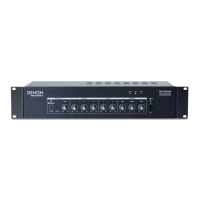
After setting up and powering on DN-508MX and your connected devices, you can start using DN-
508MX.
Important: The default administrator password is adminpwd. There is no default operator password.
Using the LCD Interface
Navigating the Display and Menus
To switch between the Menu and the settings of the current zone, press Menu.
To move through the options in the display, turn the Volume/Sel knob.
To select an option in the display, press the Volume/Sel knob.
To return to the previous screen, press Mute/Back.
Managing Zones
To select a zone, press the desired output selector. The currently selected one will be lit amber.
The source selectors of any audio sources that are assigned to that zone will light up amber, as
well.
To assign or unassign an audio source to a zone, press the desired output selector, and then
press the desired source selector. The source selector for the currently assigned audio source will
be lit amber. Only one source can be assigned to a zone at a time.
To set the volume level of a zone, press the desired output selector, and then turn the
Volume/Sel knob.
To mute a zone, press the desired output selector, and then press the Mute/Back button. Turn the
Volume/Sel knob to select whether to Mute or Unmute the channel, and then press the knob to
select it.
Menu
Click the Menu button and select Preset, System, or Information to view the corresponding
settings page.
1. Preset
Mic/Line: Select this to edit Mic/Line Source 1–6. Once selected, you can set the frequency (Freq),
Gain, or bandwidth (Q) of the 3 available equalizations: a low-shelving filter (SHL), a high-shelving
filter (SHH), and a parametric equalizer (PEQ). Only the parametric equalizer has a bandwidth
control. You can also set the Input Volume that each Mic/Line Input sends to each Zone.
Source: Select this to edit Source 1–4 or Aux. Once selected, you can set the frequency (Freq),
Gain, or bandwidth (Q) of the 3 available equalizations: a low-shelving filter (SHL), a high-shelving
filter (SHH), and a parametric equalizer (PEQ). Only the parametric equalizer has a bandwidth
control.
Output: Select this to edit Zone 1–8.
• Source Select: Select this to choose Source 1–4 or Aux. You can use the Volume/Sel knob to
select a source, or press the source selectors.
• Source Level: Select this to set the input level of the selected source.
• Source Mute: Select this to turn source mute on or off.
• Mic Level: Select this to set the output level of the microphone.
• PEQ: Set the frequency (Freq), Gain, or bandwidth (Q) of the 5 frequency ranges: Low, Mid-
Low, Mid, Mid-High, and High.
• Master Level: Select this to set the zone’s overall output level.
Note: If a zone is stereo, it will actually use 2 zones (e.g. Zone 1-2, 3-4) that share the same
output settings. The second zone of a stereo pair (e.g. Zone 2 or 4) will show as unavailable for
editing. You can edit the first zone, or change the Zone’s settings in the Output menu.


 To Next Page