19
ENGLISH
(4) Presetting Programs
• Programs can be stored in the preset memory. When a disc for which a program is preset is loaded, the programmed playback
mode is set automatically.
• Programs can be stored for up to three discs.
Input the program.
Follow the instructions under “(1) Inputting the Program”
to input the program. (See Page 17.)
1
Set the preset mode.
Follow the instructions under “(2) Presetting Procedure”
to set the preset mode. (See Page 21.)
2-1
Select the preset item.
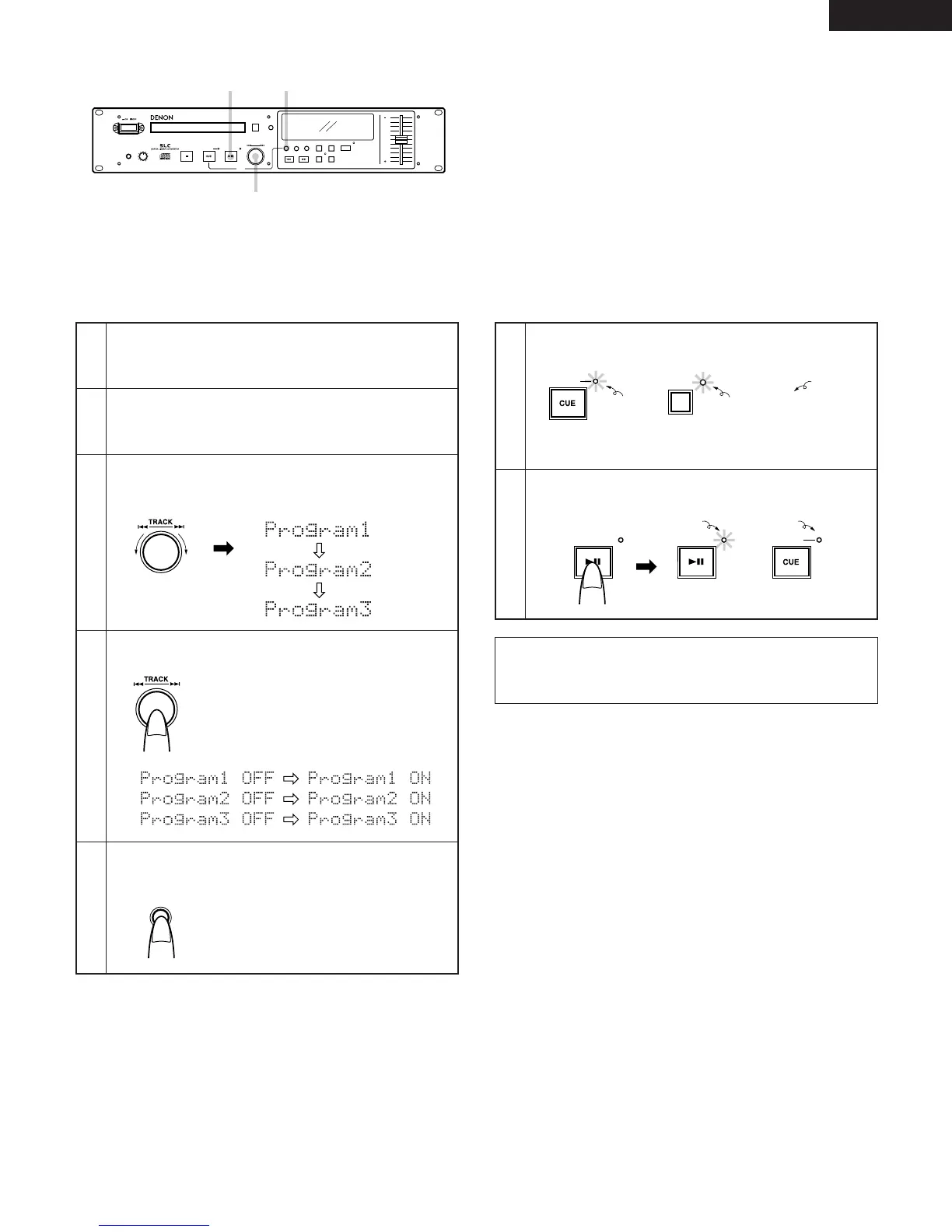
Turn the select knob to select “Program 1” (or “Program
2” or “Program 3”).
2-2
Change the preset setting.
Press the select knob.
2-3
Cancel the preset mode.
Press the PLAY MODE button.
2-4
To play a preset disc:
Load a disc for which a program is preset.
The pickup searches for the first programmed track and
the standby mode is set.
3
Start programmed playback.
Press the PLAY/PAUSE button.
4
Select one of these
The character display changes as follows:
Before change After change
Lit Lit
Lit


 To Next Page