ENGLISH
8
4
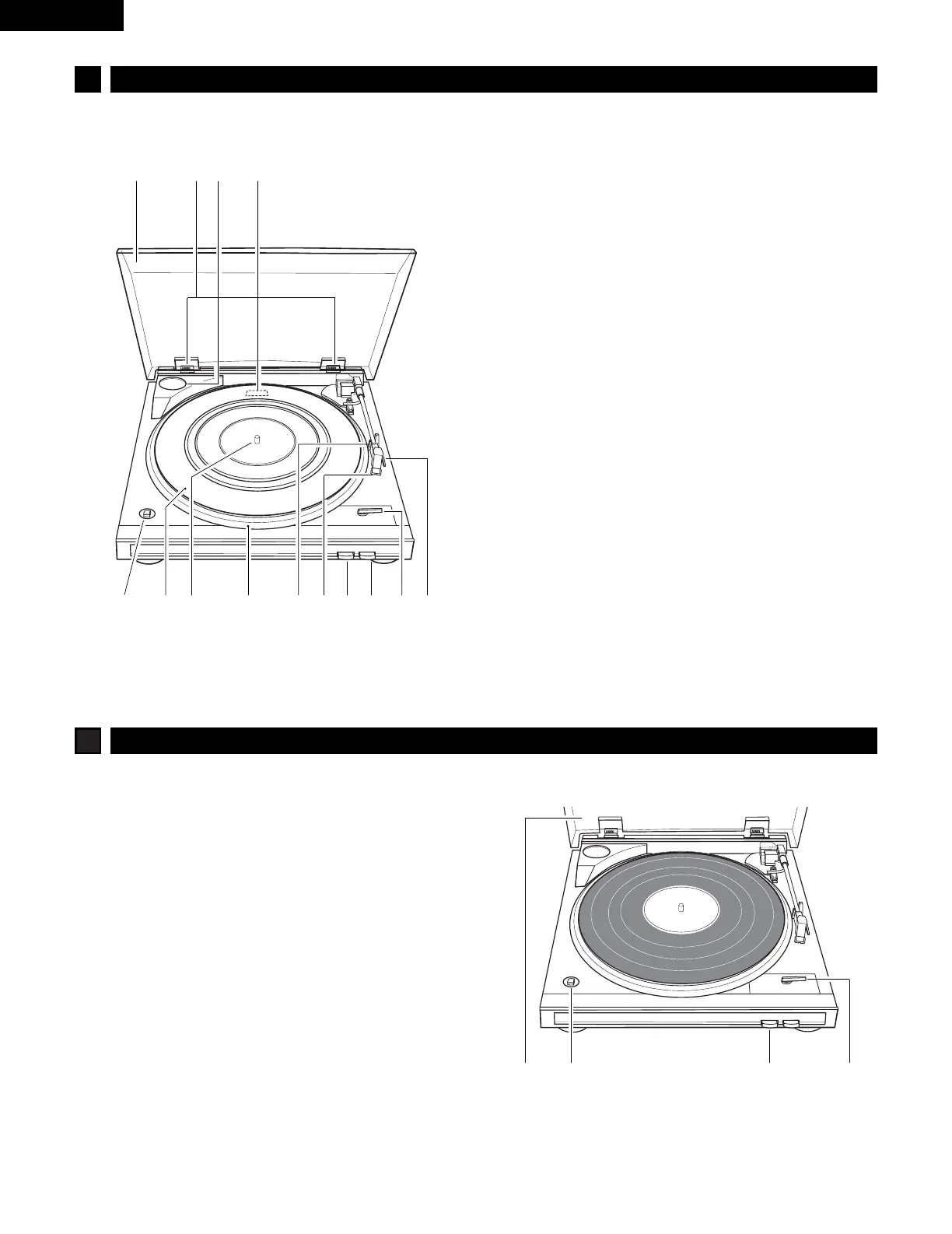
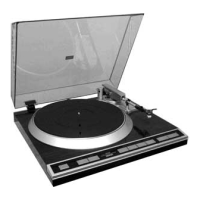
CONTROLS
q
Dust cover
w
Dust cover hinge
e
45 rpm adaptor and holder
r
Equalizer amplifier switch
t
Finger lever
y
Size select lever
u
STOP button
• To stop playback.
i
START button
• To start playback.
o
Cartridge
!0
Tone arm rest
• Holds the tone arm.
!1
Platter
!2
Spindle
!3
Rubber mat
!4
SPEED button (33 £ / 45 ¢ )
• To select the playback speed.
5
RECORD PLAYBACK
Before beginning
• Turn on all the components.
• Set your amplifier’s input selector to PHONO or AUX.
• Remove the stylus cover before playback.
• Use the provided 45 rpm adaptor when playing back 17 cm
records (provided the center hole is a large one).
1 243
q we r
tyuio
!0!1!2!3!4



 To Next Page