EasyManua.ls Logo

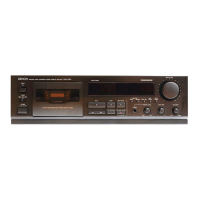
Denon DRM-650S - Playback Operation; Recording Operation; Auto Tuning Function

Denon DRM-650S
15 pages
Print Icon
To Next Page IconTo Next Page
To Previous Page IconTo Previous Page
Loading...
ENGLISH
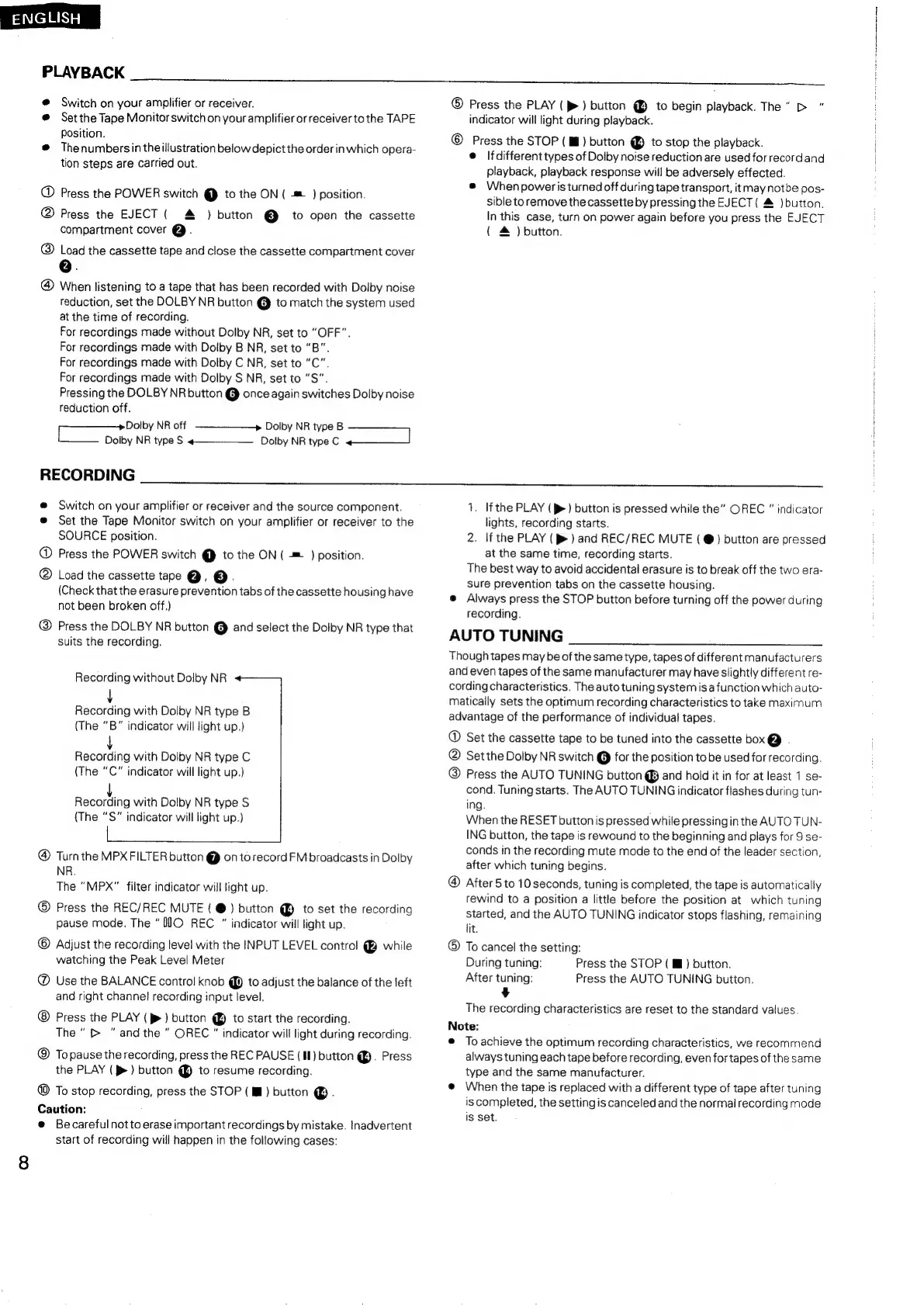
PLAYBACK
@
Switch
on
your
amplifier
or
receiver.
@
Setthe
Tape
Monitor
switch
on
your
amplifier
or
receiver
to
the
TAPE
Position.
@
Thenumbersin
the
illustration
below
depict
the
order
in
which
opera-
tion
steps
are
carried
out.
@
Press
the
POWER
switch
@
to
the
ON
(
=
)
position.
@
Press
the
EJECT
(
)
button
@
to
open
the
cassette
compartment
cover
@.
@
Load
the
cassette
tape
and
close
the
cassette
compartment
cover
@
When
listening
to
a
tape
that
has
been
recorded
with
Dolby
noise
reduction,
set
the
DOLBY
NR
button
@
to
match
the
system
used
at
the
time
of
recording.
For
recordings
made
without
Dolby
NR,
set
to
“OFF”.
For
recordings
made
with
Dolby
B
NR,
set
to
“B”.
For
recordings
made
with
Dolby
C
NR,
set
to
“C”.
For
recordings
made
with
Dolby
S
NR,
set
to
“S”.
Pressing
the
DOLBY
NR
button
@
once
again
switches
Dolby
noise
reduction
off.
Dolby
NR
type
B
Dolby
NR
type
C
om
Dolby
NR
off
ES
ees
NR
type
S
RECORDING
@
Switch
on
your
amplifier
or
receiver
and
the
source
component.
®
Set
the
Tape
Monitor
switch
on
your
amplifier
or
receiver
to
the
SOURCE
position.
@
Press
the
POWER
switch
@
to
the
ON
(
=
)
position.
@
Load
the
cassette
tape
@.
©.
(Check
that
the
erasure
prevention
tabs
of
the
cassette
housing
have
not
been
broken
off.)
@
Press
the
DOLBY
NR
button
@
and
select
the
Dolby
NR
type
that
suits
the
recording.
Recording
without
Dolby
NR
Recording
with
Dolby
NR
type
B
(The
“B"
indicator
will
light
up.)
Recording
with
Dolby
NR
type
C
(The
“C"
indicator
will
light
up.)
l
Recording
with
Dolby
NR
type
S
(The
“S"
indicator
will
light
up.)
|
Turn
the
MPX
FILTER
button
@
onto
record
FM
broadcasts
in
Dolby
NR.
The
“MPX"
filter
indicator
will
light
up.
®
Press
the
REC/REC
MUTE
(
@)
button
@
to
set
the
recording
pause
mode.
The
“JO
REC
indicator
will
light
up.
©
Adjust
the
recording
level
with
the
INPUT
LEVEL
control
@
while
watching
the
Peak
Level
Meter
@
Use
the
BALANCE
control
knob
@
to
adjust
the
balance
of
the
left
and
right
channel
recording
input
level.
Press
the
PLAY
(>)
button
@
to
start
the
recording.
The
>
"andthe
OREC
"
indicator
will
light
during
recording.
@
Topause
the
recording,
press
the
REC
PAUSE
(II)
button
@.
Press
the
PLAY
(>)
button
@
to
resume
recording.
@
To
stop
recording,
press
the
STOP
(
Ml)
button
@.
Caution:
e
Becarefulnotto
erase
important
recordings
by
mistake.
Inadvertent
start
of
recording
will
happen
in
the
following
cases:
®
Press
the
PLAY
(>
)
button
to
begin
playback.
The"
>
"
indicator
will
light
during
playback.
©
Press
the
STOP
(
i)
button
to
stop
the
playback.
e
lfdifferent
types
of
Dolby
noise
reduction
are
used
for
record
and
playback,
playback
response
will
be
adversely
effected.
@
Whenpoweris
turned
off
during
tape
transport,
itmay
notbe
pos-
sible
toremove
the
cassette
by
pressing
the
EJECT
(
&
)
button.
In
this
case,
turn
on
power
again
before
you
press
the
EJECT
(
&
)
button.
1.
If
the
PLAY
(p>)
button
is
pressed
while
the”
OREC
"
indicator
lights,
recording
starts.
2.
If
the
PLAY
(
p>
)
and
REC/REC
MUTE
(
@)
button
are
pressed
at
the
same
time,
recording
starts.
The
best
way
to
avoid
accidental
erasure
is
to
break
off
the
two
era-
sure
prevention
tabs
on
the
cassette
housing.
@
Always
press
the
STOP
button before
turning
off
the
power
during
recording.
AUTO
TUNING
Though
tapes
may
be
of
the
same
type,
tapes
of
different
manufacturers
and
even
tapes
of
the
same
manufacturer
may
have
slightly
different
re-
cording
characteristics.
The
auto
tuning
system
is
a
function
which
auto-
matically
sets
the
optimum
recording
characteristics
to
take
maximum
advantage
of
the
performance
of
individual
tapes.
®
Set
the
cassette
tape
to
be
tuned
into
the
cassette
box@
.
@
Set
the
Dolby
NR
switch
@
for
the
position
to
be
used
for
recording.
@
Press
the
AUTO
TUNING
button
@
and
hold
it
in
for
at
least
1
se-
cond.
Tuning
starts.
The
AUTO
TUNING
indicator
flashes
during
tun-
ing.
When
the
RESET
button
is
pressed
while
pressing
in
the
AUTO
TUN-
ING
button,
the
tape
is
rewound
to
the
beginning
and
plays
for
9
se-
conds
in
the
recording
mute
mode
to
the
end
of
the
leader
section,
after
which
tuning
begins.
After
5
to
10
seconds,
tuning
is
completed,
the
tape
is
automatically
rewind
to
a
position
a
little
before
the
position
at
which
tuning
started,
and
the
AUTO
TUNING
indicator
stops
flashing,
remaining
lit.
®
To
cancel
the
setting:
During
tuning:
Press
the
STOP
(
Ml)
button.
After
tuning:
Press
the
AUTO
TUNING
button.
¥
The
recording
characteristics
are
reset
to
the
standard
values.
Note:
e
To
achieve
the
optimum
recording
characteristics,
we
recommend
always
tuning
each
tape
before
recording,
even
for
tapes
of
the
same
type
and
the
same
manufacturer.
@
When
the
tape
is
replaced
with
a
different
type
of
tape
after
tuning
is
completed,
the
setting
is
canceled
and
the
normal
recording
mode
Is
set.

Related product manuals