RECORDING BIAS ADJUSTMENT
For best recording results, monitoring during the recording
process and comparing various recordings using your own
judgement are essential.
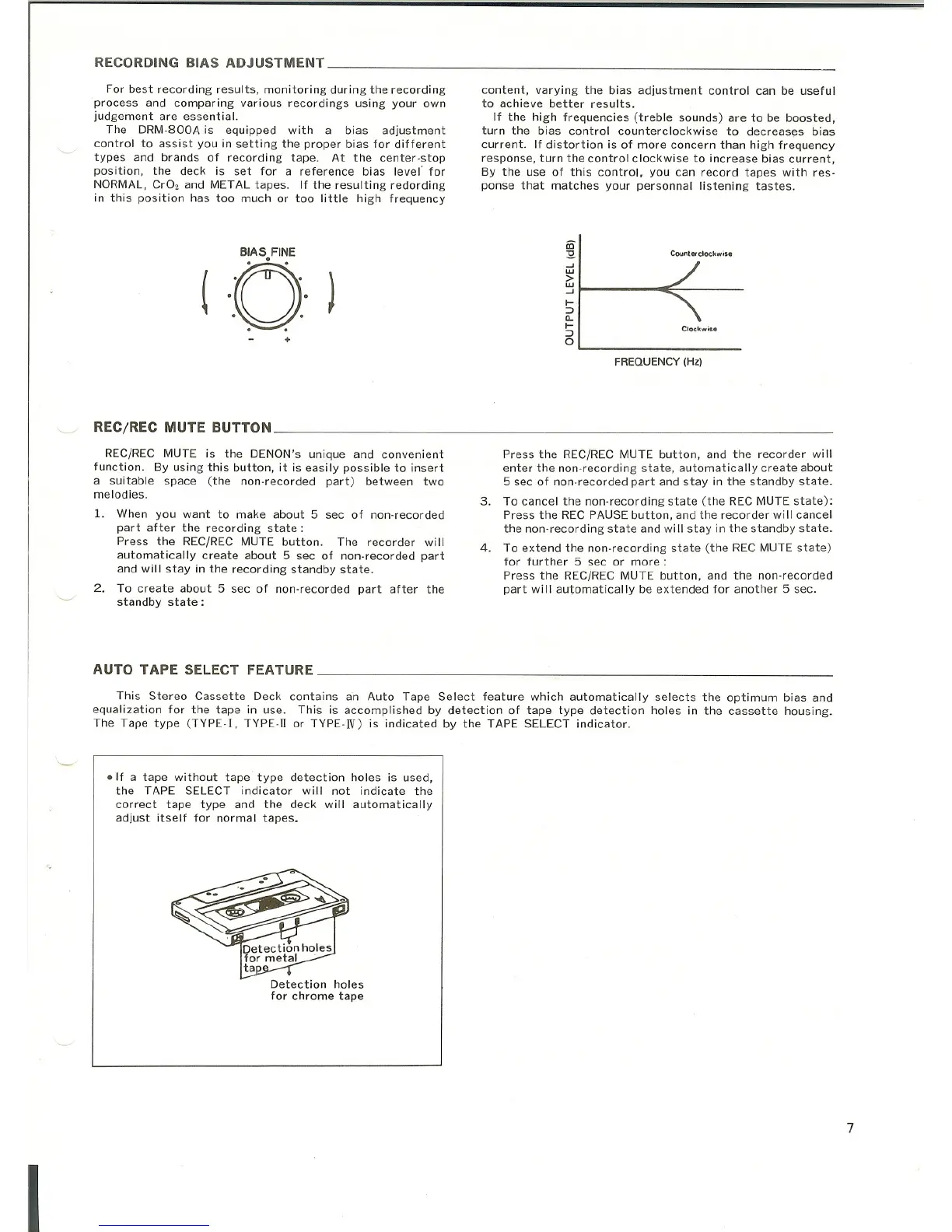
The DRM-800A is equipped with a bias adjustment
control to assist you in setting the proper bias for different
types and brands of recording tape. At the center-stop
position, the deck is set for a reference bias level' for
NORMAL,
CrGz and METAL tapes. If the resulting redording
in this position has too much or too little high frequency
content, varying the bias adjustment control can be useful
to achieve better results.
If the high frequencies (treble sounds) are to be boosted,
turn the bias control counterclockwise to decreases bias
current. If distortion is of more concern than high frequency
response, turn the control clockwise to increase bias current,
By the use of this control, you can record tapes with res-
ponse that matches your personnal listening tastes.
·0·
iD
:3
~
(
)
w
>
w
~
f-
::Ja..
f-
..
::J
+
0
Counterclockwise
Clockwise
RECjREC MUTE BUTTON
REC/REC MUTE is the DENON's unique and convenient
function. By using this button, it is easily possible to insert
a suitable space (the non-recorded part) between two
melodies.
1. When you want to make about 5 sec of non-recorded
part after the recording state:
Press the REC/REC MUTE button. The recorder will
automatically create about 5 sec of non-recorded part
and will stay in the recording standby state.
2. To create about 5 sec of non-recorded part after the
standby state:
AUTO TAPE SELECT FEATURE
FREQUENCY (Hz)
Press the REC/REC MUTE button, and the recorder will
enter the non-recording state, automatically create about
5 sec of non-recorded part and stay in the standby state.
3. To cancel the non-recording state (the REC MUTE state):
Press the REC PAUSE button, and the recorder will cancel
the non-recording state and will stay in the standby state_
4. To extend the non-recording state (the REC MUTE state)
for further 5 sec or more:
Press the REC/REC MUTE button, and the non-recorded
part will automatically be extended for another 5 sec.
I
This Stereo Cassette Deck contains an Auto Tape Select feature which automatically selects the optimum bias and
equalization for the tape in use. This is accomplished by detection of tape type detection holes in the cassette housing.
The Tape type (TYPE-
I, TYPE- II or TYPE-N) is indicated by the TAPE SELECT indicator.
• If a tape without tape type detection holes is used,
the TAPE SELECT indicator will not indicate the
correct tape type and the deck will automatically
adjust itself for normal tapes.
Detection holes
for chrome tape
7



 To Next Page