23
TROUBLE SHOOTING
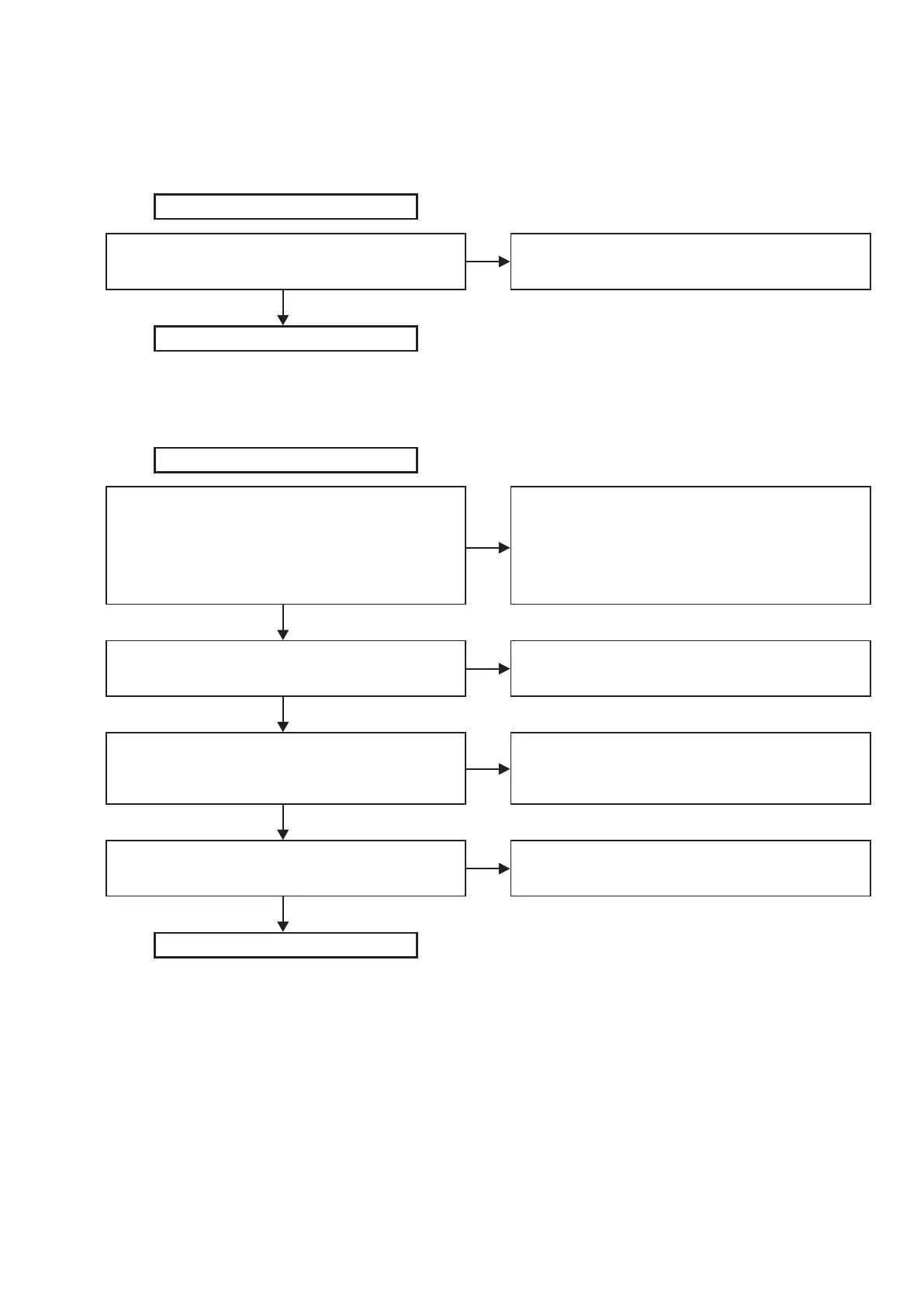
Each voltage check
1. Check 20V
CN2 connector voltage check (1 or 2pin 20V±5%)
Is the voltage in the spec?
Start (MAIN PWB)
Finish
Peplace AC Adaptor
NO
YES
2. Check 12V
U3 input voltage check (7pin) , spec 20V±5%
Is the voltage in the spec?
U3 output enable (2pin) H?
U3 (1pin): PWM waveform do not have a problem?
12V output voltage check (CN4), spec. 12V±10%
Is the voltage in the spec?
Start (Charger/AMP PWB)
Finish
1. Soldering and Voltage check of (Q3, Q4, Q11, power SW:
SW5)
2. Soldering check of (U3, R30, R31, C34, C35)
3. After release (R30, R31), conduct check of (C34, C35)
4. Replace (R30, R31)
5. Return to Check "12V"
1. Soldering check of (R34, R40, C39)
2. Replace (R34→R40→ C39→U3)
1. Soldering check of (U3, C33, C40, C41, C42)
2. After release (R35), conduction check of (C40, C41, C42)
3. Replace (U3→ D6→L5)
1. Soldering check of (R35, C42, L5, CN4)
2. Replace (C33→D6→L5→U3)
NO
NO
NO
NO
YES
YES
YES
YES



 To Next Page