ENGLISH
1
Getting Started Basic Connections
Advanced ConnectionsBasic Operations Advanced Operations TroubleshootingExplanation terms Specifi cations Index
Getting Started
Accessories ····················································································2
Main features ·················································································2
Cautions on handling ····································································2
About this manual ········································································2
Discs ·······························································································3
Discs playable on this unit ····························································3
Holding discs ················································································3
Loading discs ················································································3
Cautions on loading discs ·····························································3
Cautions on handling ····································································3
Cautions on storing discs······························································3
Cleaning discs ···············································································3
About the remote control·····························································3
Inserting the batteries···································································3
Operating range of the remote control ········································4
Part names and functions·····························································4
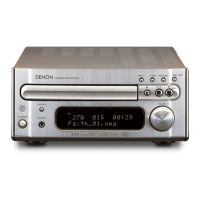
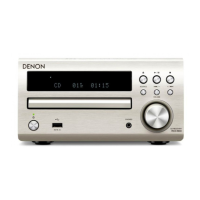
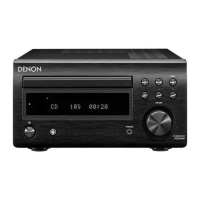
Front panel ····················································································4
Display ··························································································5
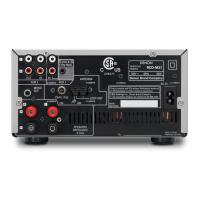
Rear panel ·····················································································5
Remote control ·············································································6
Contents
Getting started ·······································································2
Speaker connections ····································································8
Connecting the speaker cables·····················································8
Connecting recording components ············································· 9
CD recorder / MD recorder / tape deck ········································9
Connecting an antenna ································································9
AM/FM··························································································9
Using the AM loop antenna ··························································9
Assembling the AM loop antenna ················································9
Connecting the power cord························································10
Basic connections··································································8
Preparations ················································································10
Turning the power on ·································································10
Before playing a disc···································································11
Turning the power off ·································································11
Setting the current time (12-Hour Display) ······························11
Operations possible during playback ········································11
Adjusting the master volume ······················································11
Input source switching ·······························································11
Adjusting the tone ······································································12
Muting the sound ·······································································12
Switching the display’s brightness ·············································12
Listening with headphones·························································12
CD playback ·················································································13
Playing CDs·················································································13
Playing repeatedly (Repeat playback) ········································13
Playing random order (Random playback) ··································13
Playing tracks in the desired order (Program playback) ··············13
Switching the display ··································································13
Tuner playback ············································································14
Tuning in Broadcast Stations ······················································14
Automatically presetting FM stations (Auto preset) ···················14
Presetting FM/AM stations manually ·········································15
Listening to preset stations ························································15
Setting the preset channels and changing
the received frequency on the main unit ····································15
Basic operations···································································10
Control dock for iPod ·································································· 16
USB memory device ···································································16
iPod ·······························································································16
Advanced connections······················································16
Preparations ················································································17
Before playing control dock for iPod ···········································17
Before playing a USB or an iPod ·················································17
MP3 or WMA playback order of MP3 or WMA fi les ··················17
MP3 and WMA fi les playback·····················································18
MP3 and WMA formats ······························································18
MP3 and WMA fi les playback ·····················································18
Control dock for iPod/iPod
®
playback ······································19
Disconnecting the iPod ·······························································19
Portable audio player playback ·················································20
Connecting a portable player ······················································20
Portable audio player playback ····················································20
USB memory device playback ···················································20
Playable USB memory formats ···················································20
USB memory device playback ····················································20
Setting the timer ········································································· 21
Setting the timer ·········································································21
Setting the sleep timer ·······························································22
Other functions ···········································································23
Using an optimizing fi lter ····························································23
Auto power on ············································································23
Auto source selector function ·····················································23
Auto standby···············································································23
Last function memory·································································23
Resetting the microprocessor ····················································23
Advanced Operations ························································17
Explanation terms ·······························································24
Troubleshooting···································································24
Specifi cations ········································································26
Index ··························································································26
1.RCDM38E3ENG0041st.indd11.RCDM38E3ENG0041st.indd1 2010/05/1714:17:032010/05/1714:17:03


 To Next Page