ENGLISH
5
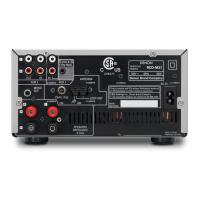
Getting StartedGetting Started Basic Connections
Advanced ConnectionsBasic Operations Advanced Operations TroubleshootingExplanation terms Specifi cations Index
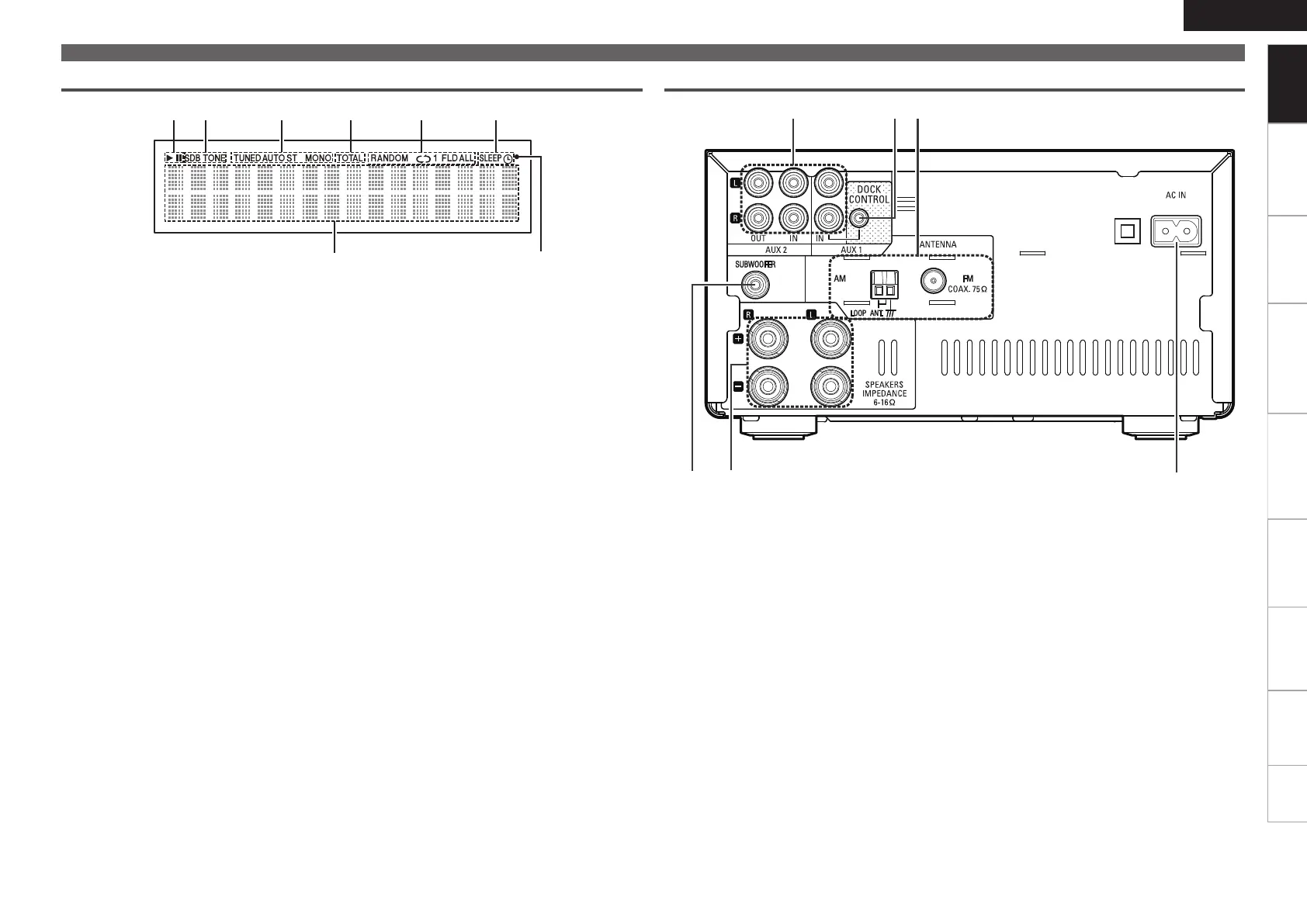
q Subwoofer connector
(SUBWOOFER) ·············································· (8)
w Speakers terminals ······································ (8)
e AC inlet (AC IN) ··········································· (10)
r FM/AM antenna terminals ·························· (9)
t DOCK CONTROL jack ································· (16)
y AUX1/AUX2
Analog audio connectors ····························· (9)
q Information display
Various information is displayed here.
w Remote control signal reception indicator
e Timer operation indicator
r Play mode indicator ······················· (13, 18, 20)
t TOTAL indicator
Lights when the total number of tracks and total
time of the CD are displayed.
y Tuner reception mode indicators ············· (14)
u Tone indicators ··········································· (12)
SDB: Lights when the super dynamic bass
function is set to “ON”.
TONE: Lights when the tone (bass/treble) is
being adjusted.
i Playback mode indicators
1 : During Playback
3 : During pause
Part names and functions
Display
q
u
i y rt e
w
Rear panel
y
e
rt
q w
1.RCDM38E3ENG0041st.indd51.RCDM38E3ENG0041st.indd5 2010/05/1714:17:052010/05/1714:17:05


 To Next Page