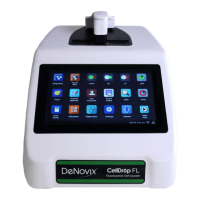
The Settings app may be found on the second Home screen page. Only administrator accounts may
access and change settings.
The app provides access to the following functions:
System Info
• View software and firmware versions, IP addresses, current language, and hostname.
Date/Time
• Select manual or automatic date and time options.
Language
• Although the custom operating system provides translations for some routine functions in many
languages, the majority of the app specific text will be available in a limited number of language
options.
Network Information
• The WiFi and Ethernet MAC addresses and IP addresses can be found under this setting.
Permissions
This selection is used to enable the following options:
• Automatic Archive: Use this selection to enable or disable all standard accounts, including the
General Account, to archive data from the instrument. Refer to the Delete, Archive Data section
for additional information.
• Network Folders: Use this selection to enable or disable the general account and/or standard user
accounts to set-up network folders for data export.
Sound
• Volume controls are available for media and timer alarms.
Storage
• Displays current storage statistics.
WiFi
• Turn Wifi on or off and connect/disconnect from a network.


 To Next Page