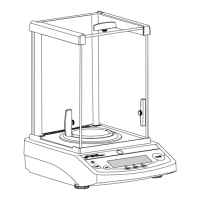
The Denver Instrument XP Series Balances are precision weighing instruments designed for various applications, offering a range of models with different capacities and readabilities. These balances are suitable for indoor use and portable applications, featuring a rechargeable battery for extended operation.
Function Description:
The XP Series Balances are primarily used for weighing samples in different units, performing parts counting, and calculating percentages of weight. They offer taring capabilities up to their total weight capacity, allowing users to zero the balance with a container on the pan before adding a sample. The balances feature a numeric display that continuously shows weighing results, with the number of decimal places varying by model. An RS232C interface is available as an option, enabling connection to a computer or printer for sending commands and controlling balance functions.
Important Technical Specifications:
- Models: XP-300, XP-600, XP-1500, XP-3000
- Ranges:
- XP-300: 300g
- XP-600: 600g
- XP-1500: 1500g
- XP-3000: 3000g
- Readability:
- XP-300: 0.01g
- XP-600: 0.02g
- XP-1500: 0.05g
- XP-3000: 0.1g
- Linearity:
- XP-300: ±0.01g
- XP-600: ±0.02g
- XP-1500: ±0.05g
- XP-3000: ±0.1g
- Pan Dimensions: 5" x 7" (127 x 178mm) for all models
- Permissible Calibration Weights:
- XP-300: 200g
- XP-600: 500g
- XP-1500: 1000g
- XP-3000: 2000g
- Temperature Range: 15-40 °C
- Humidity: 80% for temperature to 31°C, decreasing linearly to 50% relative humidity at 40°C
- Altitude: 3000m
- Unit Dimensions (L x W x H): 8.2 x 8.3 x 2.7" (208 x 211 x 69mm)
- Net Weight: 3.75 lbs. (1.7 kg)
- Power: 15 VDC, 100mA, AC adapter included. Mains supply voltage fluctuations not to exceed ±10% of nominal supply voltage. Equipment is suitable for continuous operation with AC adapter/charger.
- Pollution Degree: 2
- Installation Category: II
- Sound Pressure Level: Emitted by equipment does not exceed ambient noise.
- Storage/Transport Temperature: -20° - +40°C.
- Battery: Rechargeable lead-acid battery (not user serviceable). A fully charged balance can operate on battery backup for 48 hours. The battery icon flashes when recharge is needed.
Usage Features:
- Installation: Requires a stable, level, and rigid work surface free from drafts and vibrations. Avoid areas with magnetic materials or equipment, and extreme room temperatures (above 105°F/40°C or below 60°F/15°C). The balance should be charged for 12 hours before initial battery use and allowed to warm up for 30 minutes prior to use.
- Key Functions:
- I/O Key: Turns the balance ON or OFF, or puts it in Standby mode if the AC adapter is connected.
- Scroll Key (↓): Used for selecting various units of weight or options.
- Print/Menu Key (*): Press to print or hold down for more than 3 seconds to enter the menu.
- Zero/Tare Key (-0-): Returns the display to zero, exits from the menu.
- Weigh Units: Users can toggle between pennyweight, ounces, grams, counting features (count or percentage), and an optional unit by pressing the Scroll key. The optional unit can be changed by holding the Print/Menu key for 3 seconds to enter the "Unit" menu, then using the Scroll key to cycle through modes like Pounds, Troy Ounces, Tael (Hong Kong), Grains, and Carats.
- Calibration: The balance can be calibrated by taring or zeroing it with no weight on the pan, then holding the Print/Menu key for 3 seconds. The display will show "Unit," then "CAL." Pressing the Scroll key displays the calibration weight in grams. Placing the correct weight on the balance will cause the display to flash, indicating acceptance.
- Count or Percentage Mode Setup: To set up counting or percentage mode, hold the Print/Menu key for 3 seconds until "Unit" appears. Repeatedly pressing the Print/Menu key will cycle to "Count." The Scroll key selects the desired number of pieces (10, 20, 50, 100) or P100 for percentage mode. The Zero/Tare key enters the selected mode.
- Setting Reference Weight: For Count or Percentage Mode, tare the unit, place the reference weight, and press the Scroll key repeatedly until the stability icon shows % or #. The balance will then display the reference mode setup (10, 20, 50, 100 or 100%). Note that if power is removed or turned off, the reference weight must be redone.
- Auto-Shut Off: If operating on battery backup and no weight change occurs for 4 minutes, the display will flash. After an additional 2 minutes, the balance will shut itself off.
- RS232C Interface (Option): Allows for data input and control commands. Supports Baud 9600, Data Bits 7bit, Parity Space, Stop Bit 1. Flow Control can be None or Xon/Xoff. Commands include functions like checking stability conditions, enabling/disabling keypad, printing display, resetting balance, taring, zeroing, and external calibration/adjustment.
Maintenance Features:
- Cleaning: Exterior surfaces can be cleaned with a mild water-based detergent and a lint-free nonabrasive cloth, or isopropyl alcohol. Do not immerse the product in any liquid.
- Troubleshooting: The manual provides a guide for common display messages and their remedies, such as "Blank Screen" (check power, press I/O key), "Weight exceeds capacity" (reduce weight), "Pan obstructed" (check pan placement), "Balance operating error" (re-calibrate), "Load cell damaged" (return for service), "Air movement" (move to stable location), "E-02" (place in stable environment for calibration), "E-30" (return for factory evaluation), and "E-54" (return for service).
- Battery Maintenance: The rechargeable battery is not user serviceable. If it does not recharge with the AC adapter, contact an authorized service technician. Only use the AC adapter/charger supplied with the unit.
- General Care: Always lift and transport the balance by its base, not by the weighing pan, to prevent damage to internal mechanisms. Do not drop weights on the pan.
- Warranty: Users are encouraged to return the Purchase Registration Card. For service, a "Return Authorization Number" is required, and the product should be packed securely in its original approved packing carton. Shipping charges must be prepaid.

 Need help?
 General





 To Next Page