-5-
DAB display modes
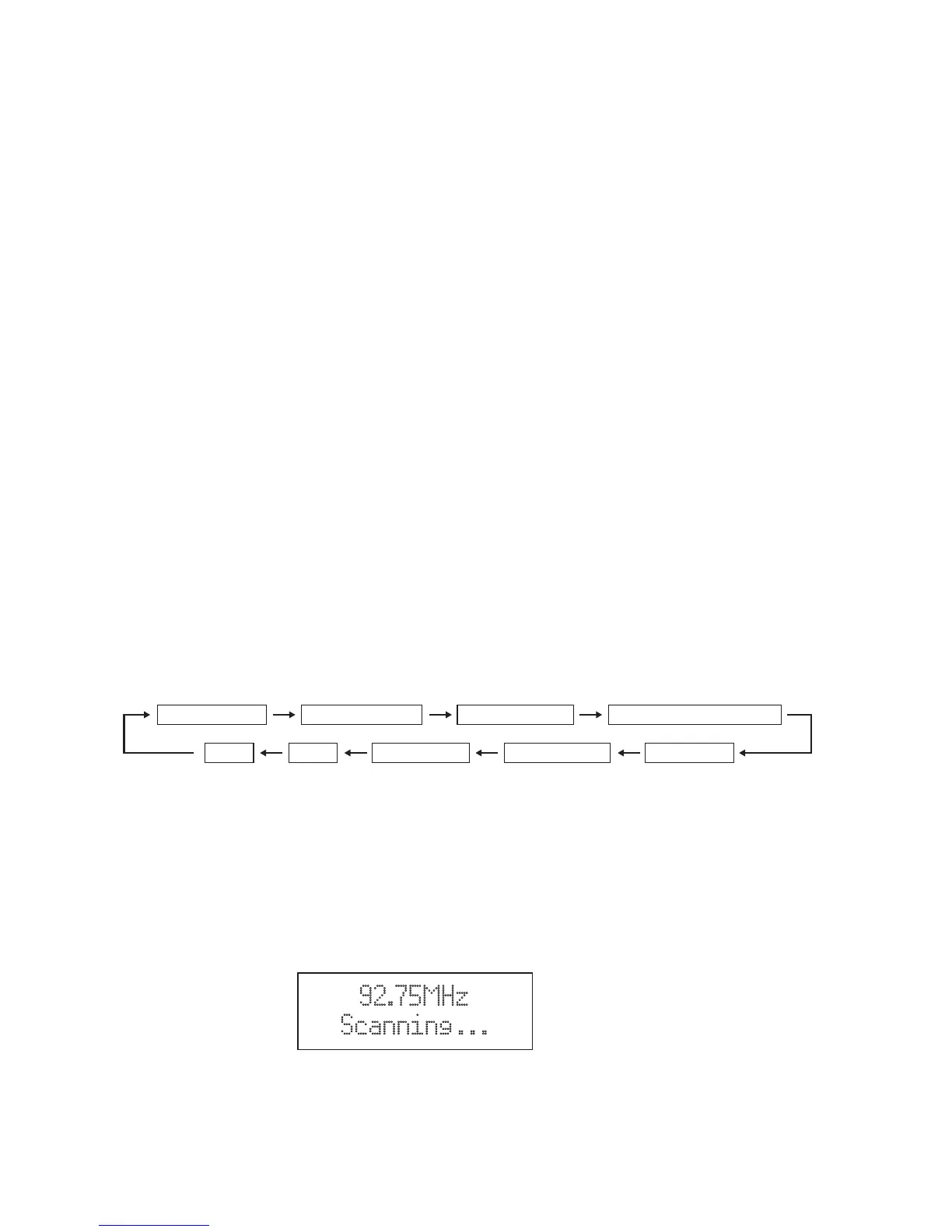
Every time you press the MENU/INFO button, the display will cycle through the following display
modes: Signal strength, Programme Type, Ensemble Name, Channel number/frequency, Signal error,
Audio Bit Rate, Power status (Mains/Battery), Time and Date.
Signal Strength
This shows a slide bar to indicate the signal strength, the stronger the signal, the longer the bar will
be from left to right.
Programme Type
This describes the “style” or “genre” of the programme that is being broadcast.
Ensemble Name
The Ensemble/Multiplex is a collection of radio stations that are bundled and transmitted together in
a single frequency. There are national and local multiplexes, local ones contain stations that are
specific to that area.
Channel number/frequency
This displays the Channel number/frequency of the present station, such as “11C 220.352MHz”.
Signal error
Show the stability and quality of signal reception , the best representation for 0.
Audio Bit Rate
The display will show the digital audio bit rate being received.
Power status
Display the power supply is adaptor or battery. If the power supply is battery, the display will show
the battery capacity (21-100). When the battery is less than 20, the display will show battery is low.
Time / Date
This displays the current time and date provided automatically by the broadcaster.
FM radio
1. To select FM, press the MODE button, the display will show FM and the frequency.
2. To activate auto search, press SELECT button or press and hold ▼/▲ buttons until the radio
starts to scan the frequency band, the display will show ‘Scanning …‘(F6), and it will stop
automatically once a station has been found.
3. To search manually, press ▼/▲ buttons in the desired direction to increment the frequency by
0.05MHz. If reception is still poor adjust the position of the antenna or try moving the radio to
another location.
Scan setting
In FM mode, press and hold MENU/INFO button and then press ▼/▲ buttons to select
“Scan setting”. And press the SELECT button to confirm. Press ▼/▲ buttons to select
“All stations/Strong stations only”, and then press the SELECT button to confirm the setting.
92.75MHz
Scanning . . .
F.6
Signal Strength Programme Type Ensemble name Channel number/frquency
TimeDate Power status Audio Bit Rate Signal error



 To Next Page