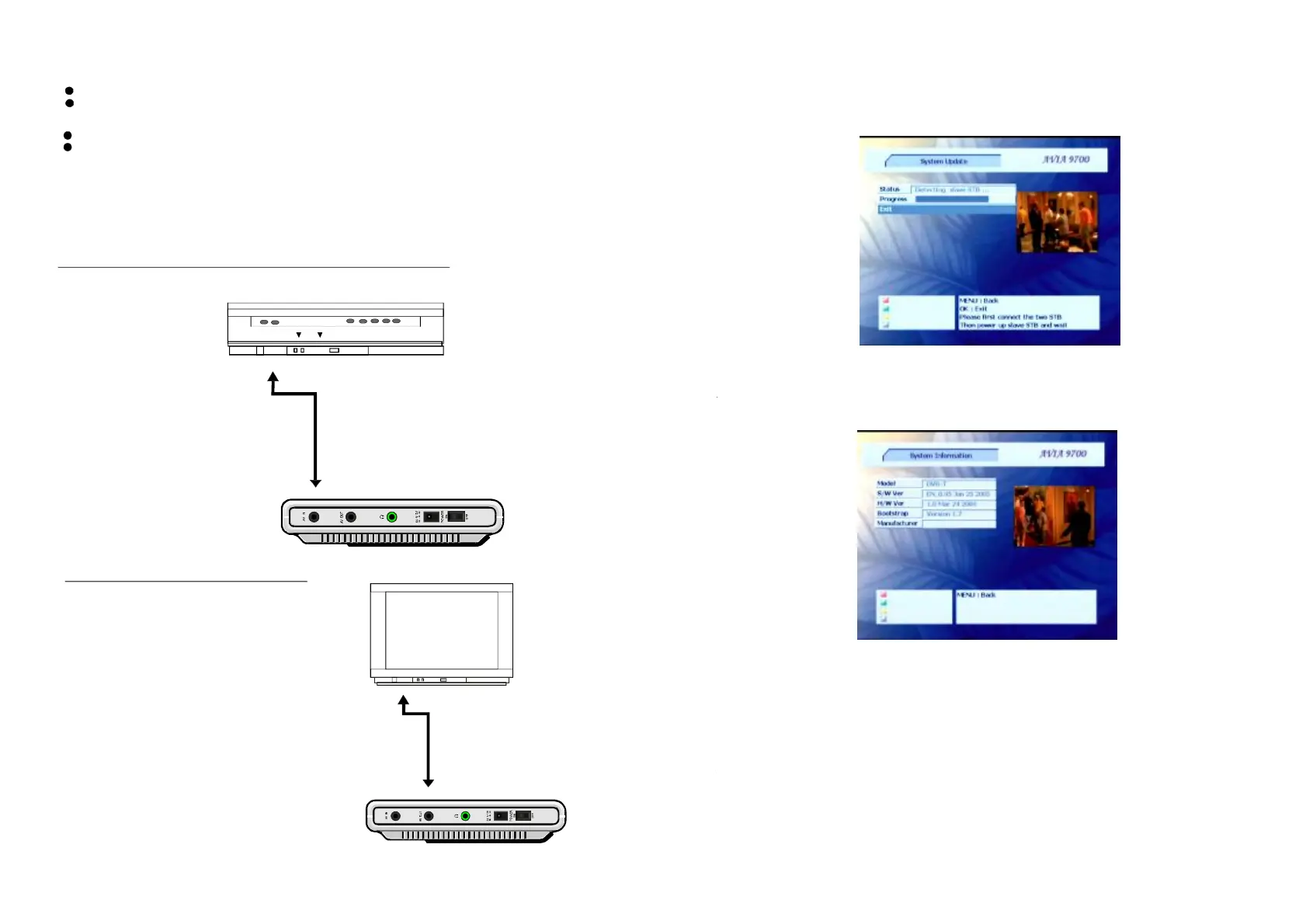
3.CONNECTINGTOEXTERNALDVD/VCR
Note:
DuringDVDplay,theTVvolumemaybeatalowerlevelthanduringTVbroadcasts,etc.
Ifthisisthecase,adjustthevolumetothedesiredlevel.
Readthroughtheinstructionsbeforeconnectingotherequipment.
Ensurethatyouobservethecolorcodingwhenconnectingaudioandvideocables.
ItisrecommendedtoconnectaDVD/VCR.
Ensurethatthisplayerandotherequipmenttobeconnectedaresettothestandbymode
oroffanddisconnecttheACadaptorbeforecommencingconnection.
4.CONNECTINGTOTVSET
NOTE: Makesurealltheconnections
arerightandsettheequipmentsin
correctmodes.
8 17
Video/audiocable
DVD/VCR
DVBTPLAYER
TOAVINJACK
TOAVOUTJACK
TVset
Video/audiocable
TOAVINJACK
TOAVOUTJACK
SystemInformation
ConfigSystemInformationSystemInformationInmenu,youcanselect.Themenu
showsthesysteminformationincludingtheFirmwareversionandmodename.
Playback
Inplaystatus,variousmenuswilldisplayonthescreenbyusingtheremotecontrol.
Youcanchangethecurrentstatusandmodebypressingdifferentbutton.
Thedisplayatthebottomofthescreenshowstheinformationofthecurrentchannel.
Programinformation



 To Next Page