6
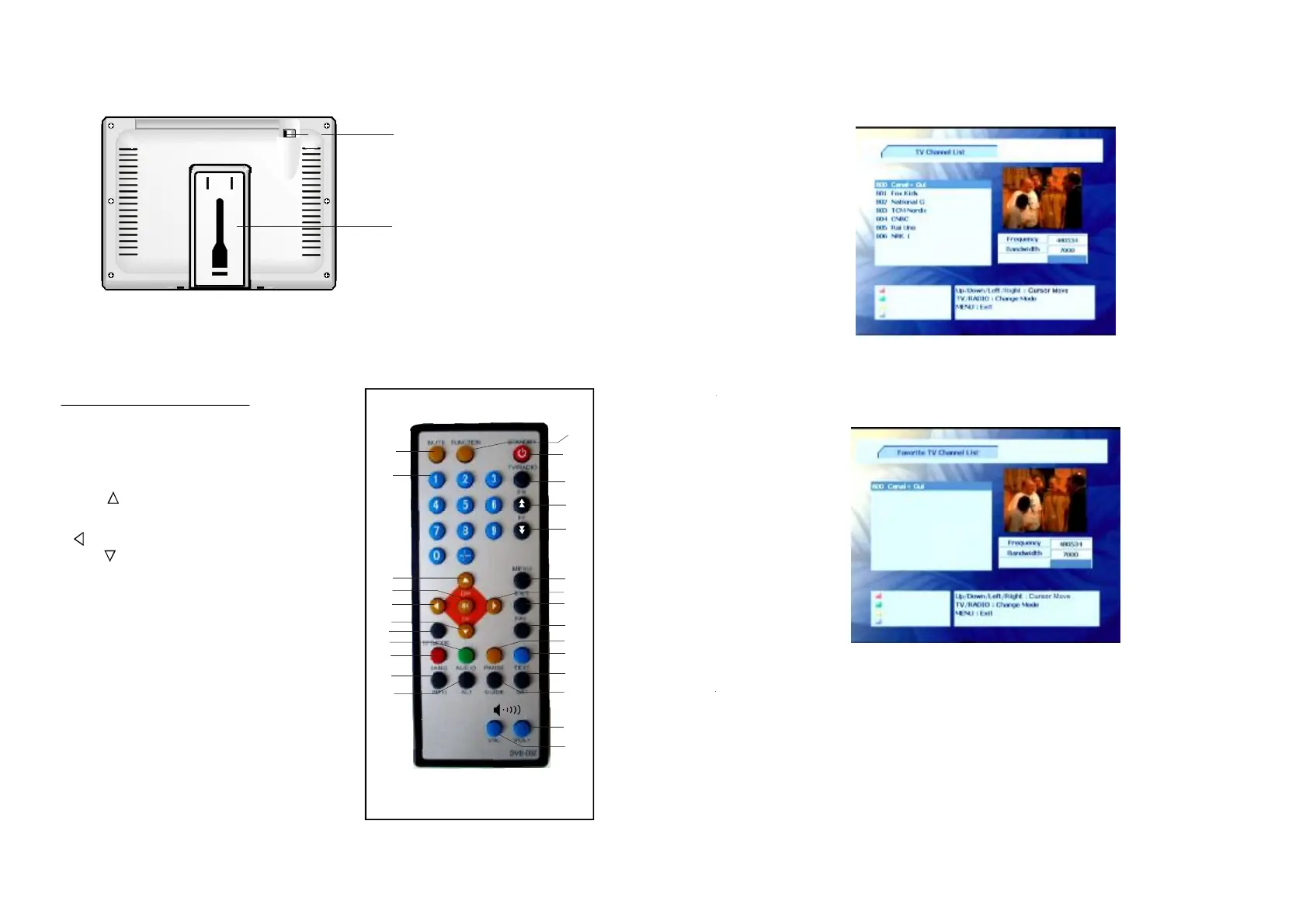
REMOTECONTROL
1
2
3
4
5
6
8
9
10
11
12
16
13
14
15
17
18
19
20
21
22
BACKVIEW
NOTE: YoumustconnectexternalantennatotheunitbeforeTVreceiveroperation.
24
23
25
26
7
1.MUTE-T
3.CH+/-
4.OK-
5.button
6.CH-/
7.TFTMODE
8.AUDIO-
9.LANG-
10.INFO-
11.ALT
12.STANDBY-
13.TV/RADIO
14.FR
15.FF
omutethesound.
nputthe
numericinformation,suchaschannel
numberandsoon.
Toselectprogramforwardormove
up.
Toconfirmaselection.
-Tomoveleft.
Toselectprogramreverseor
movedown.
-Pressthisbuttontoenterthe
TFTMODEmenu,moveUPorDOWN
navigationbuttontoselectContrast,
Brightness,Hue,Saturation,Sharpness
orScaling,thenmoveLEFTorRIGHT
navigationtosettheselecteditemasyou
wantto.
Toselectthesoundtrack.
Todisplayandchangesubtitle
language.
Displaytheinformationofcurrent
program.
-Returntolastprogramwatched.
ToturnontheUnitorsetit
instandbymode.
SwitchtheunitinTVorradio
mode.
-Pagedown.
-Pageup.
2.NUMERRICBUTTONS-Toi
19
18.StandHolder
17.Antennajack
FavoriteList
FAV
UP/DOWN
Pressbuttonontheremotecontrol,thescreenwilldisplayasshowbelow.Youcan
previeweachchannelbypressingthebutton.
EPG(ELECTRONICPROGRAMMEGUIDE)
EPG
T
heEPGshowstheeventinformationofthecurrentchannelbytimezone.TheEPGis
dividedintoWeeklymode,Dailymode,andExtendmode.Pressthebutton,the
Weeklymodewilldisplayasthedefaultmode.



 To Next Page