Contrast50
Brightness50
Hue50
Saturation50
Sharpness1
Scaling16:9
11
14
MovetheUPorDOWNnavigationbuttontoselectContrast,Brightness,Hue,Saturation,
SharpnessorScaling,thenpresstheLEFTorRIGHTnavigationbuttontoadjustthelevel
oftheselecteditem.
ThelevelofContrast,Brightness,HueandSaturationcanbeadjustedbetween
0-100.AndthelevelofSharpnesscanbeadjusted0-3.TheScalingcanbeadjusted
between16:9and4:3modes.
PressTFTMODEbuttonagaintoexittheTFTMODEMenuPage.
NOTE:
Theunitcontainsdifferentsettingmenus.
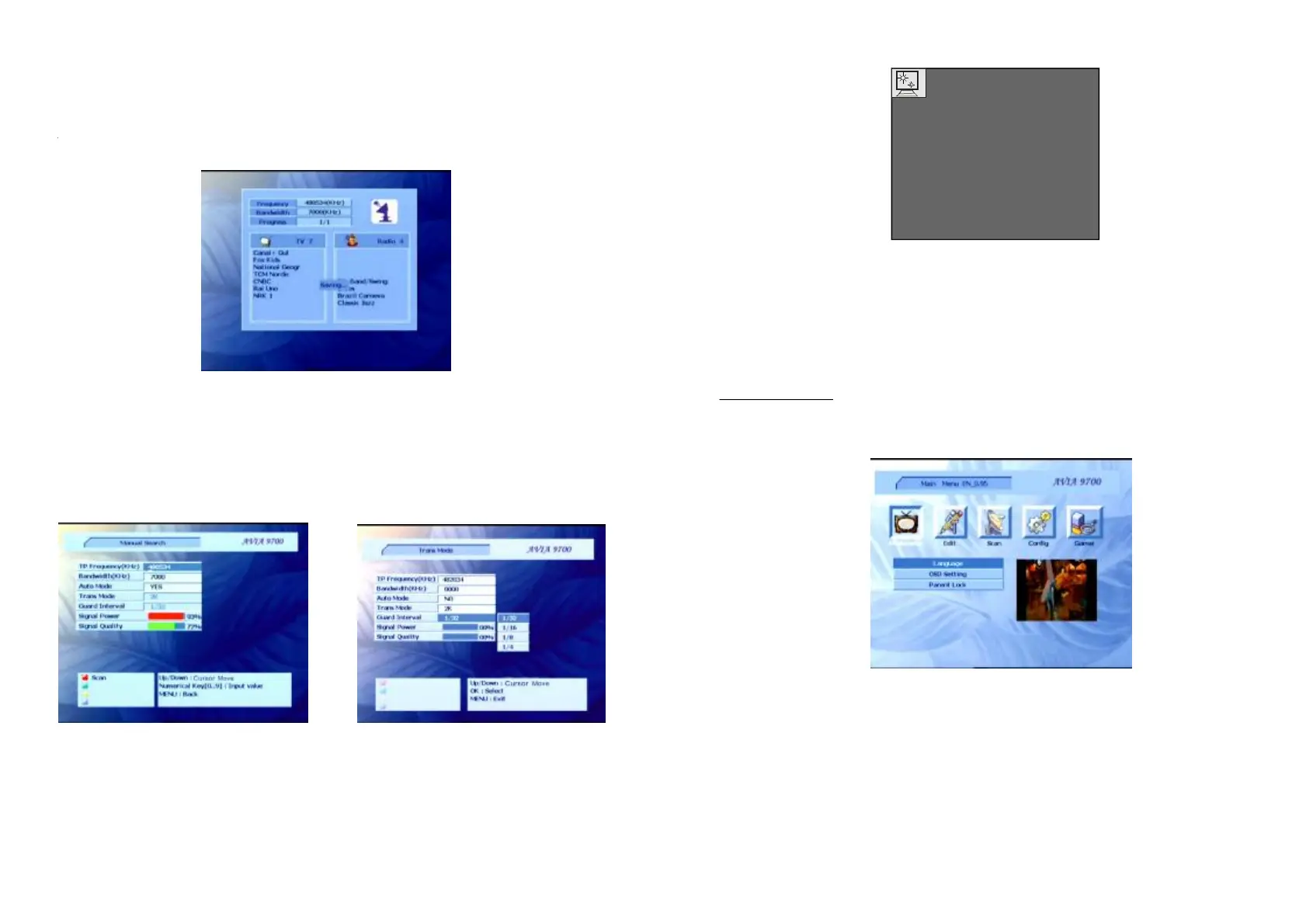
-Pressthebuttonthescreenwilldisplay:
-Whenthemenudisplaysonthescreen,pressthebuttonagaintoreturntothe
previousmenu.
-Presstoconfirmaselection.
-PressTomoveupordown.
-Presstoexitallmenus.
Inthemainmenu,youcanpressleftorRightbuttontoselectitemInthismenu,you
canselect,or.
MENU
MENU
OK
CH+/CH-
EXIT
Edit
ChannelManagerAddFavoritesFavoriteManager
Edit
.
MAINMENU
AutoSearch
ScanAutoSearchingInmenu,youcanselect.Youcansearchallprogramswiththis
menuinthedefaultfrequencyrange.
ManualSearching
ScanManualSearching
TPFrequencyBandwidth
AutoModeNO
TransModeGuardInterval
SignalPowerSignalQu-lityRED
Inmenu,youcanselectitem.
-Selectand.
-Switchto
-Selecttheandparameter.
-Iftherearesomesignalsdisplayingin
and.Pressthebuttontosearchprogram.Ifthereis
nosignal,pleasechecktheparametersetting.



 To Next Page