12
ItisthesameliketheLockfunctioninmenu.
tisthesameliketheskipfunctioninmenu.
tisthesameliketherenameFunctioninmenu.
tisthesametheSortfunctionInmenu.
Lock:ChannelManager
Skip:ChannelManager
Rename:ChannelManager
Sort:ChannelManager
13
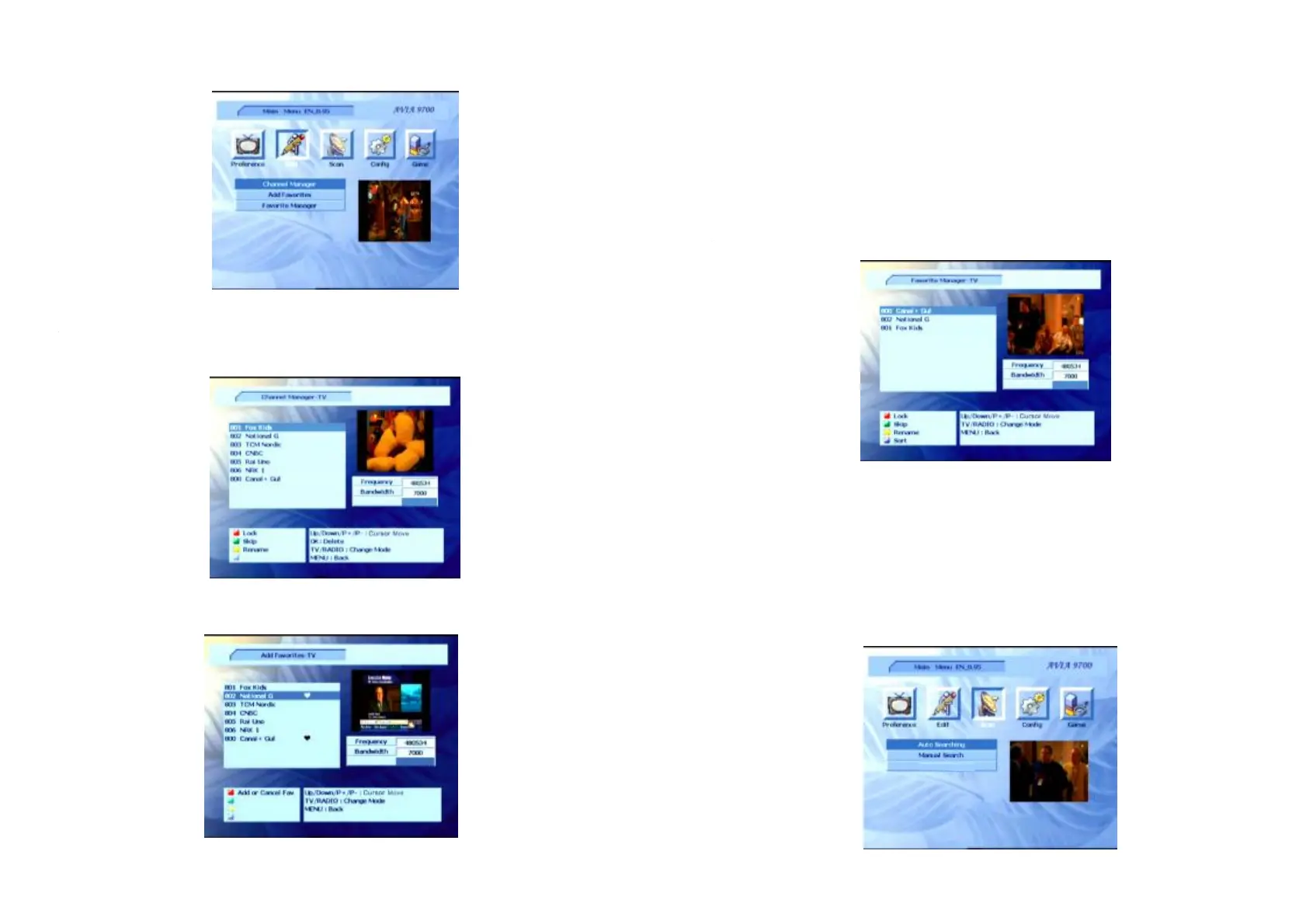
ChannelManager
ChannelManager
TV/Radio
YoucaneditchannelinformationintheMenu.
PressbuttontodisplayTVorradiochannellist.Accordingtothemenu,youcan
setthechannelposition.
AddFavorites
AddFavoritesPressbutton,youcanselectchannelsfromthecurrentTV/Radiolistas
favoritechannels.
-SelectthedesiredchannelbypressingtheUp/Downbutton,andthenpressthe
buttonontheremotecontroltosetselectedchannelastheoneoffavorites.Pressthe
buttonagaintheselectedchannelwillbecancelledfromyourfavoritelist.
-ToselectRadiochannelontheTVlist,pressthebuttonontheremotecontrol,
andthenpressthebuttontoselectTVchannelontheRadiochannellist.
-Pressthebuttontoexitcurrentmenu,thescreenwilldisplayadialog,thisdialog
willshowyouhowtoconfirmyouroperation.
-PressthebuttontoenterthefavoritelistwhilewatchingTV(orlisteningtoRadio)
innormalstate.
Thefunctionoperationsarethesamelikethechannelmanagermenuoperations.
Red
Red
TV/Radio
TV/Radio
MENU
Fav
FavoriteManager
Presstheleftorrightbuttonstoselecticonfromthemainmenu.Inthismenu,can
selector.
Scan
Scan
AutoSearchingManualSearching



 To Previous Page