4. Setup Menu
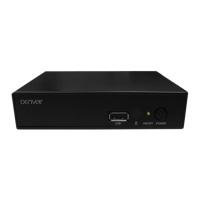
Press the"MENU" key to activate the main menu. Select the "Setup" option and press the "OK" key to enter the
menu.
Change the OSD Language
Change the TV system: PAL/NTSC/AUTO. mode; 4:3 LB, 4:3 PS,
16:9PB , 16:9AUTO.
Timer Setting: for more information, refer to the next section.
Setting OSD attribute
Parent Lock Setting:
Channels or Menu operations can be locked using password. The
original password is "0000".
The universal password is "3330".
Tuner setting: choose off for home external antenna; choose on for
powered antenna.
USING THE SET TOP BOX
ENG-5


 To Next Page