6. EPG(Electronic Program Guide)
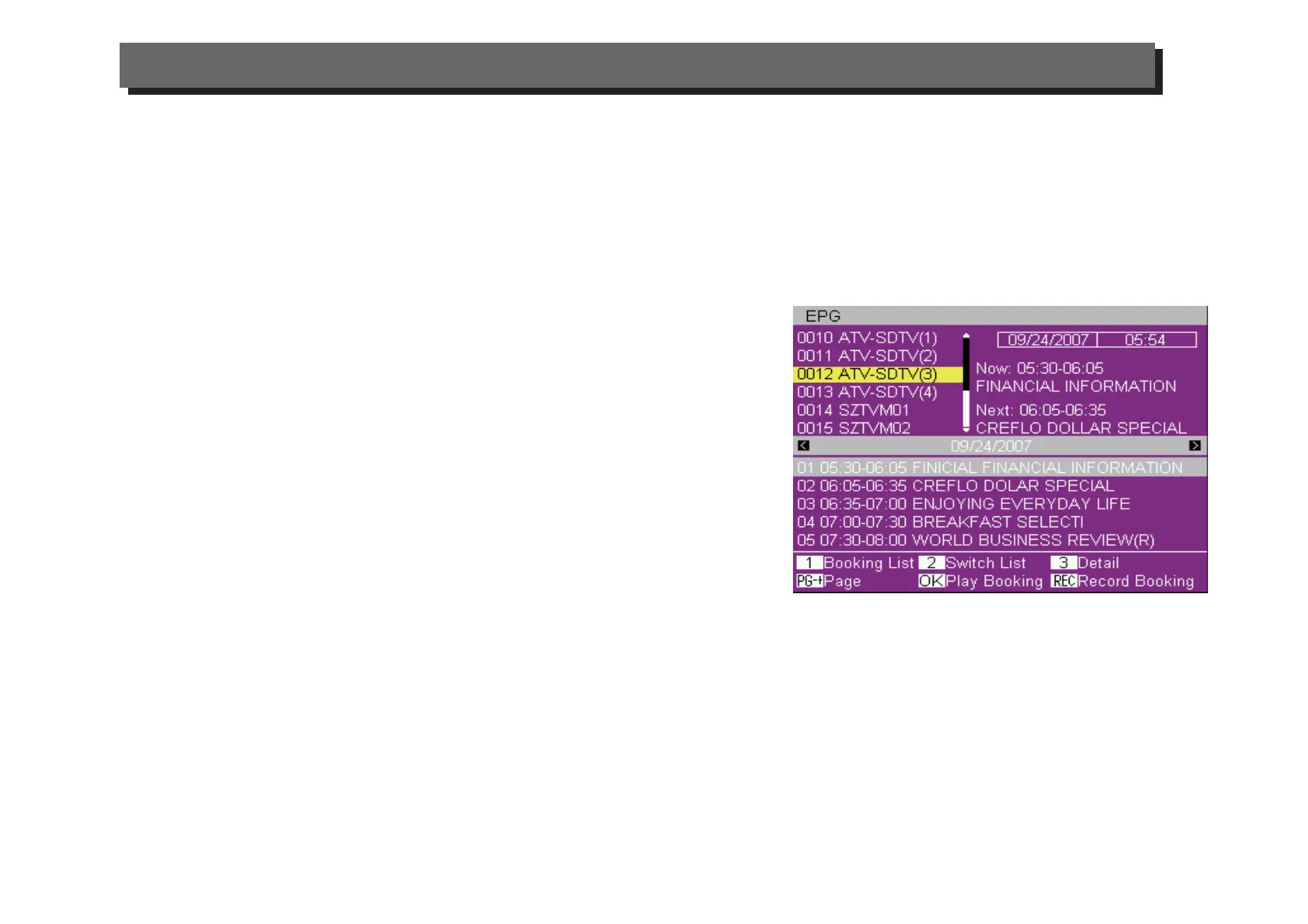
Press the "EPG" key to display all the information of the Channels.
The following operations can be used in the EPG menu:
Switch List: Press "2" to switch between program list and event
list
Play Booking: Select the Event and Press "OK" to book for play
REC Booking: Select the Event and Press "REC" to book for
record.
Booking List: Press "1" to display the booking list
7. Media Player
USB port can play MPEG, JPEG, MP3 and WMA files USB flash disk 2.0 high speed/USB hard disk is
supported on this Set Top Box. But when a USB hard disk is used, please use a power adapter to
connect the hard disk driver.
1. When USB disk is mounted, you can enter Main MenuMedia+Media Player menu to play music, MP3
and WMA, video or browse pictures JPEG.
2. In Main MenuMedia+PVR Manage, the recorded video files are listed on the display. You can Lock,
Delete or Rename the files or press [OK] key to play.
5. Tools
Receiver info: technical data about the receiver
Game: there are two games (Snake, Othello)
Load default settings: insert the new password or default one and confirm to return to default settings.
Software Upgrade: the upgrade file will be available on New Majestic S.p.A. website only when the unit will
need it.
Upgrade setting: software upgrade and automatic channels upgrade
ENG-6
USING THE SET TOP BOX


 To Next Page