EasyManua.ls Logo

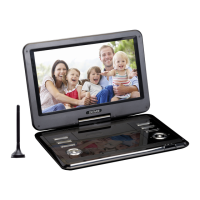
Denver MT-1080T2H - User Manual

Denver MT-1080T2H
12 pages
Print Icon
To Next Page IconTo Next Page
Loading...
Before connecting, operating or adjusting this product,
facebook.com/denverelectronics
please read this user's manual carefully and completely.
USER'S MANUAL
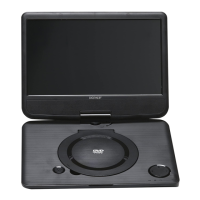
PORTABLE DVD
MT-1080T2H

Questions and Answers

  • A
    Amanda MoralesAug 8, 2025
    What to do if the Denver MT-1080T2H remote control is not responding?
    • J
      John HernandezAug 9, 2025
      If the remote control for your Denver Portable DVD Player isn't responding, the battery may be exhausted. Try changing the battery. Also, make sure the remote control is facing the unit and is close enough.
  • J
    Jennifer SmithAug 13, 2025
    How to fix a Denver MT-1080T2H Portable DVD Player with no picture?
    • P
      pmyersAug 13, 2025
      If your Denver Portable DVD Player shows no picture, first ensure the power is connected. If it is, check that the power switch is turned on.
  • J
    jmcculloughAug 18, 2025
    Why is there no sound from my Denver Portable DVD Player speaker?
    • S
      Sara HughesAug 18, 2025
      If there's no sound from your Denver Portable DVD Player's speaker, first check if the sound is on mute and turn off mute function. If not, try another sound track, as the current one may be incorrect.
  • X
    xcolemanAug 23, 2025
    What to do if Denver MT-1080T2H Portable DVD Player screen shows 'No Signal'?
    • R
      Rebecca McneilAug 25, 2025
      If your Denver Portable DVD Player screen displays 'No Signal', ensure the DVB-T cable is properly connected. If it is, try resetting the settings, as they may be incorrect.
  • N
    Nancy DavisAug 29, 2025
    Why does my Denver MT-1080T2H have only sound but no image on the screen?
    • C
      claudia68Aug 29, 2025
      If your Denver Portable DVD Player has sound but no image, check the AV cable connection to ensure it is correctly connected. Also, if the program is a radio program, press the key to switch to TV mode.
  • A
    Alejandro AlexanderSep 2, 2025
    What causes the image on my Denver MT-1080T2H to stop suddenly or become mosaic?
    • T
      torresanthonySep 3, 2025
      If the image on your Denver Portable DVD Player stops suddenly or becomes mosaic, the signal may be too weak. Try to strengthen the signal.

Summary

USERS MANUAL MT-1080 T2 H

Identification of Controls

Main Unit

Details the controls and buttons on the main unit of the portable DVD player.

Remote control unit

Explains the functions of each button on the remote control for the portable DVD player.

First Time Installation

Basic Operation

Guides on initial setup and basic operation, including program management settings.

Lock Program;s

Instructions on how to lock selected programs for restricted viewing.

EPG (Electronic program guide)

Information on accessing the electronic program guide for TV schedules.

Auto Search

Guide to automatically search and install available channels.

Troubleshooting

Denver MT-1080T2H Specifications

General IconGeneral
BrandDenver
ModelMT-1080T2H
CategoryPortable DVD Player
LanguageEnglish

Related product manuals