Need help?
Do you have a question about the Denver MT-783NB and is the answer not in the manual?
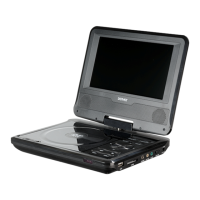
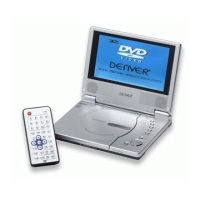
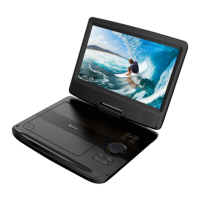
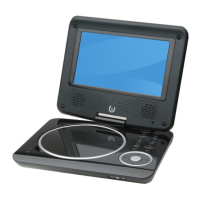
This document describes the DENVER MT-783 NB Portable DVD player, outlining its controls, functions, and general usage. The device is designed for portable entertainment, allowing users to watch DVDs, listen to CDs, and view multimedia files on the go.
The main unit of the DENVER MT-783 NB features a 7-inch display, providing a clear visual interface for media playback. Below the screen, there is a disc loading mechanism for DVDs and CDs. The controls on the main unit are intuitively arranged for easy access. These include directional buttons (Up, Down, Left, Right) that also serve as volume controls (VOL- and VOL+) when long-pressed, and navigation for previous/next tracks or chapters. A dedicated PLAY/PAUSE button allows for quick control of media playback, with a long press activating the RETURN function. Other essential buttons on the main unit include SETUP for accessing system settings, SOURCE for switching between DVD and USB inputs, and an ON/OFF button for power control. For private listening, an earphone socket is provided, and an AV OUT port allows connection to external displays. The device is powered via a DC IN 9-12V input.
The remote control unit offers a comprehensive set of functions, providing convenient operation from a distance. It includes a numeric keypad (0-9, 10+) for direct selection of tracks, chapters, or menu items. The ZOOM button allows users to magnify the screen in various increments (2X, 3X, 4X, 1/2, 1/3, 1/4), enhancing viewing flexibility. The SEARCH button enables navigation to specific time points, titles, or chapters in DVD mode. For multilingual content, the SUBTITLE button cycles through available subtitle languages during playback, while the ANGLE button changes the viewing angle on compatible DVDs.
Audio control is managed through the AUDIO button, which allows users to select different audio languages or tracks on DVDs, or switch between stereo, left, or right channels on CDs and VCDs. The VOL- and VOL+ buttons on the remote provide precise volume adjustment. The MUTE button offers instant audio silencing.
Playback control is extensive with dedicated buttons for PLAY/PAUSE, STOP, REPEAT, and A-B repeat. The PLAY/PAUSE button toggles between playing and pausing media. The STOP button, when pressed once, bookmarks the current position for resume playback; a second press clears this bookmark. The REPEAT button allows users to select various repeat modes, such as repeating a single chapter/title/track, an entire disc, or specific folders for WMA files. The A-B repeat function enables users to loop a specific segment of media by setting start and end points.
Navigation and menu access are facilitated by the TITLE button, which returns to the DVD title menu, and the MENU button, which accesses the DVD disc menu or toggles PBC (Programmed Playback Control) on/off for VCDs. The SETUP button on the remote mirrors the main unit's function, accessing or removing the setup menu. The ENTER button confirms menu selections. The RETURN button navigates back to the previous page or menu.
Advanced playback features include fast forward and reverse skipping. The remote has buttons for Reverse Skip and Forward Skip, allowing users to jump to the previous or next chapter/track. Additionally, dedicated fast forward ( ) and fast reverse ( ) buttons enable skipping ahead or back at multiple speeds (X2, X4, X8, X20), with the ENTER button returning to normal playback speed.
The PROGRAM button offers customization for media playback. For DVDs, VCDs, and CDs, users can program their favorite tracks or chapters to play in a specific order. A PROGRAM MENU appears on screen, allowing input of desired numbers and selection of PLAY to start the programmed sequence, or CLEAR to remove it. For JPEG files, the PROGRAM button cycles through various slide show modes (16 types available). The DISPLAY button shows playtime and status information on the screen.
The SOURCE button on the remote allows switching between DVD and USB inputs, similar to the main unit. This flexibility ensures that users can enjoy content from different sources.
The DENVER MT-783 NB is designed for ease of use and portability, making it suitable for various entertainment needs. Its comprehensive set of controls, both on the main unit and the remote, ensures a user-friendly experience for navigating and enjoying multimedia content.
 General
| Screen Size | 7 inches |
|---|---|
| Resolution | 800 x 480 pixels |
| Audio Output | Built-in speakers, headphone jack |
| Accessories Included | Remote control, car adapter, AV cable |
| Supported Formats | DVD, CD, MP3, JPEG |
| Connectivity | AV output |
| Power Supply | AC adapter |
| Display Type | TFT LCD |
| Additional Features | Anti-shock function |

 To Next Page