Need help?
Do you have a question about the Denver MT-739 and is the answer not in the manual?
This document serves as the user's manual for the DENVER Portable DVD Player, model MT-739. It provides comprehensive instructions for connecting, operating, and adjusting the device, emphasizing the importance of reading the manual thoroughly before use.
The manual begins with crucial environmental protection guidelines, advising users not to dispose of the product with regular household garbage at the end of its lifecycle. Instead, it should be handed over to a collection point for the recycling of electrical and electronic appliances, highlighting the product's recyclability and the user's contribution to environmental protection through proper disposal.
Safety precautions are detailed, warning against electric shock, fire, and exposure to water or moisture. Users are explicitly cautioned not to remove the cover or back of the product, as there are no user-serviceable parts inside, and servicing should be referred to qualified personnel. The device employs a laser system, and users are warned against direct exposure to the laser beam, advising against opening the enclosure or staring directly into the laser. Installation in confined spaces like bookcases is also discouraged.
Copyright notes are included, stating that copying, broadcasting, showing, playing in public, or renting copyrighted material without permission is forbidden. The product incorporates Macrovision copy protection technology, which may cause picture noise during recording and playing of certain discs. The use of this technology is protected by patents and intellectual property rights, intended for home and limited viewing uses only unless otherwise authorized by Macrovision Corporation. Reverse engineering or disassembly is prohibited. A section for recording the model number, serial number, and date of purchase is provided for permanent record-keeping.
The introduction emphasizes proper use and future reference, noting that the manual covers operation and maintenance. It also explains symbols used throughout the manual, such as the lightning flash for dangerous voltage, the exclamation point for important instructions, and specific symbols for different disc types (DVD, VCD, CD, WMA, JPEG).
Notes on discs cover handling and storage, advising against touching the playback side, holding discs by the edges to avoid fingerprints, and never sticking paper or tape on them. Discs should be stored in their cases after playing and kept away from direct sunlight or heat. Cleaning instructions recommend using a clean cloth to wipe discs from the center out, and warn against using strong solvents like alcohol, benzine, or thinner.
The manual lists playable disc types, including DVD, Video CD (VCD), and Audio CD, in both 8 cm and 12 cm sizes. It also supports DVD-R, DVD+R, DVD-RW, DVD+RW, Kodak Picture CDs, SVCD, and CD-R/CD-RW containing audio titles, WMA, and JPEG files. The "RW COMPATIBLE" feature indicates the ability to play DVD-RW discs recorded in Video Recording format. Important notes clarify that some recorded discs may not play due to recording conditions, advise against attaching seals or labels to discs, and warn against using irregularly shaped CDs. It also mentions that some playback operations may be intentionally programmed by software manufacturers, meaning certain features might not be available or additional functions might be present.
The device is manufactured under license from Dolby Laboratories, with "Dolby," "Pro Logic," and the double-D symbol being trademarks. The region code for this DVD player is "2" or "ALL," meaning it can only play DVD discs labeled with these regions. A warning is given that attempting to play a DVD with a different region code will result in a "Check region Code" message on the TV screen.
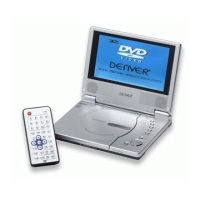
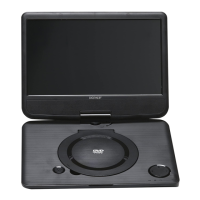
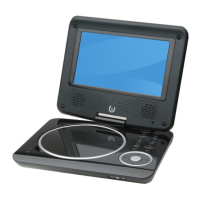
The "Identification of Controls" section provides a detailed diagram and description of the main unit's components, including the LCD screen, speakers, mode button (for LCD size, brightness, contrast, and hue), stop, previous/fast backward, next/fast forward, play/pause, menu, navigation buttons (left/right/up/down), enter, DC in/out, headphone jack, AV out, volume knob, and power ON/OFF switch.
Instructions for the battery pack cover charging, attaching, and detaching. The power charge indicator is red during recharging and turns green when complete. The battery pack attaches by matching hooks into holes and pushing up until a click is heard, and detaches by pulling a switch and sliding down.
The remote control unit's buttons are also thoroughly explained, covering functions such as play/pause, stop, reverse/forward skip, zoom, repeat, A-B repeat, program, mute, title, power, number buttons (0-9), enter, menu, display, audio, subtitle, angle, setup, 10+ button, step, fast backward/forward, PBC (Programmed Back Control), and mode (for LCD parameters).
The "Getting Started" section introduces key terms like "Title" (distinct sections of a DVD disc), "Chapter" (segments within a title), "PBC: Playback Control" (for Video CD version 2.0 discs, allowing interaction via menus and search functions), and "Track" (distinct audiovisual elements on a disc). It also explains different disc formats: DVD±R/RW (recordable and re-writable, single-sided 4.38 GB, double-sided twice as much), VCD (up to 74 or 80 minutes of MPEG-1 video with stereo sound), MPEG (international standard for video and audio compression), WMA (Windows Media Audio file), and JPEG (Joint Pictures Expert Group, a compressed image format).
TFT screen adjustment instructions are provided, explaining how to use the "MODE" and navigation buttons on the panel to adjust brightness, contrast, hue, and screen mode (16:9/4:3). A note advises that default settings can be restored via the "setup" menu.
"Basic operation" details playing a DVD or Video CD. Playback setup involves turning on the power, opening the disc tray, inserting a disc playback side down, and closing the tray for automatic playback. For DVDs, users select titles/chapters with navigation buttons and press ENTER, or MENU to return to the menu. For VCDs, number buttons select tracks, and MENU returns to the menu. Notes cover parental control password input, region code restrictions, and the use of the remote control for most operations.
Moving to another chapter/track is done using the SKIP buttons, or by inputting the chapter/track number directly for DVDs. Changing the audio channel on VCDs is done by repeatedly pressing AUDIO. Repeat A-B allows repeating a sequence by marking start and end points. The REPEAT button cycles through desired repeat modes (title, chapter, all, track, off).
For DVD Video Discs, repeat modes include "Chapter," "Title," and "All." For Video CDs, repeat modes are "Track" and "All." Notes clarify that PBC must be off for repeat functions on Video CDs and that skipping cancels repeat playback. The ZOOM function enlarges video images, with different zoom levels and navigation through the zoomed picture. Special DVD features like disc menus are accessed via the MENU button, offering options like camera angles, spoken language, and subtitles. Camera Angle (DVD) allows switching between different camera angles if available, with an on-screen indicator blinking when switching is possible. Changing the Audio Language (DVD) is done by repeatedly pressing AUDIO, and Subtitles (DVD) by repeatedly pressing SUBTITLE. The TITLE button returns to the DVD title menu.
"Audio CD and WMA Disc Features" describes playing these discs. For Audio CDs, playback starts automatically, showing playback information. For WMA, users navigate folders and tracks using navigation buttons and ENTER. WMA disc compatibility is limited to specific sampling frequencies (32-48kHz) and bit rates (32-192kbps), and only files with the ".wma" extension are supported. CD-R physical format should be ISO 9660. Recommendations include using Easy-CD Creator for WMA files to ensure ISO 9660 file system creation. File names should be maximum 8 letters, incorporate ".wma" extension, and avoid special characters. Total files on one disc should be less than 650. The manual also notes that the player requires discs and recordings to meet certain technical standards for optimal playback, and that permission is required to download WMA files and music from the internet.
Playing an Audio CD or WMA involves PLAY/PAUSE for pausing and resuming. Moving to another track uses SKIP buttons or direct number input. Repeat Track/Folder/All/Off cycles through repeat modes. Repeat A-B allows repeating a sequence.
Playing a JPEG Disc includes a slide show function with 16 types, activated by repeatedly pressing PROGRAM. Still picture mode is entered by PLAY/PAUSE and resumed the same way. Viewing a JPEG Disc involves inserting the disc, navigating folders and files with navigation buttons and ENTER, and pressing ENTER or PLAY to view a file. Kodak Picture CDs play automatically. Notes cover navigation between pages and returning to the menu. Zoom function for JPEG allows enlarging or shortening the picture.
Playing a JPEG Disc also includes rotating pictures (clockwise or counter-clockwise) and listening to WMA music while watching pictures. JPEG disc compatibility is limited by file size (reduce resolution to less than 2M pixels), total files/folders (less than 650), and proper ".jpg" extension.
Playing a DVD VR format Disc explains that the unit plays DVD-R/RW discs recorded using the DVD-Video format and finalized with a DVD-recorder, as well as DVD-RW discs recorded using the Video Recording (VR) format. Unfinalized discs cannot be played. The manual mentions CPRM (Content Protection for Recordable Media), a copy protection system for copy-once broadcast programs, and states that the player is CPRM compatible, allowing playback of such recordings made on DVD-RW discs in VR mode.
Playing an MPEG4 Movie Disc involves inserting the disc, navigating folders and files with navigation buttons and ENTER, and pressing ENTER or PLAY to view a file. STOP exits playback, and NEXT moves to the next page. MPEG4 disc compatibility is limited by resolution (under 720x576 pixels), subtitle file name length (56 characters), and screen frame rate (under 30 per second). It supports ".avi", ".mpg", ".mpeg" files, "MPEG3.xx", "MPEG4.xx", "MPEG5.xx" codecs, and "AC3", "PCM", "WMA" audio formats within specific sampling frequencies and bit rates.
Program playback (not for Picture CD) allows storing favorite tracks from any disc in the player memory. Users press PROGRAM, input titles, tracks, or chapters using number buttons, and select START. To resume normal playback, press PROGRAM and then STOP on the program menu. A helpful hint notes that program activation is only possible when a disc is in the DVD player, and setup menu settings are forbidden when the program menu appears.
The "SETUP Menu Setting" section covers various configuration options. "General Operation & General Setup Page" explains how to enter the setup menu, navigate submenus, confirm selections, and exit the menu (settings are stored even when the player is off). The General Setup Page includes options for "TV Display," "Angle Mark," "OSD lang," "Captions," and "Screen Saver."
TV Display settings allow adjusting the aspect ratio (16:9, 4:3 Letter Box, 4:3 Pan Scan) to fit the connected TV. "Normal/PS" trims both sides of the picture for a normal TV, while "Normal/LB" displays a wide picture with black bands for a normal TV. "Wide" is for wide-screen TVs.
Angle Mark displays current angle setting information on the TFT screen if available on the disc, and can be enabled or disabled. OSD Lang allows selecting a preferred language for the system menu, which will remain once selected, but disc default language will be used if the selected language is not available on the disc.
"Closed Captions" displays hidden data in the video signal, different from subtitles as captions show sound effects. This function requires the disc to contain closed captions information and the TV set to support it. Screen Saver turns the screen saver On or Off, activating after about 3 minutes of inactivity in STOP, PAUSE, or No DISC mode.
"Speaker Setup Page & Dolby Digital Setup" covers audio output settings. "Downmix" sets the stereo analog output of the DVD Player, with options for "LT/RT" (for Dolby Pro Logic decoder) and "Stereo" (for two front speakers).
"Dolby Digital Setup" includes "Dual Mono" and "Dynamic" options. "Dual Mono" allows selecting output settings based on the number of speakers, with options like "Stereo" (left mono to left speaker, right mono to right speaker), "L-Mono" (left mono to both speakers), "R-Mono" (right mono to both speakers), and "Mix-Mono" (mixed mono to both speakers). "Dynamic" optimizes dynamic sound output, softening high volume outputs, with levels from Full to 1/8 and Off.
The "Preference Page" includes settings for "Audio," "Subtitle," "Disc Menu," "Parental," "Password," and "Default." These options set the language for audio, subtitles, and disc menus. Parental control allows setting a playback limitation level (1-8, country-dependent) to restrict content unsuitable for children. It notes that VCD, SVCD, and CD discs have no level indication, so parental control does not affect them. Users can choose "Off" to disable parental controls. Rating explanations are provided for "KID SAF," "G," "PG," "PG13," "PG-R," "NC17," and "ADULT."
The "Password" feature is used for Parental Control, with a default password of 1369. Users can change this password by entering the old password, then the new one twice. Changing the password also changes parental and disc lock codes. The default password (1369) remains active even if a new password is set.
"Default" function resets all options and personal settings to factory defaults.
"Maintenance and Service" provides information for troubleshooting before contacting service technicians. "Handling the unit" advises saving original shipping carton and packing materials for future shipping. "Keeping the exterior surfaces clean" warns against volatile liquids and leaving rubber/plastic products in contact with the unit. "Cleaning the unit" recommends a soft, dry cloth, possibly moistened with mild detergent solution, and warns against strong solvents. "Maintaining the unit" suggests regular inspection and maintenance of the optical pick-up lens and disc drive parts after every 1,000 hours of use to prevent diminished picture quality, advising contact with an authorized service center for details.
"Troubleshooting tips (Common)" addresses issues like no sound/distorted sound (check connections and input settings), no picture (check connections and LCD), no play (condensation, disc type, dirty disc, disc orientation), no remote control (check batteries, aim at sensor, remove obstacles, distance), and ineffective key operation (turn unit off/on, disconnect/reconnect AC power). It also covers battery issues (check power/connection).
"Troubleshooting tips (DVD)" addresses specific DVD issues: play not commencing (check "Rating" settings), audio soundtrack/subtitle language not selected (check if language exists on disc), no subtitles (check if disc contains them), alternative audio soundtrack/subtitle language failure (check if disc has multiple languages, try DVD menu), and angle cannot be changed (dependent on software availability).
The manual concludes with a "Definition of terms" section, explaining "Angle" (scenes shot from different angles), "DVD" (high-density optical disc with digital signals, MPEG II compression, and two 0.6mm thin discs adhered together), "Chapter number" (subdivisions of a title), and "Subtitles" (printed lines at the bottom of the screen). A space for filling in the model number for future reference is provided.
 General
| Screen size | 7 inches |
|---|---|
| Display | TFT LCD |
| Media type | DVD, CD |
| Card reader | SD/MMC card slot |
| Built-in speakers | Yes |
| Connectivity | AV output, headphone jack |
| Supported Formats | DVD, DVD±R/RW, CD, CD-R/RW, JPEG |
| Battery | Rechargeable battery |
| Resolution | 800 x 480 pixels |


 To Next Page