Connecting to the Internet
Connecting to Wireless Internet
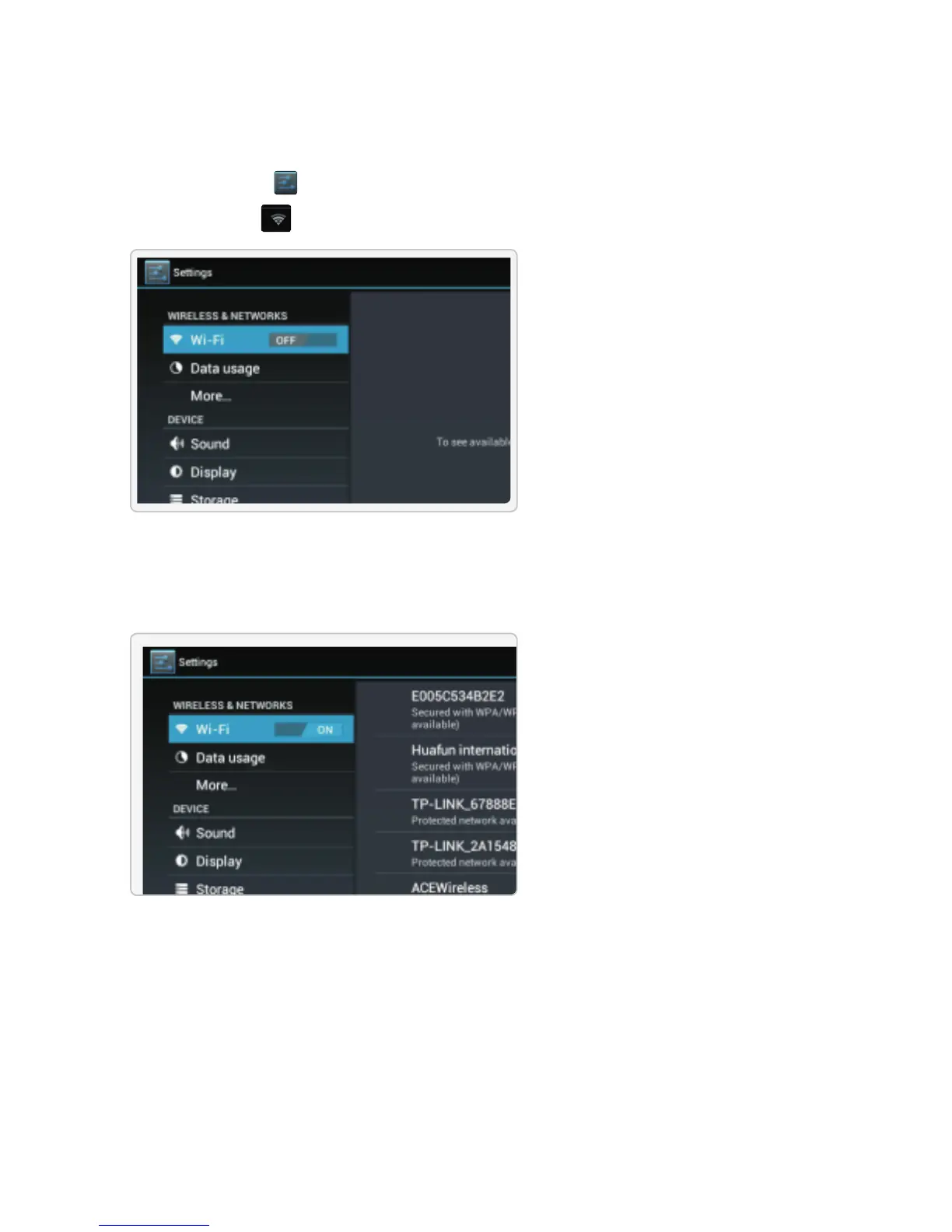
1.Press the Settings Icon.
2.Locate the Wi-Fi setting and slide it to the On position.
3.Select a network from the list of available networks. To refresh the list of available networks,
press the Scan button.
To manually add a network, select the Add Network button.
4.Select Connect from the pop up menu.


 To Next Page