Home
Depstech
Analytical Instruments
DS450
Page 3 (Device Operation and Controls)
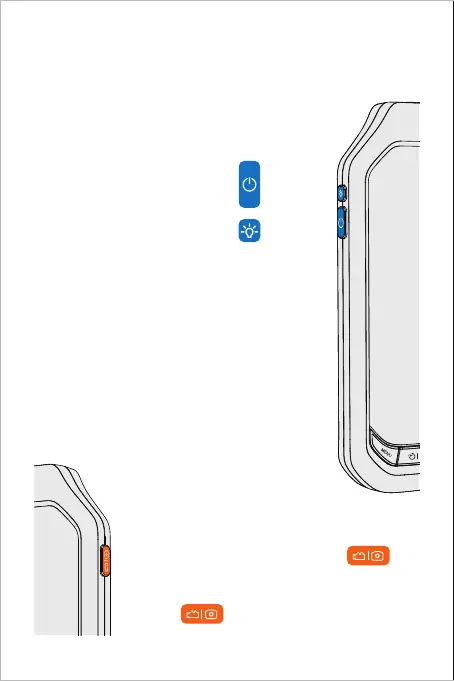
Depstech DS450 - Device Operation and Controls; Powering On; Light Control; Video and Photo Operations
10 pages
Manual
Save Page as PDF
To Next Page
To Next Page
To Previous Page
To Previous Page
Loading...
Turn on the device by
Holding the
Button
Control the fill light on / off with the
Button
To start video record, please
Hold the
Button
To take a photo or end the video record, please
Click the
Button
Quick Overview of Y
our New Endoscope!
2
4
Related product manuals
Depstech DS300
53 pages
Depstech DS520
52 pages
Depstech DS500
6 pages
Depstech DS590
11 pages
Depstech DS630
10 pages
Depstech WF010
12 pages
Depstech WF070
67 pages



 To Next Page