Step 2- Device Activation
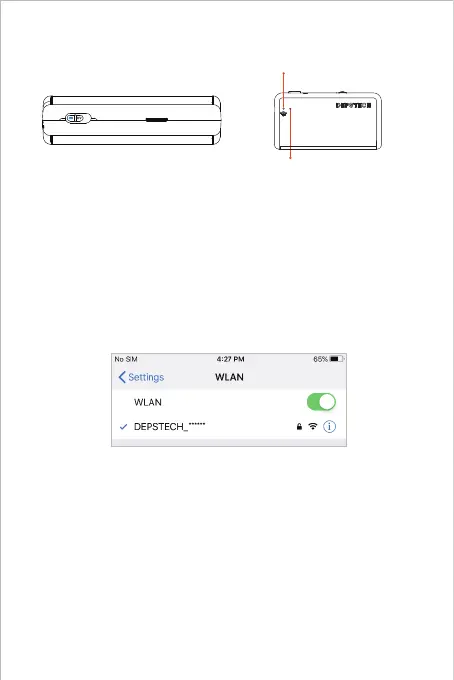
Push the power button to “ON” to open your WF020X/ 025/ 028
inspection camera.
Step 3- WiFi Connection
A. Turn to the WiFi setting on your smart devices (Phone, Tablet
or PC with WiFi module), search for the factory setting WiFi
SSID: DEPSTECH_******
B. Then choose and fill the factory setting WiFi password:
12345678
Note: Once the power system standby, the red LED indicator will stay on.
When the blue LED indicator flashed, means the WiFi module is ready to
paired.
Note: “******” will be a series of random numbers& letters, and it may
take several seconds to wait for the WiFi signal and the wifi connection.
Please be patient for the process.



 To Next Page