Accessories Installation Guide
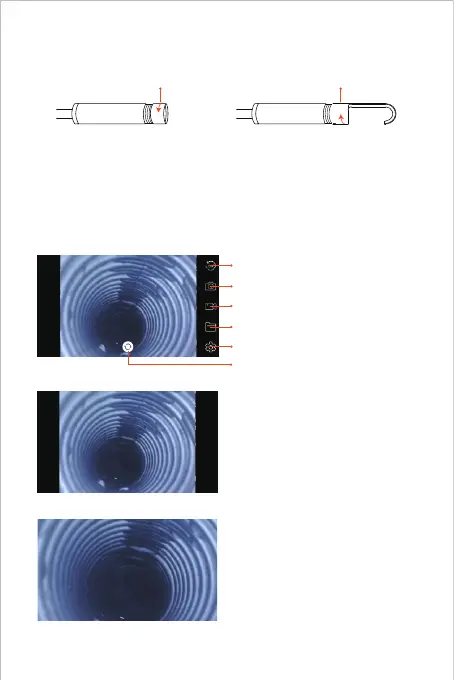
The three included accessories ( Side-mirror, hook and magnet)
are all attached to the camera in the same way as illustrated
above.
APP Introduction
Rotate Button: Click to rotate the image 90°
Photo Shoot Button: Click to take a photo
Record Button: Click to start/ end a video record
Gallery Button: Click to check the photos/ videos
Setting Button: Click to enter the setting
Buttons Hidden Function:
Click the screen to hide/ wake the buttons.
Zoom in/ Zoom out Function:
Two fingers expand outwards to zoom
in the real- time image.
Two fingers get close to zoom out the
real- time image.
Camera Switch Button: Click to switch main/ side camera



 To Next Page