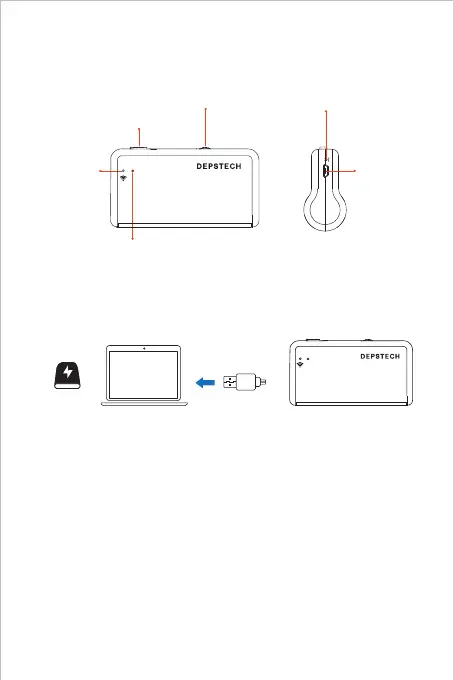
Product Structure Introduction
Charging Guide
You can charge the endoscope with power adapter, power strip, DC
5V/1A power bank, PC or Laptop. Please connect the endoscope with
the power source via the USB-A to Micro USB cable.
Note: During the charging process, the green LED indicator will steady on.
When the device was fully charged, the green LED indicator will turn off.
Please note the charging source should be higher DC 5V/1A, which means
you can look for a computer USB port/ power bank/ qualified power adapter
for charging purpose.



 To Next Page