- 24 -
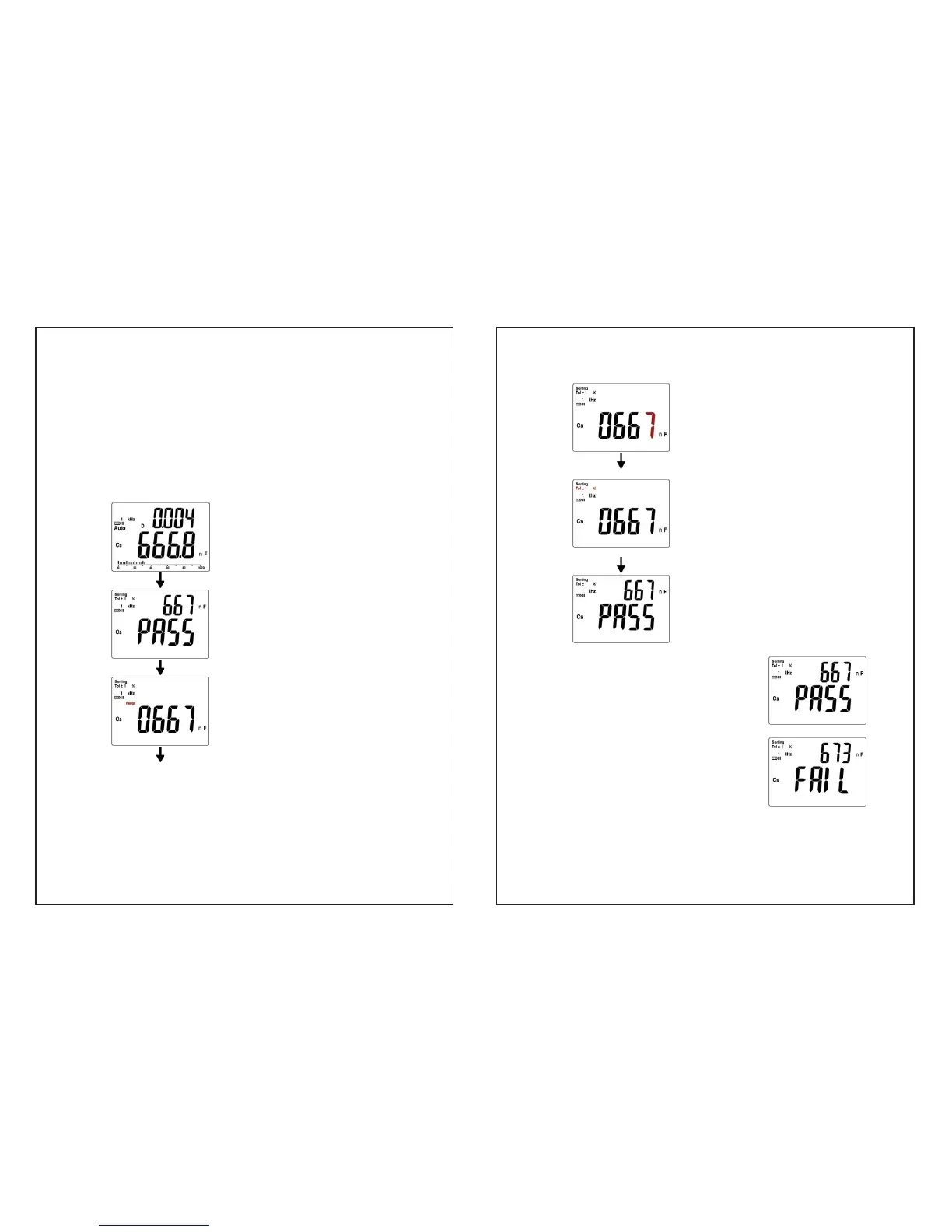
y The primary display will show PASS or FAIL which based on
whether the impedance measured exceeds tolerance range.
The secondary display will show the measurement reading.
y When sorting mode is active, operate “ SETUP ” key along with
“Ż / Ź” key, “Ÿ / ź” key and “Enter” key to set the reference
value, range and tolerance.
y When the setup is finished, press “ ENTER ” key to confirm.
Figure : Setting up the reference value for sorting
Display the measurement reading
Press “ SORTING ” key
The measurement reading is
shown on the secondary display.
Press “ SETUP ” key
“Range” will appear and flash.
Push “Ż / Ź” key to select the
position of decimal point and units
based on the components you
measure
Press “ ENTER ” key
- 25 -
Last digit will flash
Press “Ż / Ź” key to select the
desired digit.
Press “Ÿ / ź” key to adjust value.
Press “ ENTER ” key
“Tol ±” will flash.
Press“Ż / Ź”key to select Tol.
value : Each press of the key will
select either
±1%,±2%,±5%,±10%,
±20%, -20%+80%, ±0.25% or
±0.5%.
Press “ ENTER ” key
Setup is completed.
Ɣ If DUT ( device under test ) is
in the specified Tol % , buzzer
beeps once and the primary
display will show “PASS”.
y If DUT ( device under test ) is out
of the specified Tol %, the
primary display will show
“ FAIL ”.


 To Next Page