- 32 -
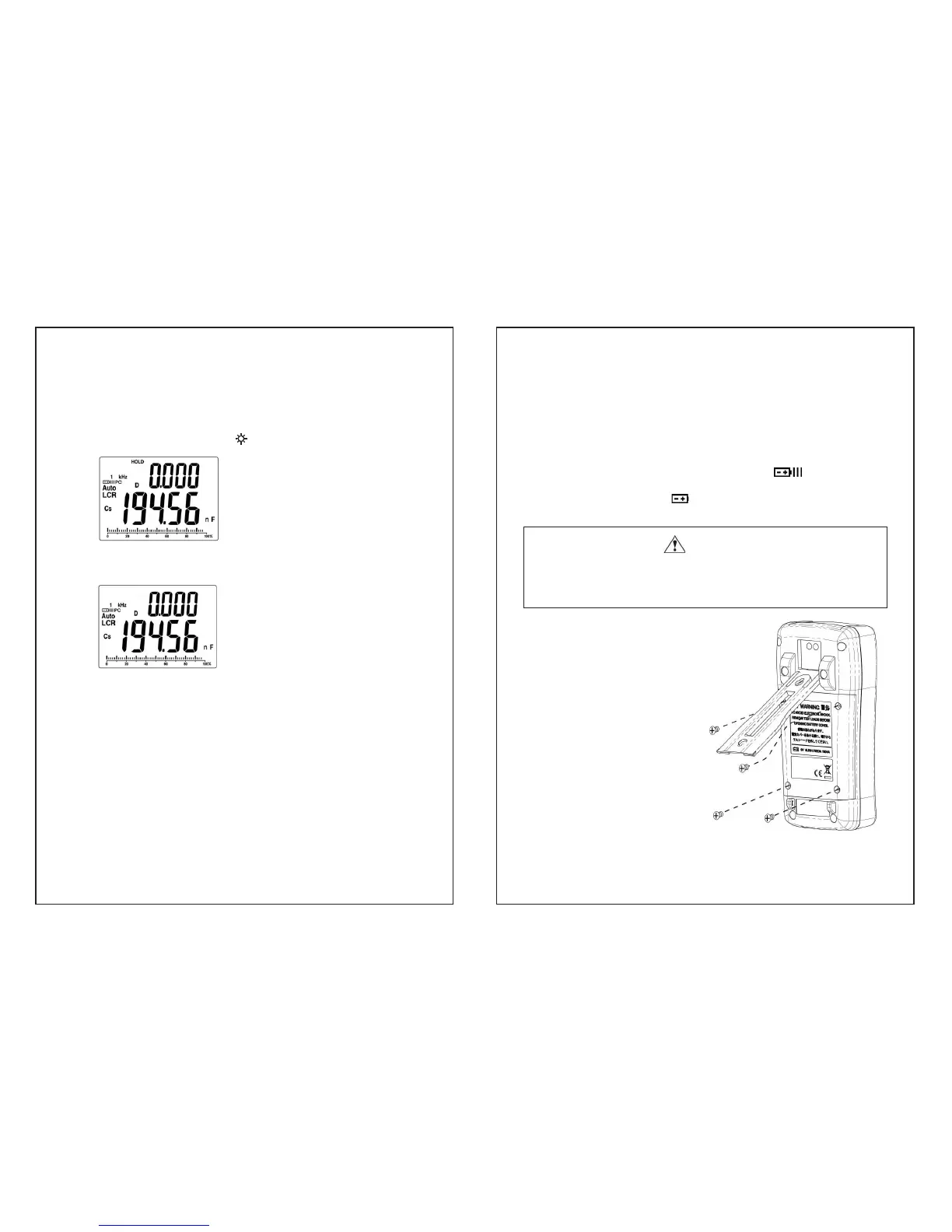
12. HOLD
y Press the “HOLD” key to freeze the reading on the primary
display and “HOLD” will appear.
y In the Hold mode, only key and PC key have function.
“HOLD” is shown.
y Press the “HOLD” key again, to exit the Hold mode
“Hold” disappears
- 33 -
V. Replacing Batteries
The meter is powered by a single 9V battery, with NEDA1604 ,
JIS006P and IEC6F22 carbon-zinc or alkaline battery. Alkaline
battery is recommended.
When replaces a new battery, the sign of ”
“ displays. To
ensure the measuring data is within spec, it is suggested to replace
battery immediately once ”
“ displays.
Warning
z Switch off the meter. Remove all test leads and external adaptor
before opening the case.
z Be sure to install the new batteries with correct polarities.
1. Remove tilt-stand.
2. Loosen 4 screws on battery
cover with suitable
screwdriver.
3. Then take up the cover.
4. Replace the specified battery.
5. Reverse the procedure of
step2 and step1.


 To Next Page