700 RAM I.M.
700 RAM I.M. Rev. 1.1 Page 6 of 12
Calibration Mode
AutoZero (if applicable)
AutoSpan
Program Mode
View Sensor Status (representative of whichever Model 700 Gas Sensor is attached)
Set AutoSpan Level
Set Serial ID
Alarm 1 Settings
Alarm 2 Settings
Fault Settings
Signal Output Check
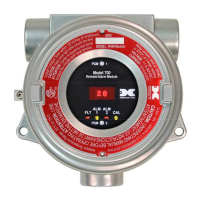
The user interface of the RAM is designed to mimic that of the Model 700 Gas Sensor. However, only the
functions deemed critical for normal remote sensor operation are available. The 5 menu functions that are
available for the remote control of the 700 Gas Sensor are:
AutoZero – used to perform AutoZero remotely
AutoSpan – used to perform AutoSpan remotely, user is required to apply span gas flow to remote gas
sensor
View Senor Status – displays the complete list of sensor status and diagnostic indicators
Set AutoSpan Level – used to change the span gas concentration
Signal Output Check – used to generate simulated outputs from the sensor for system diagnostic purposes
For any other required operational changes, the 700 Gas Sensor must be accessed
directly.


 To Next Page