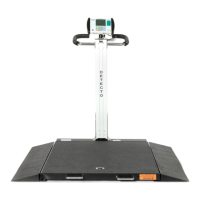
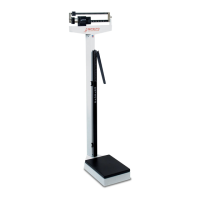
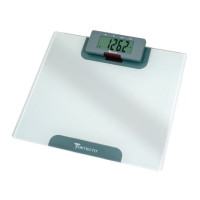
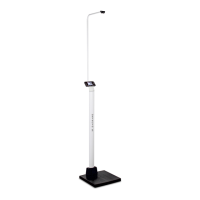
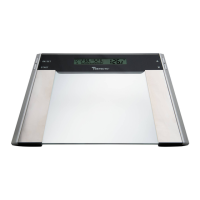
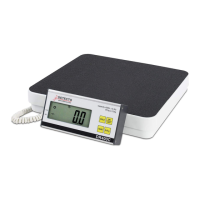
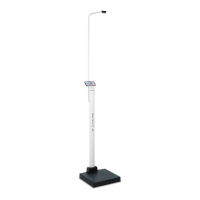
The Detecto 685X Series is a line of waist-high digital bariatric scales designed for accurate and dependable weight measurement, particularly for bariatric patients. These scales are manufactured with quality and reliability, ensuring years of service. The series includes various models such as 6855, 6855KGEU, 6855MHR, 6856, 6856KGEU, 6856MHR, 6854DHR, 6854KGEUDHR, 6857DHR, and 6857KGEUDHR, some of which feature mechanical or digital height rods for BMI calculation.
Function Description:
The primary function of the Detecto 685X Series scales is to accurately measure patient weight and, for models equipped with height rods, calculate Body Mass Index (BMI). The scales are designed for use in commercial environments, such as medical facilities, and are built to handle bariatric patients with capacities up to 1000 lb or 450 kg. The digital display provides clear weight readings, and some models offer additional features like ID entry and print capabilities for record-keeping.
Important Technical Specifications:
Capacity:
- 6855/6855MHR: 600 lb x 0.2 lb or 270 kg x 0.1 kg (selectable); 350 kg x 0.2 kg (OIML EC Class III for 6855KGEU).
- 6856/6856MHR: 1000 lb x 0.2 lb or 450 kg x 0.1 kg (selectable); 350 kg x 0.2 kg (OIML EC Class III for 6856KGEU).
- 6854DHR/6857DHR: 600 lb x 0.2 lb or 270 kg x 0.1 kg (selectable) for 6854DHR; 1000 lb x 0.2 lb or 360 kg x 0.1 kg (selectable) for 6857DHR. Both have OIML EC Class III versions (6854KGEUDHR/6857KGEUDHR) with 300 kg x 0.1 kg or 350 kg x 0.2 kg capacity.
- 6855/6855MHR/6854DHR: 18" x 14" / 46 cm x 36 cm.
- 6856/6856MHR/6857DHR: 24" x 24" / 61 cm x 61 cm.
Shipping Weight:
- 6855/6855MHR: 70 lb / 32 kg.
- 6856/6856MHR/6857DHR: 85 lb / 39 kg.
- 6854DHR: 74 lb / 34 kg.
Height Rod:
- Mechanical Height Rod (MHR models): 24" to 84" x 0.1 in (60 cm to 212 cm x 0.1 cm).
- Digital Height Rod (DHR models): 43" to 79" x 0.1 in (110 cm to 200 cm x 0.1 cm).
Display:
- 6855/6856 Series: Six digits, seven segments, 0.7 inches (17.8 mm) high LCD for weight.
- 6854DHR/6857DHR Series: Weight: 5 digits, seven segments, 7/8" (22.23 mm) high LCD; Height: 4 digits, seven segments, 1/2" (12.7 mm) high LCD; BMI: 3 digits, seven segments, 1/2" (12.7 mm) high LCD; ID: 14 digits, 14 segments, 0.35" (8.89 mm) high LCD.
Power:
- 6855/6856 Series: 6 "AA" size Alkaline, Ni-Cad, or NiMH batteries (not included) OR an optional 100-240 VAC 50/60Hz 12 VDC 1A wall plug-in AC power adapter.
- 6854DHR/6857DHR Series: 6 "C" cell Alkaline, Ni-Cad, or NiMH batteries (not included) OR an optional 12 VDC 1.25A wall plug-in AC power adapter.
Keyboard:
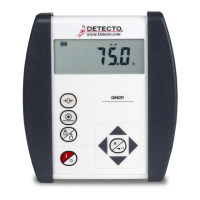
- 6855/6856 Series: Membrane type with 5 keys (On/Off, Lock/Release, Units, Zero, BMI/Enter, and 4 directional arrows).
- 6854DHR/6857DHR Series: Membrane type with 19 keys (On/Off, Zero, Units, Lock/Release, Net/Gross, Tare, ID/Height, Clear, Print/Enter, and 0-9 Numeric Keys).
Usage Features:
-
Weighing Operation:
- Place the scale on a hard, level surface.
- Turn on the indicator using the ON/OFF key.
- If needed, press the ZERO key to zero the weight display.
- Assist the patient onto the scale.
- Read the stable weight displayed (STABLE annunciator will turn on).
- Optionally, print a ticket if a printer is connected.
- Assist the patient off the scale.
- Safety Precaution: ALWAYS assist the patient on and off the platform and NEVER leave them unattended to prevent falls and severe injury.
-
Zero Weight Display: If the display is not showing zero, press the ZERO key. The display will return to zero, and the ZERO and STABLE annunciators will indicate a stable, center-of-zero condition.
-
Weighing and BMI Calculation (6855/6856 Series):
- Turn on the indicator.
- Zero the weight display if necessary.
- Assist the patient onto the scale.
- Once weight is stable, press the HEIGHT key.
- Enter the patient's height using the directional arrows (for feet/inches or centimeters). The blinking character indicates the position to be changed.
- Press the HEIGHT key again to display the BMI.
- Optionally, print a ticket.
- Assist the patient off the scale.
- Press the HEIGHT key to return to normal weighing.
-
Weighing and BMI Calculation (6854DHR/6857DHR Series):
- Turn on the indicator.
- Zero the weight display if necessary.
- Perform tare operation if required (refer to specific MedVue manuals for instructions).
- Press the ID/HEIGHT key.
- Enter the patient's height using the numeric keys (for centimeters or millimeters) and press ENTER.
- Assist the patient onto the scale.
- Read the stable weight, height, and BMI displays.
- Optionally, print a ticket.
- Assist the patient off the scale.
- BMI display clears when the patient is off the scale or when a ticket is printed.
-
Mechanical Height Rod Installation (MHR models):
- Unpack components: Detecto Mechanical Height Rod (MHR), MHR Upper Bracket, MHR Lower Bracket, #10 x 3/4" Hex Head Sheet Metal Screws, and M4 x 0.7 x 5 Phillips Drive Pan Head Machine Screws.
- Align and install the MHR upper bracket to the column using two #10 hex head screws.
- Align and install the MHR lower bracket to the column using two #10 hex head screws.
- Install the two M4 x 0.7 x 5 Phillips drive pan head screws into the upper and lower brackets, leaving about 3/16" (5 mm) from the column.
- Place both height rod brackets over the M4 screws and pull down to secure the MHR to the column.
-
Measuring Patient's Height (Mechanical Height Rod):
- Ensure the spoon is horizontal and raised above the patient's apparent height.
- Assist the patient onto the scale.
- Carefully lower the spoon horizontally until it rests on the patient's head.
- Read the height from the white tick marks/red line on the outer/inner height rod.
- Raise the spoon and assist the patient off the scale.
- Rotate the spoon to the vertical position and adjust the height rod to its lowest rest position.
-
Digital Height Rod Installation (DHR models):
- Unpack components: Detecto Digital Height Rod (DHR), #10 x 1/2" Hex Head Sheet Metal Screws, Mounting Brackets, M4 x 0.7 x 5 Phillips Drive Pan Head Machine Screws, and Cable Clip.
- Align and install a mounting bracket to the height rod (near the headpiece) using four M4 x 0.7 x 4 Pan Head Machine screws.
- Align and install the other mounting bracket to the lower holes in the height rod using four M4 x 0.7 x 4 Pan Head Machine screws.
- Align the headpiece mounting bracket with the holes in the column and install two #10 x 1/2" Hex Head Sheet Metal screws.
- Align the lower bracket with the lower holes in the column and install two #10 x 1/2" Hex Head Sheet Metal screws.
- Connect the DHR cable to the "Height Rod" port on the indicator, routing it as shown in the manual.
-
Measuring Patient's Height (Digital Height Rod):
- Ensure the digital height rod is in the "starting position" (inner sliding tube completely down, headpiece folded flat). An error message (999.9) will display if not in the starting position.
- Turn on the indicator.
- Zero the weight display.
- Assist the patient onto the scale.
- Grasp the height rod at the hinge pin, raise it above the patient's head, lift the headpiece to horizontal, and lower it until it rests on the patient's head.
- BMI will automatically display with height.
- Read the weight, height, and BMI.
- Raise the height rod and assist the patient off the scale.
- Return the height rod to the starting position.
- BMI display clears when weight returns to zero.
- Note: If the patient is outside the height range (under 3 ft., 7.3 in or over 6 ft., 7.1 in), return the digital height rod to the starting position and manually enter the patient's height.
Maintenance Features:
-
Care and Cleaning:
- DO NOT subject the scale platform to sudden shocks.
- DO NOT submerge, pour water on, or spray water directly on the indicator.
- DO NOT use acetone, paint thinner, or other volatile solvents for cleaning.
- DO NOT expose the scale to temperature extremes or place it near heating/cooling vents or in moist areas.
- DO NOT operate the keypad with pointed objects to avoid damage (not covered under warranty).
- DO clean the indicator with a damp soft cloth and mild non-abrasive detergent.
- DO remove power before cleaning.
- DO provide clean AC power and adequate lightning protection.
- DO keep surroundings clear for adequate air circulation.
-
Proper Disposal: At the end of its useful life, the device must be disposed of properly, not as unsorted municipal waste. Within the European Union, it should be returned to the distributor. In North America, it should be disposed of according to local laws for waste electrical and electronic equipment.
-
Limited Warranty:
- Detecto Scale warrants equipment to be free from defects in material and workmanship for two (2) years from the date of shipment.
- During the first ninety (90) days, Detecto may replace the product at no charge.
- After ninety (90) days, Detecto will repair or replace with a remanufactured product; the customer is responsible for freight both ways.
- The warranty does not cover peripheral equipment not manufactured by Detecto, expendable/consumable parts, or damage due to wear, accident, misuse, abuse, improper line voltage, overloading, theft, lightning, fire, water, acts of God, extended storage, or exposure.
- Purchased parts have a ninety (90) day repair or replacement warranty.
- Returns require a return authorization number and proper packing, with shipping charges prepaid.
- The warranty is void if the equipment has been tampered with, defaced, mishandled, had unauthorized repairs/modifications, had its serial number altered/removed, or was not grounded according to recommendations.
- Freight carrier damage claims must be referred to the carrier.

 Need help?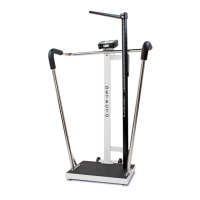

 To Next Page
 General