E-2
IV. Accessory Parts
* Varies depending on the applicable marketing
area.
V. Unpacking the Printer
1. Unpack the packaging box, and remove cushion-
ing materials and plastic bags from the box.
2. While keeping the printer level, take out the
printer from the box.
Note:
Printer mass: 23.5 kg/52 lb
When transporting or moving the printer, assign
adequate number of persons.
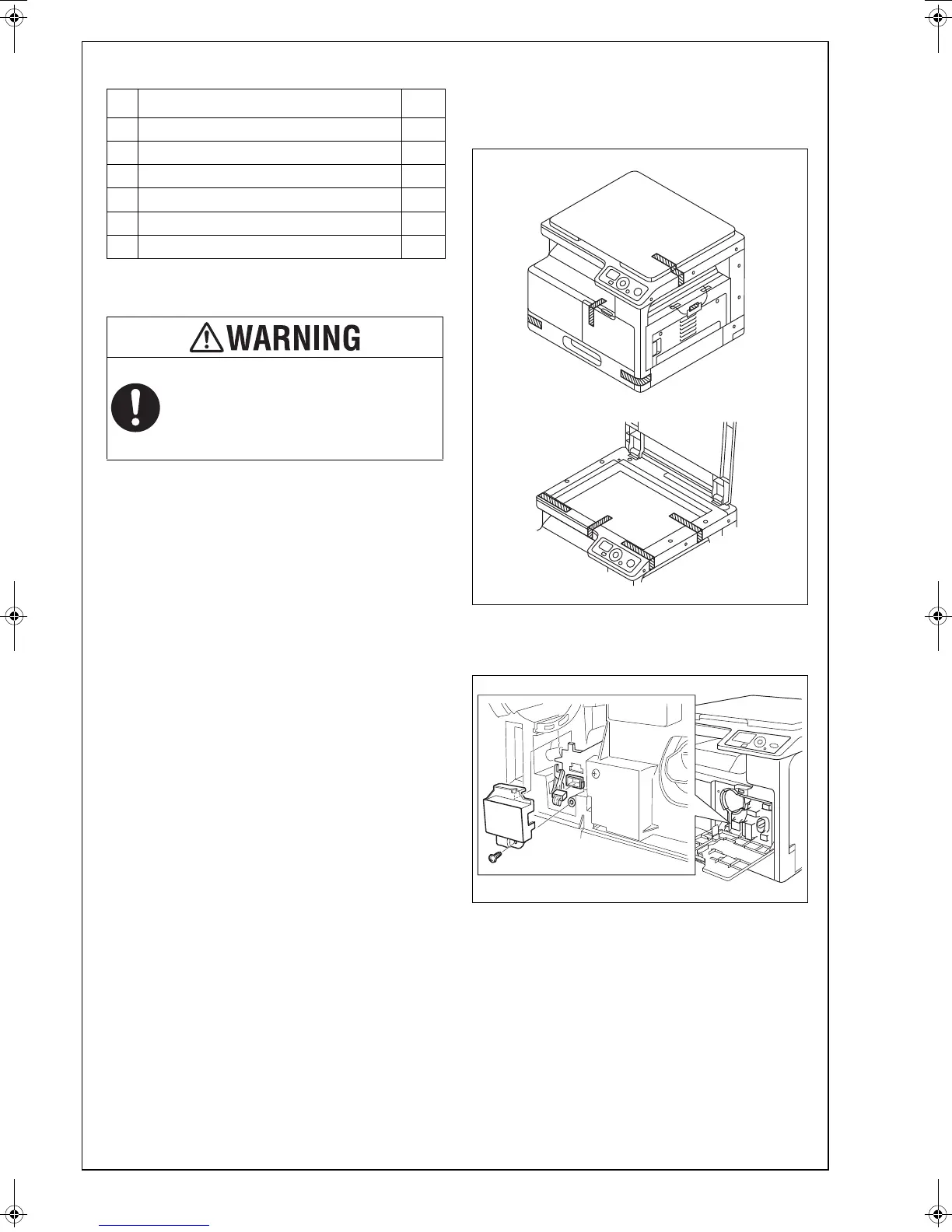
VI. Removing Protective Tape, Packaging
Materials and Imaging Unit
1. Remove pieces of protective tape and packaging
materials.
2. Open the right and front doors.
3. Remove the cover shown in the illustration and
unplug the connector (one screw).
No. Name Q’ty
1. User’s Guide 1 set
2. Installation Manual (this manual) 1
3. Starter 1
4. Power Cord 1
5. Power Cord Instruction* 1
6. CD-ROM 1 set
After unpacking, be sure to get rid of the
packaging materials and keep them out of
the reach of children.
Putting your head in the wrapper involves
danger of suffocation.











 To Next Page