E-3
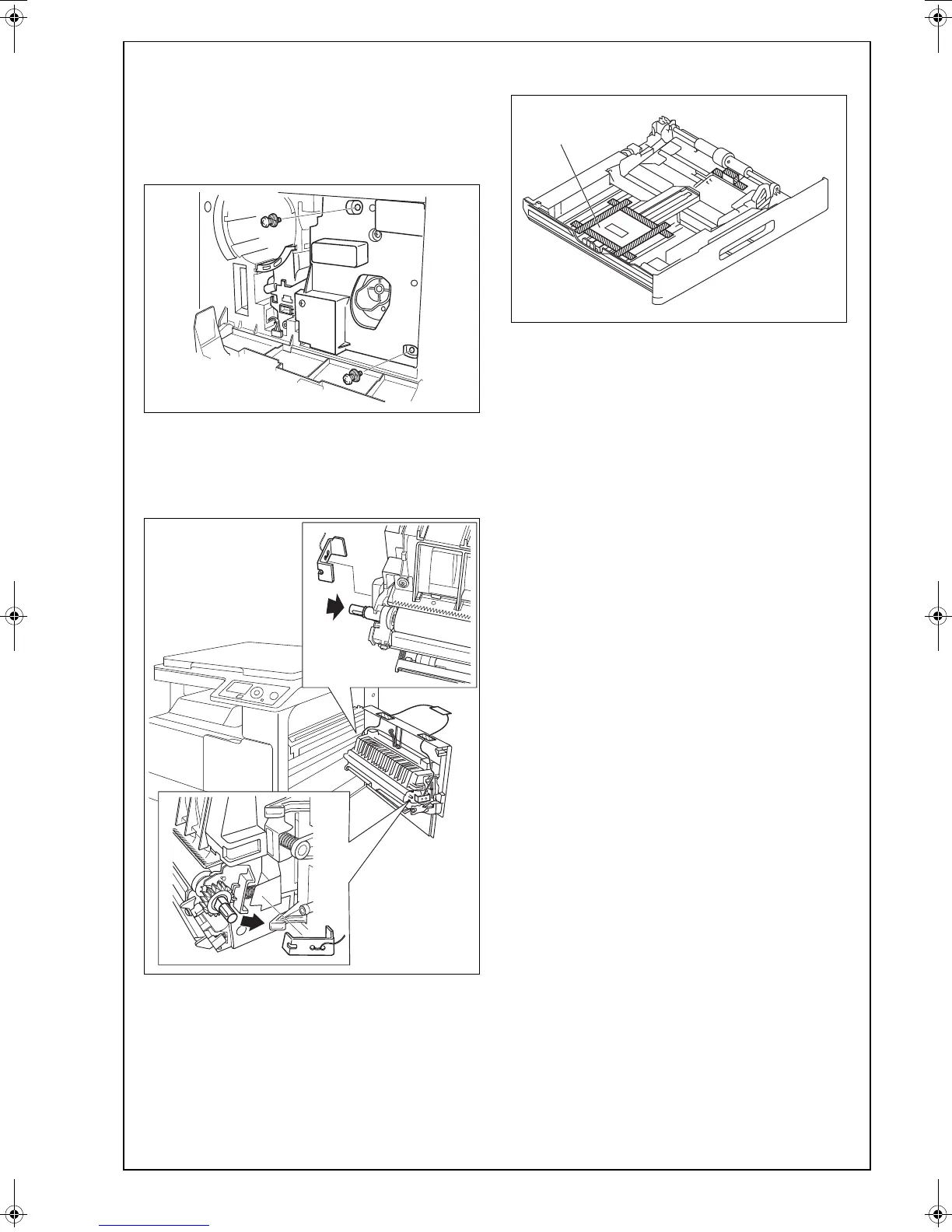
4. Unscrew the screws shown in the illustration to
remove the imaging unit (two screws).
Note:
• Do not touch or scratch the PC drum.
• Cover the imaging unit, which has been
removed, with a protective cloth or similar mate-
rial.
5. Close the front door.
6. Remove the protective tape.
7. Push the shafts in the direction of the arrows to
remove the fixing brackets that fix the transfer
roller.
8. Close the right door.
9. Slide out the drawer and remove the protective
tape and cushioning material.
10. Slide the drawer back in.











 To Next Page