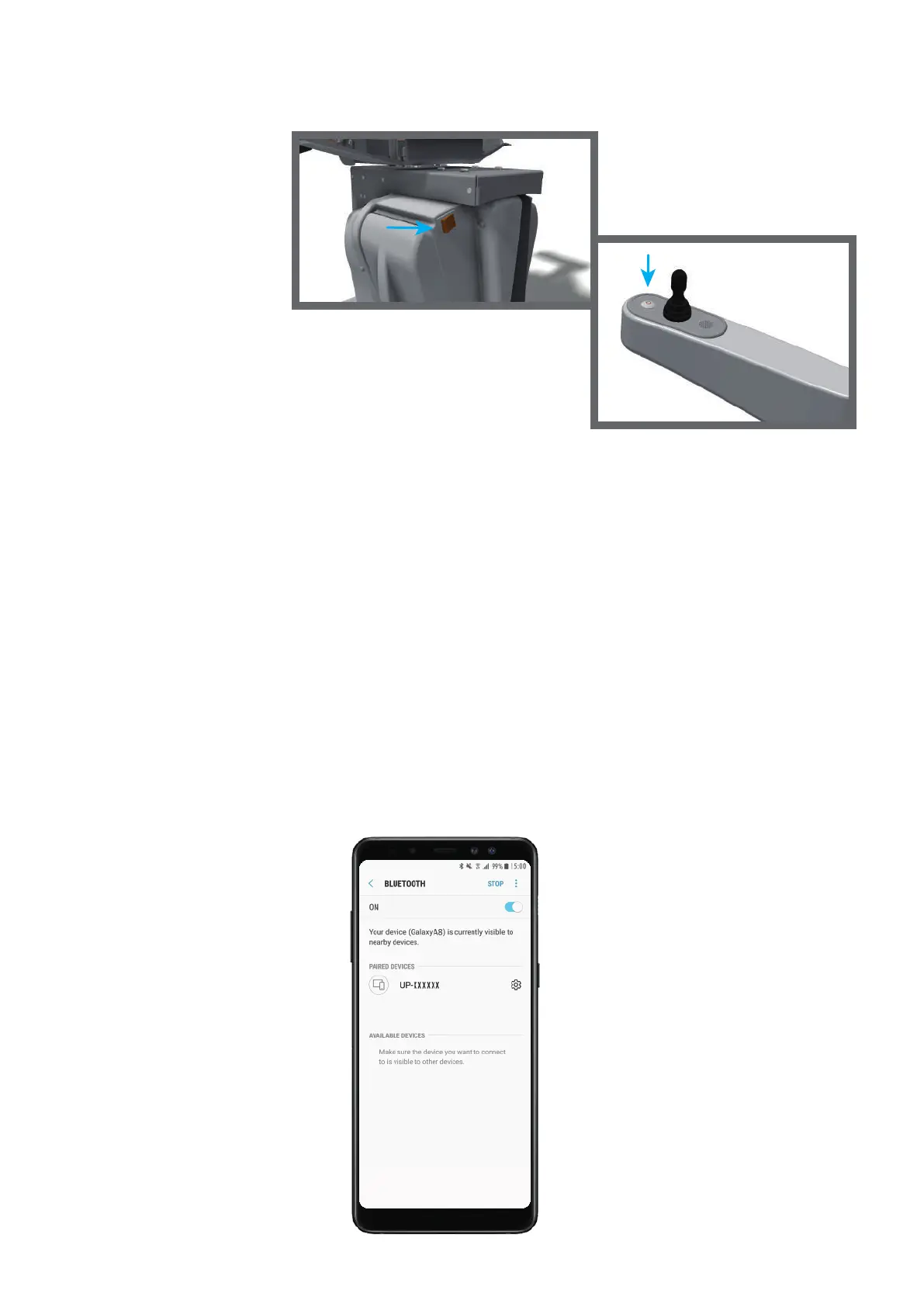
4. Flip the main switch at the back of the stairlift (fig. 24).
5. Push the on/off button on the armrest (fig. 25).
6. Download the ‘UP configuration app manual’ from
www.upwebshop.com. Go to the parts webshop, login, click on Downloads
and there you can find the manual. Or click HERE if you are reading this
manual digital.
Install the remote app on your phone, this app can also be found on
www.upwebshop.com on the downloads page or click HERE.
Make sure that your bluetooth is on (fig. 26). Select the UP-xxxxxx in your
bluetooth. When you select the UP you need to put in a password.
The password is 1234. Open the app on your phone. Push the button “Connect”.
Push the button QR and scan the QR-code that is on the right side of the UP.
Now your phone is ready to use as a remote for the stairlift.
When you do not use the app for 30 seconds you need to re-scan the
QR-code.
17
(fig. 24)
(fig. 25)
(fig. 26)



 To Next Page