Congratulations you just installed the UP Stairlift!
After installation various safety checks will have to be performed, notes need to be
taken from these safety checks.
Control check
1. If the carriage is upstairs push the joystick in the downward direction.
The stairlift should start to travel down. When releasing the button the
stairlift should stop.
2. If the carriage is downstairs push the joystick in the upward direction.
The stairlift should start to travel up.When releasing the button the
stairlift should stop.
Remote control check
Push remote config ON inside the configurate app to add remotes.
1. Press the downward button on the app or on the optional remote.
The stairlift should travel down. When releasing the button the stairlift should stop.
2. Press the upward button on the app or on the optional remote.
The stairlift should travel up. When releasing the button the stairlift should stop.
Safety sensors check
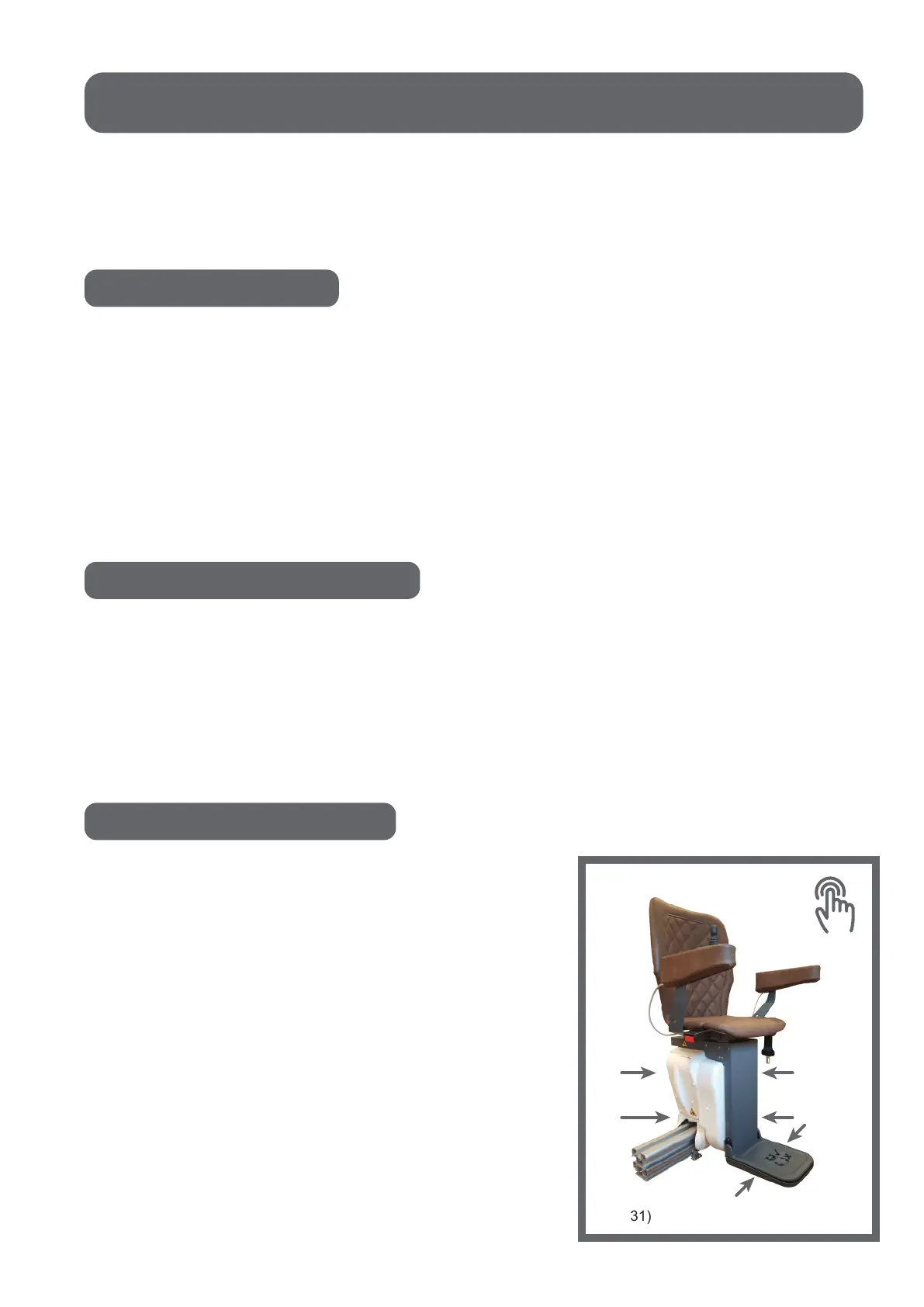
1. Move the stairlift upwards with the joystick,
app or remote and push the cover of the footrest.
The stairlift should stop.
2. Move the stairlift downwards with the joystick,
app or remote and push the cover of the footrest.
The stairlift should stop.
3. Move the stairlift upwards with the joystick,
app or remote and push the cover of the carriage.
The stairlift should stop.
4. Move the stairlift downwards with the joystick,
app or remote and push the cover of the carriage.
The stairlift should stop.
19
(fig. 31)
Safety checks



 To Next Page