10. Put the seat back on the carriage with the four bolts M8x16 DIN 934. When
neccesary. (fig. 21)
11. Remove the ‘box’ rail and connecting part from the stair rail.
12. When the stairlift is all set, end stops have to be placed on either end of
the rails. This is done with four DIN 7500-1 M6X20 bolts through the four
holes of the end plate. (fig. 30)
13. Configurate the stairlift using the UP conigurate app.
14. The final step is to mount te QR code,
or the optional remote controls, on the wall.
It has to be mounted at the beginning and
at the end of the rail. You can use
double-sided tape to mount the QR code
on the wall. For the remote control you have
to use the remote control bracket.
18
(fig. 30)
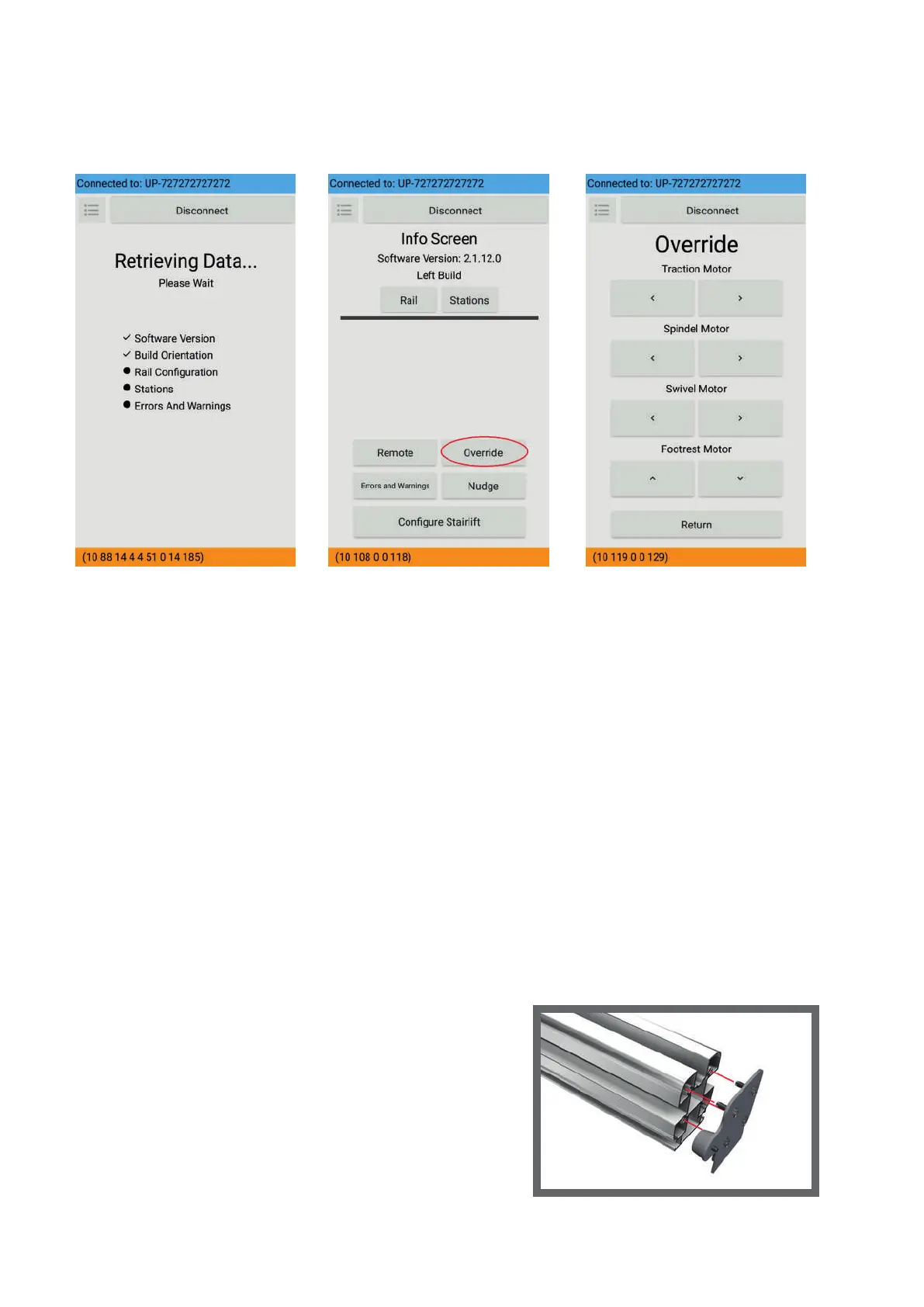
7. As soon as the app has loaded all data from the lift (fig. 27), you can start
to control the lift. You can set each motor in motion in the override
section (fig. 28 + 29) of the app. Ride the stairlift on to the rail.
8. With the lift on the rails, you can start calibrating the stairlift.
Once the configuration has started, you are taken through the app by a
number of steps.
(fig. 27) (fig. 28) (fig. 29)



 To Next Page