2 Settings
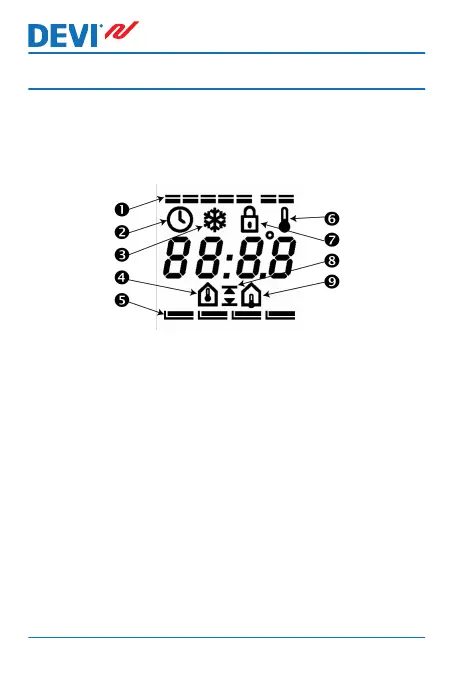
Using clear visual symbols, the display of the thermostat
shows active and selected functions, the actual tempera-
ture and the time:
1. Days of week
2.
Settings
3. Frost protection
4. Room temperature
5. Day rhythm periods and comfort / economy tempera-
ture
6. Actual temperature is displayed
7. Safety lock
8. Maximum / minimum temperature
9. Floor temperature
DEVIreg™ 535
6 User Guide





 To Next Page