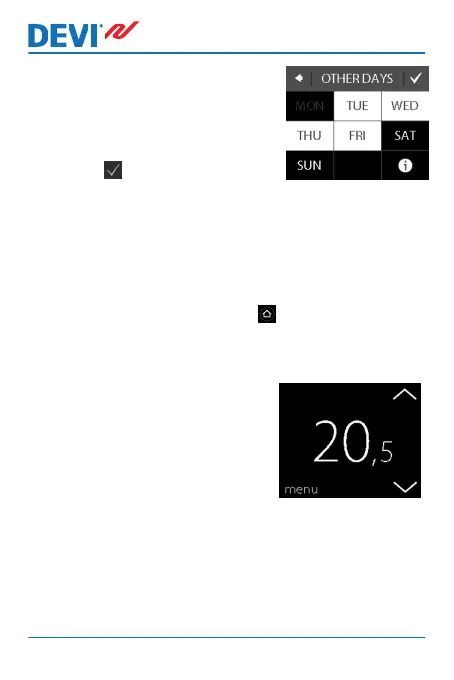
10. Click NO if the comfort periods
only apply to the selected day
of the week, or click YES to go
to a screen where you can se-
lect the relevant days. Then
press to copy the comfort
periods to these days.
11. Repeat Steps 3 to 7 to define comfort periods for
other days of the week.
To return to the normal temperature display, press the
back arrow in the upper left corner of the screen until you
get to the main menu, then press .
How to define comfort and economy temperatures
1. Touch the thermostat display
to activate it, then press
menu.
DEVIreg™ Touch
14 User Guide



 To Next Page