INTRODUCTIONPHANTOM WITH DIALOG
23
PHANTOM WITHOUT DIALOGSPARK
CENTRAL SECTION
SMARTPHONE OR TABLET USER INTERFACE
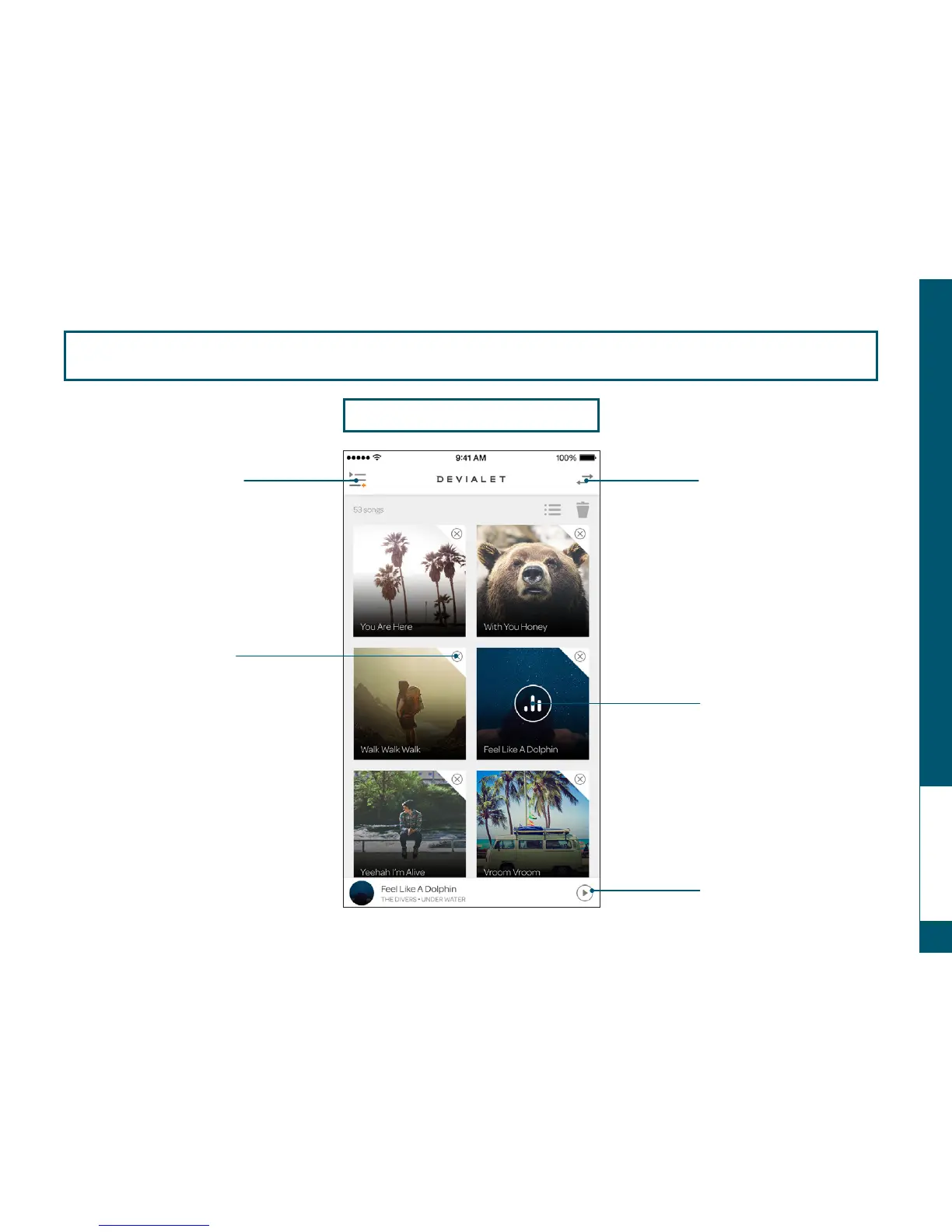
Switch to the right sectionSwitch to the left section
To delete a song, touch the
cross in the left side of the
album cover
To reorganize your playlist,
simply move the album covers
to the desired position
Song currently playing
Control the song
currently playing


 To Next Page